- The best tasks to automate with AI are frequent, repetitive and rule-based, with a clear start and finish.
- Start with lead follow-up, scheduling and review requests: low effort to set up, quick to pay off.
- Every AI automation follows the same pattern: trigger, AI step, action and, where it matters, a human check.
- Tools such as Zapier and Make have free plans, so you can test a simple automation before spending anything.
The short answer: the business tasks to automate with AI first are the ones you repeat every day and could explain as simple rules: following up new leads, answering routine calls and messages, booking and reminding appointments, sorting email, entering invoice data, drafting quotes, onboarding customers, asking for reviews, building weekly reports and repurposing content. Start with one or two that are easy to set up and save time every week.
What Makes a Task Worth Automating?
Not every task is a good fit. The best candidates share four traits:
- Frequent: it happens daily or weekly, so small time savings add up.
- Repetitive: the steps are the same most of the time.
- Rule-based: you could write the rules on one page, with AI handling the messy parts such as reading an email or summarising a call.
- Low risk if it slips: a mistake is easy to catch and fix, or a person reviews the output before it goes out.
10 Business Tasks to Automate With AI
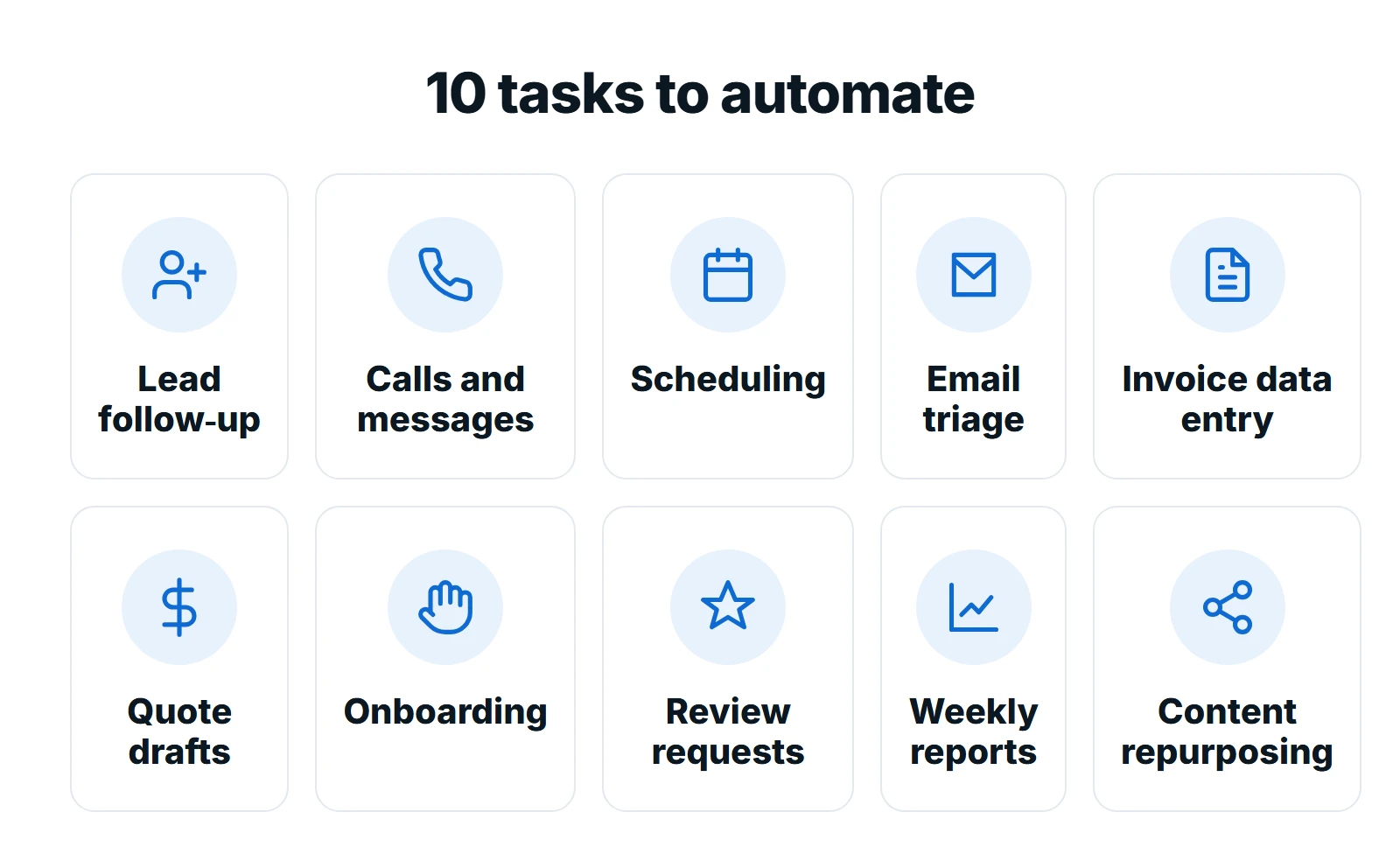
1. Lead follow-up
When a form is submitted, an automation adds the lead to your CRM, sends a personal reply within a minute, alerts the right salesperson and schedules a follow-up if nobody responds. AI can read the enquiry and tag it by service and urgency.
2. Answering calls and messages
An AI receptionist or an AI chatbot answers routine questions, collects details and books appointments, then sends your team a summary. People handle the calls that need them.
3. Scheduling and reminders
Customers pick a time from your calendar, get a confirmation and receive reminders by email or text. Reschedule requests go straight back to the calendar.
4. Email triage and draft replies
AI sorts incoming email into sales, support, billing and spam, flags anything urgent and drafts replies to common questions for a person to approve.
5. Invoice and receipt data entry
AI reads invoices and receipts sent as PDFs or photos, pulls out the supplier, date, amounts and tax, and adds them to your accounting software for review.
6. Quote and proposal drafts
From a short brief or a call summary, AI drafts a quote using your services, prices and templates. A person checks it before it is sent, because quotes are promises.
7. Customer onboarding
When a deal is won, an automation creates the project, sends a welcome email with next steps, requests the documents you need and reminds the customer until they arrive.
8. Review requests
After a job is marked complete, the customer receives a thank-you message and a link to leave a review. Simple to set up, and it keeps reviews coming in steadily.
9. Weekly reports
Instead of copying numbers from five tools into a spreadsheet, an automation gathers leads, sales and bookings, and AI writes a short summary of what changed.
10. Content repurposing
AI turns a blog post or a video into draft social posts, an email newsletter section and FAQs. A person edits for voice and accuracy before anything is published.
Example: One Lead, Fully Automated
Here is how lead follow-up looks for a home services business once it is automated. It is a typical setup, not a promise of results:
- 7:42 pm: a homeowner fills in the quote form on the website, asking about a leaking water heater.
- 7:42 pm: the lead is added to the CRM. AI reads the message, tags it as a water heater repair with medium urgency and notes the postcode.
- 7:43 pm: the homeowner receives a personal reply confirming the request, with a link to book a visit from the open slots in the calendar.
- 8:05 pm: they book Thursday morning. The visit lands in the technician’s calendar with the job notes attached.
- Wednesday: a reminder goes out by text the day before the visit.
- Thursday: after the job is marked complete, a thank-you message asks for a review.
Nobody typed anything. The team saw a booked job with full notes instead of a form submission waiting in an inbox until the morning. That is the real value of AI automation: speed and consistency on the tasks that decide whether a lead becomes a customer.
Where to Start
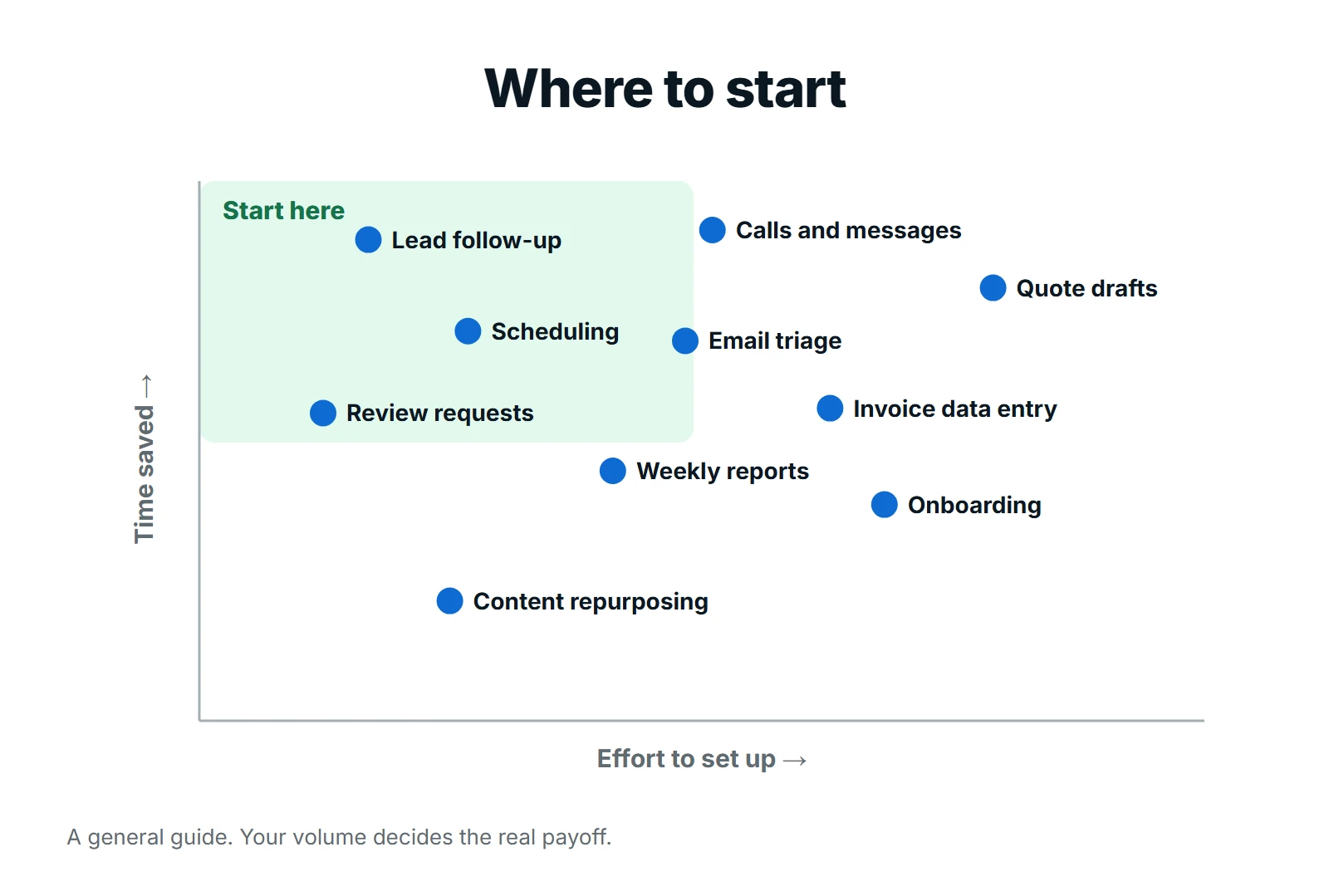
Pick one task that is easy to set up and happens often. For most small businesses that is lead follow-up, appointment reminders or review requests. Get one automation working reliably, measure the time it saves, then add the next.
How an AI Automation Works

| Part | What it does | Example |
|---|---|---|
| Trigger | Starts the automation | A new form submission |
| AI step | Reads, sorts, summarises or drafts | Tag the lead by service and write a reply |
| Action | Updates your tools | Add to the CRM and send the email |
| Human check | Approves anything risky | A person reviews quotes before sending |
No-code tools make this workflow accessible. Zapier says it connects 9,000+ apps and has a free plan with 100 tasks a month, and Make has a free plan with 1,000 credits a month. For anything business-critical, connecting several systems or handling sensitive data, a custom-built automation is usually more reliable.
Want these automations built for you?
We map your processes, build AI automations that connect your forms, CRM, calendar, email and accounting tools, and add human checks where they matter. You get a fixed quote before any work starts.
What Not to Automate
- Decisions with real consequences, such as approving refunds, hiring or medical, legal and financial advice.
- Sensitive conversations, such as complaints, cancellations and bad news.
- Anything you cannot check. If you would not notice a mistake, add a review step or do not automate it.
- Broken processes. Automating a messy process makes the mess happen faster. Fix the steps first.
Your First Automation in 6 Steps
- List the tasks your team repeats every week and how long each takes
- Pick one that is frequent, simple and low risk
- Write the steps and rules on one page, including what counts as an exception
- Build it in a test account and run real examples through it
- Add a human check where a mistake would matter
- Measure the time saved after a month, then automate the next task
Frequently Asked Questions
What business tasks can be automated with AI?
The best business tasks to automate with AI are frequent and repetitive: lead follow-up, answering routine calls and messages, scheduling, email triage, invoice data entry, quote drafts, onboarding, review requests, weekly reports and content repurposing.
What should a small business automate first?
Start with something easy to set up that happens often, such as lead follow-up, appointment reminders or review requests. Get one automation working reliably before adding more.
Do I need to code to automate tasks with AI?
Not for simple automations. No-code tools such as Zapier and Make have free plans. Larger or business-critical workflows that connect several systems are usually better built and maintained by a developer.
Is it safe to let AI handle customer emails?
It is safe when AI sorts and drafts and a person approves the replies, especially for anything involving money, complaints or commitments. Fully automatic replies work best for simple, low-risk messages.
How much does AI workflow automation cost?
No-code tools start free; Zapier’s Professional plan starts at $19.99 a month billed yearly and Make’s plan starts at $9 a month. Custom automations are quoted as a project based on the systems and steps involved.
Final Thoughts
Choosing the right tasks to automate with AI is less about technology and more about picking the right jobs: frequent, repetitive and easy to check. Start with one, prove the time saving, and build from there. Within a few months, the work your team dreads most can run quietly in the background.
At Digital Roots Media, we build AI workflow automations that connect the tools you already use. Request a free proposal and we will suggest the first three tasks to automate in your business.