- Most chatbot mistakes lose leads in one of three ways: wrong answers, no way to reach a person, or no follow-up.
- A business is responsible for what its chatbot says. In Moffatt v. Air Canada (2024), a tribunal held the airline responsible for its chatbot’s wrong information.
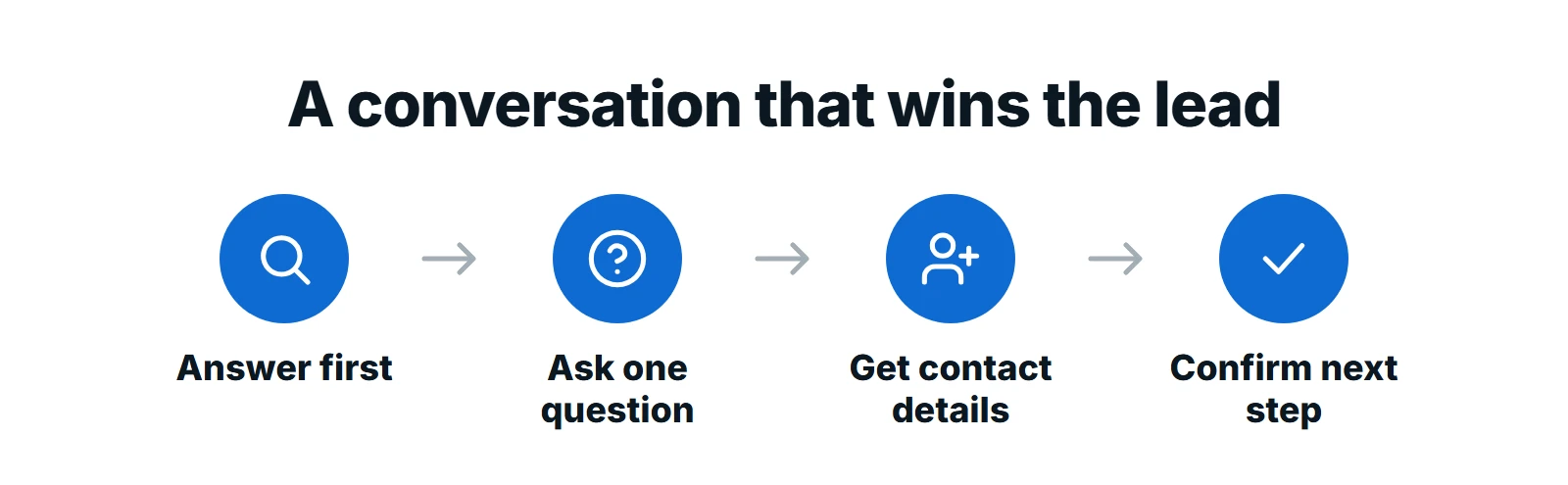
- Good chatbots answer first, ask one question at a time and only then ask for contact details.
- Google advises against pop-ups that cover the page, so keep the chat window small until a visitor opens it.
The short answer: the chatbot mistakes that lose leads most often are letting the bot guess answers, giving visitors no way to reach a person, asking for contact details before helping, never capturing the lead at all, and leaving the chatbot unchecked for months. Each one is easy to fix with approved content, clear handoff rules, a lead capture step and a monthly review.
A website chatbot should be your fastest salesperson: always available, never tired, quick to answer. Set up badly, it does the opposite. It frustrates visitors, gives wrong answers and lets interested buyers leave without a trace. Here are the eight mistakes we see most often, and how to fix each one.
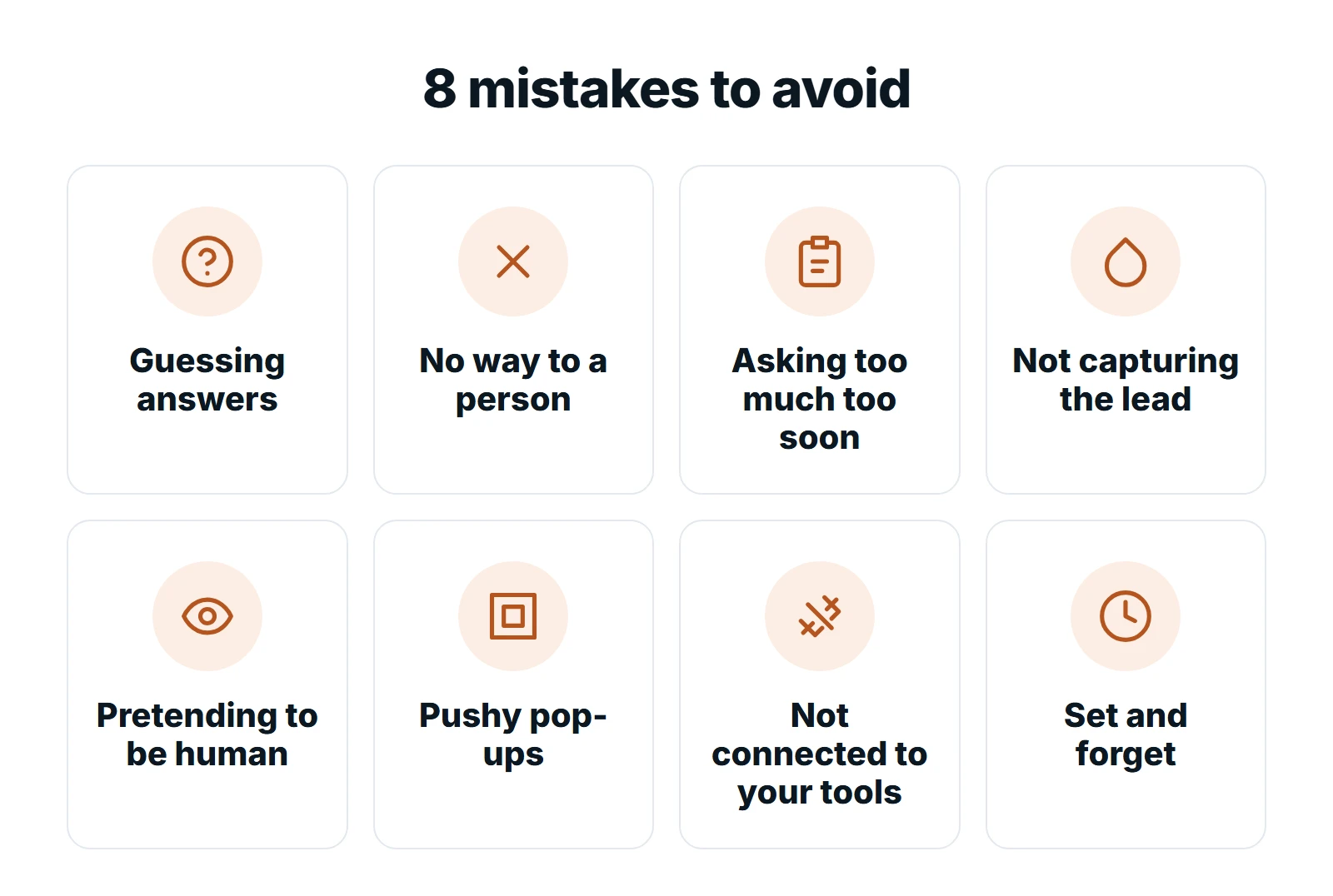
1. Letting the Chatbot Guess
An AI chatbot that is not limited to your approved content will sometimes make up an answer that sounds right. That is how a chatbot promises a discount you do not offer or a policy you do not have.
This has real consequences. In Moffatt v. Air Canada, decided by British Columbia’s Civil Resolution Tribunal on February 14, 2024, a customer relied on the airline’s website chatbot, which told him he could claim a bereavement fare after booking. That was not Air Canada’s policy. The airline argued it should not be responsible for its chatbot, and the tribunal disagreed, finding that Air Canada did not take reasonable care to ensure its chatbot was accurate.
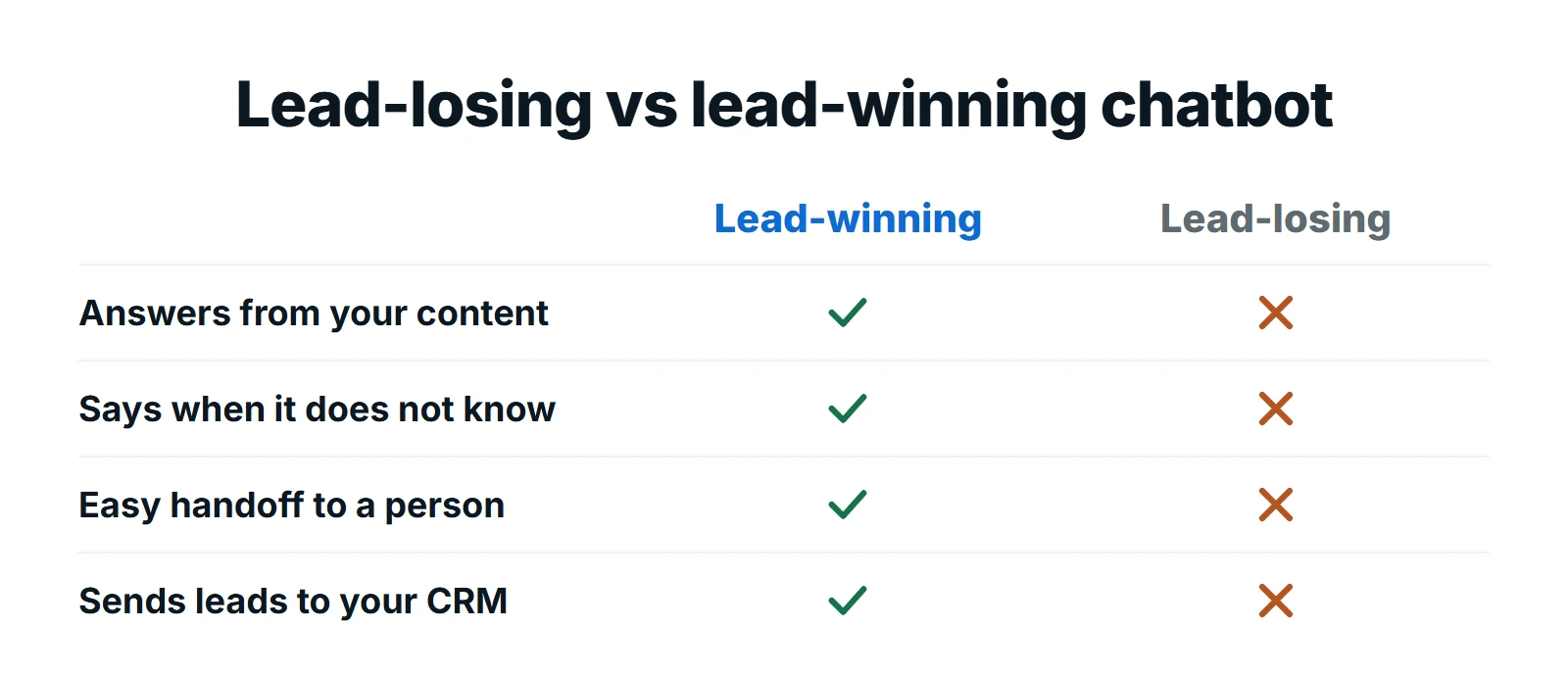
The fix: ground the chatbot in your approved content only, tell it to say “I’m not sure, let me get someone to help” when it does not know, and never let it make promises about prices, refunds or exceptions.
2. No Way to Reach a Person
Nothing loses a hot lead faster than a visitor stuck in a loop with a bot that cannot help. If the question is complex, urgent or sensitive, the visitor needs a person.
The fix: offer a clear handoff: live chat during business hours, a callback request outside them, and a summary so your team does not ask the same questions again.
3. Asking Too Much, Too Soon
A chatbot that opens with “What is your name, email and phone number?” is a contact form in disguise, and visitors treat it like one: they leave. People share details once they have had a useful answer.
The fix: answer the visitor’s question first, ask one question at a time, and only ask for contact details when they want a quote, a booking or a callback.
4. Not Capturing the Lead at All
The opposite mistake is just as costly. Some chatbots answer beautifully and then let the visitor go. The visitor was interested, but you have no name, no number and no way to follow up.
The fix: add a lead capture step. When a visitor shows buying intent, such as asking about price, availability or a quote, the chatbot should offer to send a quote or book a call and collect the details needed to do it.
5. Pretending to Be Human
A bot with a human name and photo that claims to be a person damages trust the moment the visitor notices, and they usually do.
The fix: introduce it honestly, for example “Hi, I’m the AI assistant for Smith Plumbing. I can answer questions or get you to the team.” People are comfortable with AI when they know it is AI.
6. Pushy Pop-Ups That Cover the Page
A chat window that springs open and covers the page, especially on a phone, interrupts people before they have read anything. Google’s own guidance to avoid intrusive interstitials and dialogs says interruptions like this “may frustrate them and erode their trust in your website,” and recommends banners that take up only a small part of the screen instead.
The fix: keep the chat as a small button until the visitor opens it. If you use a pop-up prompt, keep it short and easy to dismiss, and never let it cover the main content on mobile.
7. Not Connected to Your Tools
Leads that sit inside the chatbot dashboard get forgotten. Bookings that do not reach your calendar cause double bookings.
The fix: send every lead to your inbox or CRM with a summary, and connect the chatbot to your calendar. CRM and marketing automation makes sure every lead gets a fast follow-up.
8. Set and Forget
Prices change, services change and new questions appear. A chatbot that was accurate at launch drifts out of date within months.
The fix: review a sample of conversations every month, add answers for the questions it could not handle, and update its content whenever your website changes.
Opening Messages That Work
The first message sets the tone. A good opener says it is an AI assistant, says what it can help with and makes it easy to ask a question. Adapt one of these:
| Business | Opening message |
|---|---|
| Home services | “Hi, I’m the AI assistant for Smith Plumbing. I can check if we cover your area, explain our prices or book a visit. What do you need help with?” |
| Dental clinic | “Hello, I’m the clinic’s AI assistant. I can answer questions about treatments, insurance and opening hours, or request an appointment for you.” |
| Law firm | “Hi, I’m an AI assistant for the firm. I can explain our practice areas and help you book a consultation. I can’t give legal advice, but I can connect you with someone who can.” |
| Online store | “Hi there. Ask me about orders, shipping, returns or our products, and I’ll get you an answer or pass you to the team.” |
Notice what they have in common: honest about being AI, clear about what they can do, clear about what they cannot, and one easy next step.
Want a chatbot that wins leads instead of losing them?
We build AI chatbots on your approved content, with honest introductions, clear handoffs, lead capture and CRM connections, and we review conversations every month.
Quick Fix Checklist
- Ask it something it should not know. Does it admit it and offer help?
- Ask for a person. Can you reach one, or leave a callback request?
- Does it answer before asking for your details?
- Show buying intent. Does it offer a quote or booking and collect your details?
- Does it say clearly that it is an AI assistant?
- On your phone, does the chat window stay out of the way until you open it?
- Does a test lead reach your inbox or CRM with a summary?
- When was the content last reviewed? If it was over a month ago, review it now.
New to chatbots? Start with our guide to what an AI chatbot for small business can and cannot do.
Frequently Asked Questions
Why is my website chatbot not generating leads?
Usually because it answers questions but never asks for contact details, asks for them too early, or sends leads somewhere nobody checks. Add a lead capture step when visitors show buying intent and send every lead to your inbox or CRM.
Is a business responsible for what its chatbot says?
In the Air Canada case decided in 2024, a Canadian tribunal held the airline responsible for wrong information from its chatbot. Treat your chatbot’s answers like anything else on your website and limit it to approved content.
Should a chatbot pop up automatically?
Avoid full-screen or pushy pop-ups. Google advises against interstitials that cover the page. A small chat button or a short, easy-to-dismiss prompt works better, especially on mobile.
Should my chatbot say it is a bot?
Yes. Introduce it as an AI assistant and offer a way to reach a person. Visitors trust an honest bot far more than one that pretends to be human.
How often should I update my chatbot?
Review conversations at least monthly, and update the chatbot’s content whenever your prices, services, hours or policies change.
Final Thoughts
Every one of these chatbot mistakes comes back to the same principle: treat the chatbot like a member of your team. Give it accurate information, clear limits, a way to hand off and a manager who checks its work. Do that, and a website chatbot becomes one of your best sources of leads.
At Digital Roots Media, we build and manage AI chatbots that answer accurately and capture leads. Request a free proposal and we will review your current chat setup.