DMARC requirements now apply to anyone sending email in volume to Gmail, Yahoo or Outlook. If your domain sends about 5,000 or more emails a day to those inboxes, you need SPF and DKIM set up, a DMARC record with at least p=none, a From address that aligns with SPF or DKIM, one-click unsubscribe on marketing email and a spam complaint rate under 0.3%. Mail that fails can go to spam or be rejected outright.
Smaller senders are not off the hook either. Gmail and Yahoo require SPF or DKIM from everyone, and Microsoft says all senders benefit from the same practices. This guide explains each rule in plain English, shows what the DNS records look like and gives you a checklist to get compliant without breaking the email you already send. Every rule below comes from the providers’ own pages: Google, Yahoo and Microsoft.
- Gmail and Yahoo rules started in February 2024. Microsoft Outlook followed on May 5, 2025.
- Bulk senders need SPF, DKIM and DMARC. A p=none policy is the accepted minimum.
- Your From domain must align with the domain that passes SPF or DKIM.
- Marketing email needs one-click unsubscribe, honored within about two days.
- Keep spam complaints under 0.1% and never let them reach 0.3%.
What are the new email sender requirements?
Google and Yahoo both started enforcing stricter rules for anyone sending mail to their users in February 2024. Microsoft announced similar requirements for Outlook.com, Hotmail and Live addresses in April 2025. The goal is the same everywhere: make it hard to fake a sender and easy for people to stop mail they no longer want.
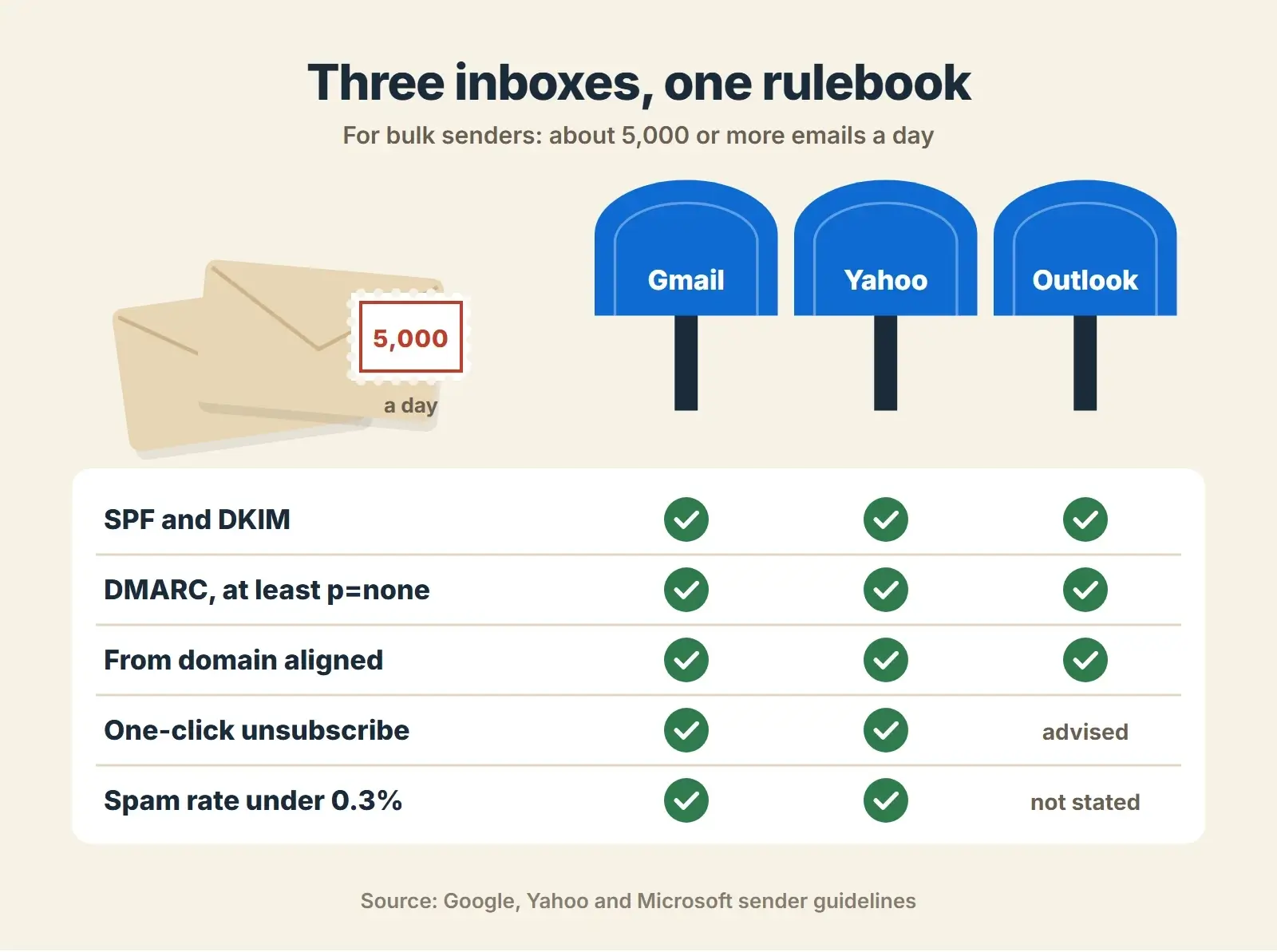
| Requirement | Gmail | Yahoo | Microsoft Outlook |
|---|---|---|---|
| Who counts as a bulk sender | About 5,000+ a day to personal Gmail accounts | Bulk senders | More than 5,000 a day |
| SPF and DKIM | Both | Both | Both must pass |
| DMARC | Required, p=none allowed | At least p=none, must pass | At least p=none |
| From domain alignment | SPF or DKIM | SPF or DKIM (relaxed is fine) | SPF or DKIM, ideally both |
| One-click unsubscribe | Required for marketing | Required for marketing | Clear unsubscribe link advised |
| Spam rate | Under 0.3%, aim under 0.1% | Under 0.3% | Not published |
| In force since | February 1, 2024 | February 2024 | May 5, 2025 |
Who counts as a bulk sender?
Google’s sender guidelines FAQ defines a bulk sender as a domain that sends close to 5,000 messages or more to personal Gmail accounts within 24 hours. Two details matter. First, Google counts every message from the same primary domain together, so your newsletter, your CRM and your invoicing tool all add up. Second, once you hit that number, you are permanently treated as a bulk sender. Microsoft uses the same 5,000 a day line for Outlook.
What about mail sent from your website? Contact form notifications and order receipts are usually sent from your domain too, often by WordPress. If those fail SPF or DKIM, they can land in spam, which is why email delivery is worth checking as part of website maintenance and support.
SPF, DKIM and DMARC in plain English
All three are text records you publish in your domain’s DNS. Receiving servers look them up for every message. Think of them as three checks a post office runs on an envelope.
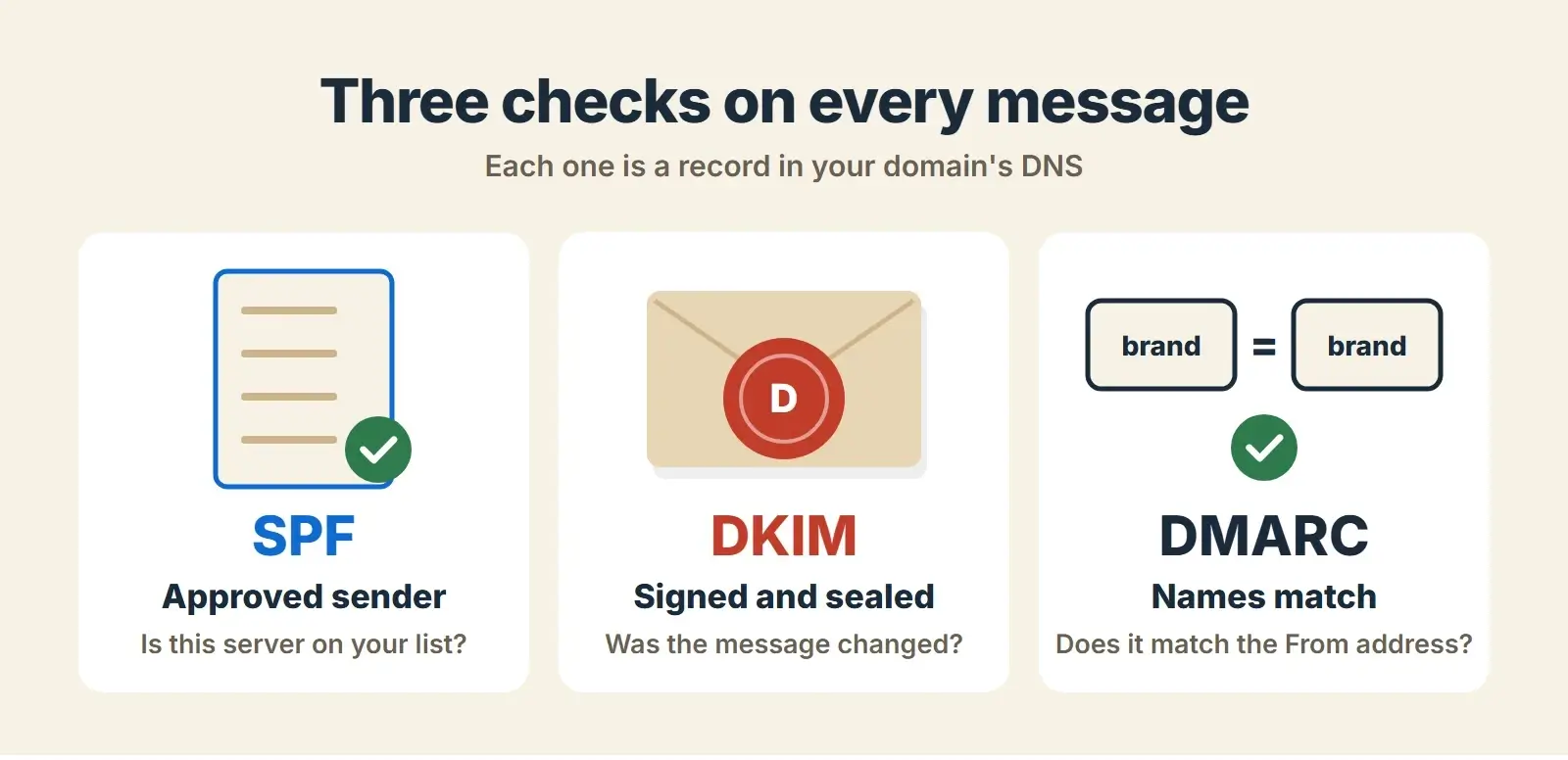
- SPF (Sender Policy Framework) lists the servers allowed to send mail for your domain, such as Google Workspace, Microsoft 365 or your email marketing platform. A server that is not on the list fails.
- DKIM (DomainKeys Identified Mail) adds a digital signature to each message. The receiver checks it against a public key in your DNS to confirm the mail was not changed on the way. Google requires keys of at least 1024 bits and recommends 2048.
- DMARC (Domain-based Message Authentication, Reporting and Conformance) ties the two together. It tells receivers what to do when a message fails and where to send reports about who is sending mail as your domain.
Here is what a simple SPF record and a starting DMARC record look like. Your real values depend on the services you send from:
brand.com. TXT "v=spf1 include:_spf.google.com include:servers.mcsv.net ~all"_dmarc.brand.com. TXT "v=DMARC1; p=none; rua=mailto:dmarc-reports@brand.com"Microsoft’s FAQ adds a practical warning: an SPF record that needs more than 10 DNS lookups can fail. Every include adds lookups, so remove services you no longer use instead of stacking new ones on top. And publish only one SPF record per domain, combining every service into it.
DMARC alignment: why your From domain must match
Passing SPF or DKIM is not enough on its own. DMARC also checks that the domain in the visible From address matches the domain that passed. This is called alignment, and it is the rule most businesses miss when they send through a third-party tool.
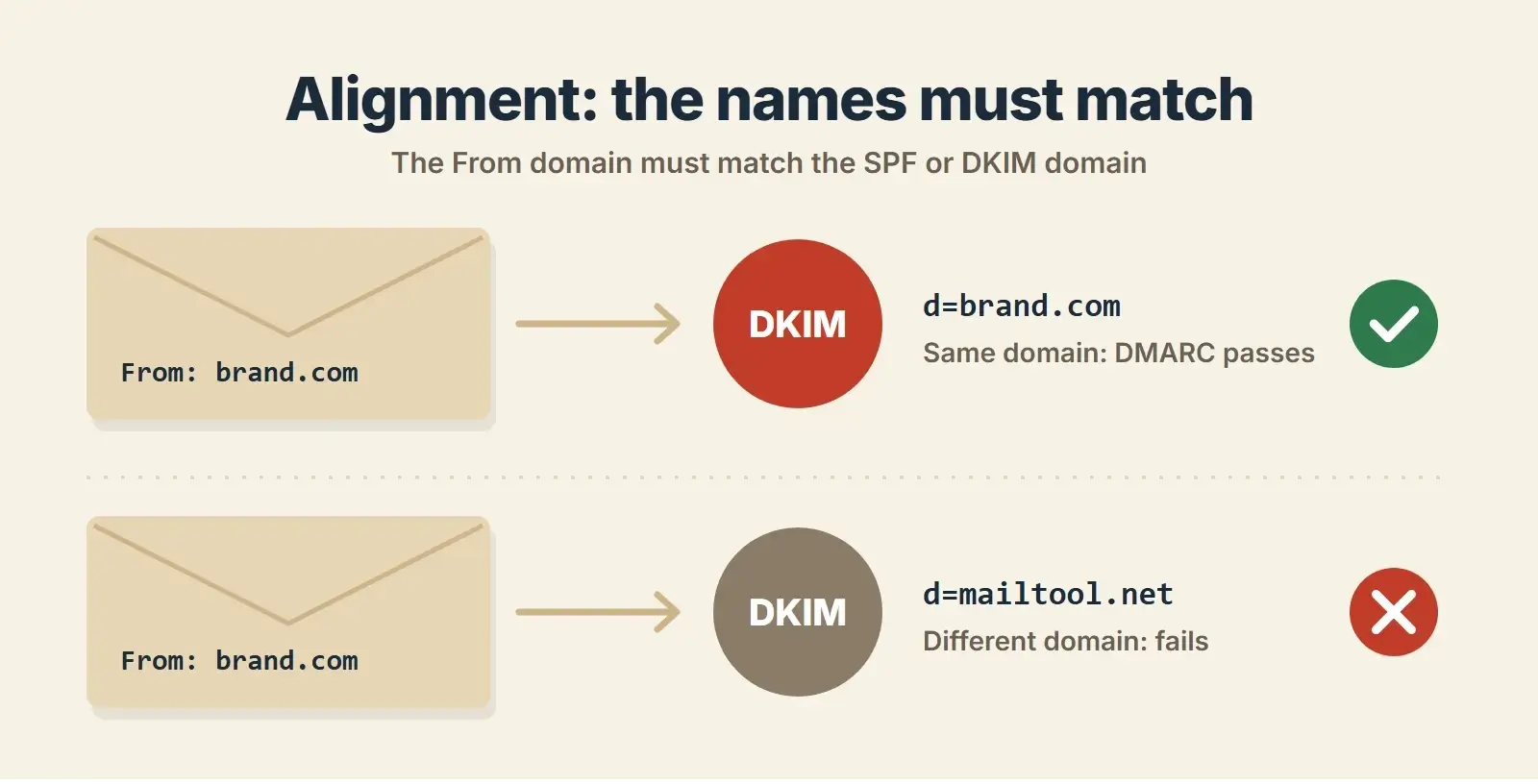
Many email platforms sign mail with their own domain until you verify yours. The fix is usually a few DNS records your platform gives you, often called domain authentication or a custom sending domain. Yahoo accepts relaxed alignment, which means a subdomain such as news.brand.com still matches brand.com.
Choosing a DMARC policy: none, quarantine or reject
The p= tag in your DMARC record is the instruction to receivers. All three providers accept p=none, which means take no action, just send reports. That makes it the safe place to start.
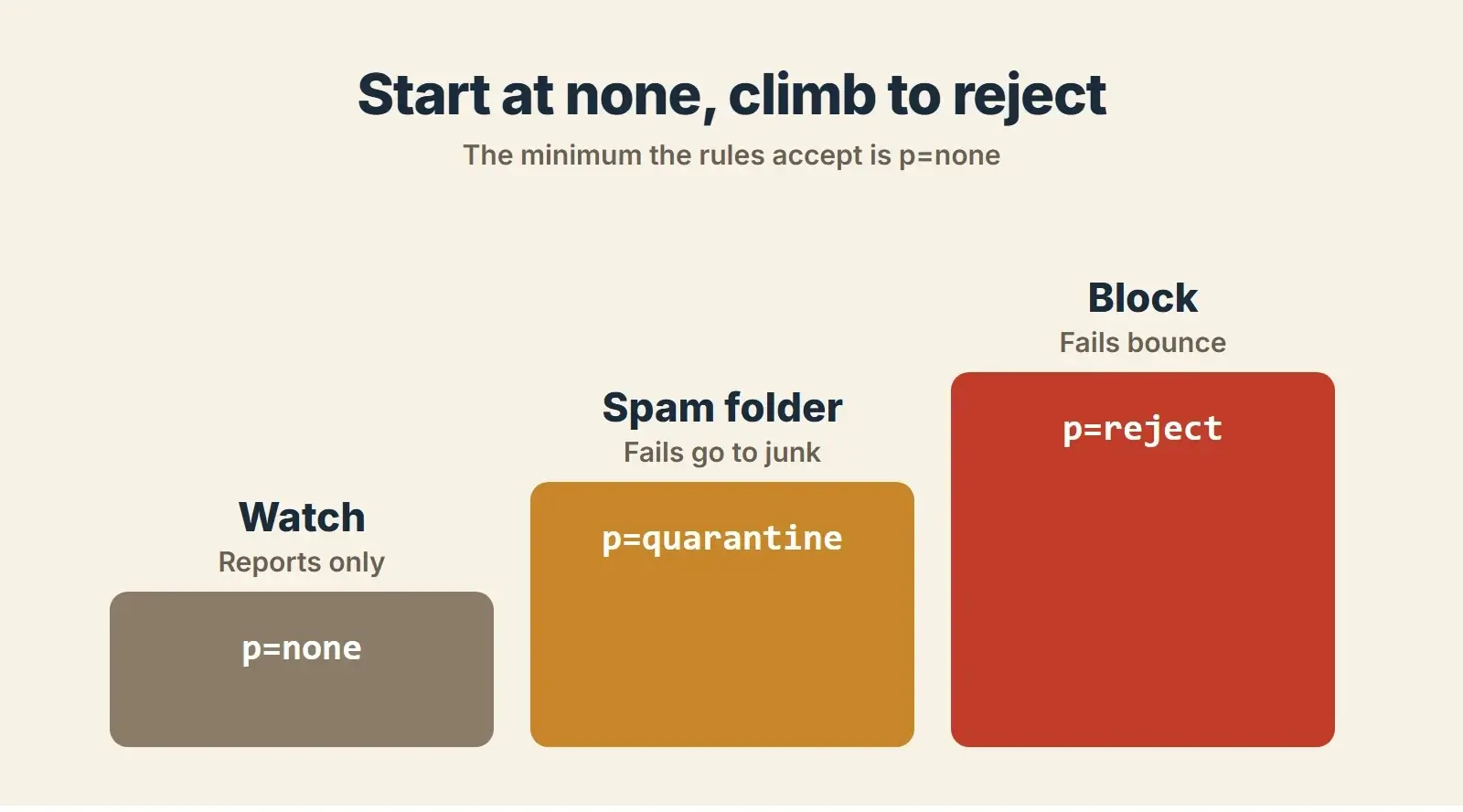
| Policy | What happens to failing mail | When to use it |
|---|---|---|
| p=none | Delivered as normal. You receive reports. | Start here while you find every sender. |
| p=quarantine | Treated as suspicious, often sent to spam. | Once all real mail passes. |
| p=reject | Refused by the receiving server. | Full protection against spoofing. |
Microsoft notes that p=reject is the most effective protection against people spoofing your domain once all your legitimate sources are aligned. Moving too fast is the risk: if a forgotten tool, such as a booking system or invoicing app, sends as your domain and is not authenticated, a strict policy blocks its mail. Read the reports for a few cycles before you tighten anything.
Spam complaint rate: the 0.1% and 0.3% lines
Authentication proves who you are. The spam rate shows whether people want your mail. Google asks all senders to keep the rate in Postmaster Tools below 0.3%, and its monitoring advice is stricter: stay below 0.10% and avoid ever reaching 0.30%. Yahoo uses the same 0.3% limit.
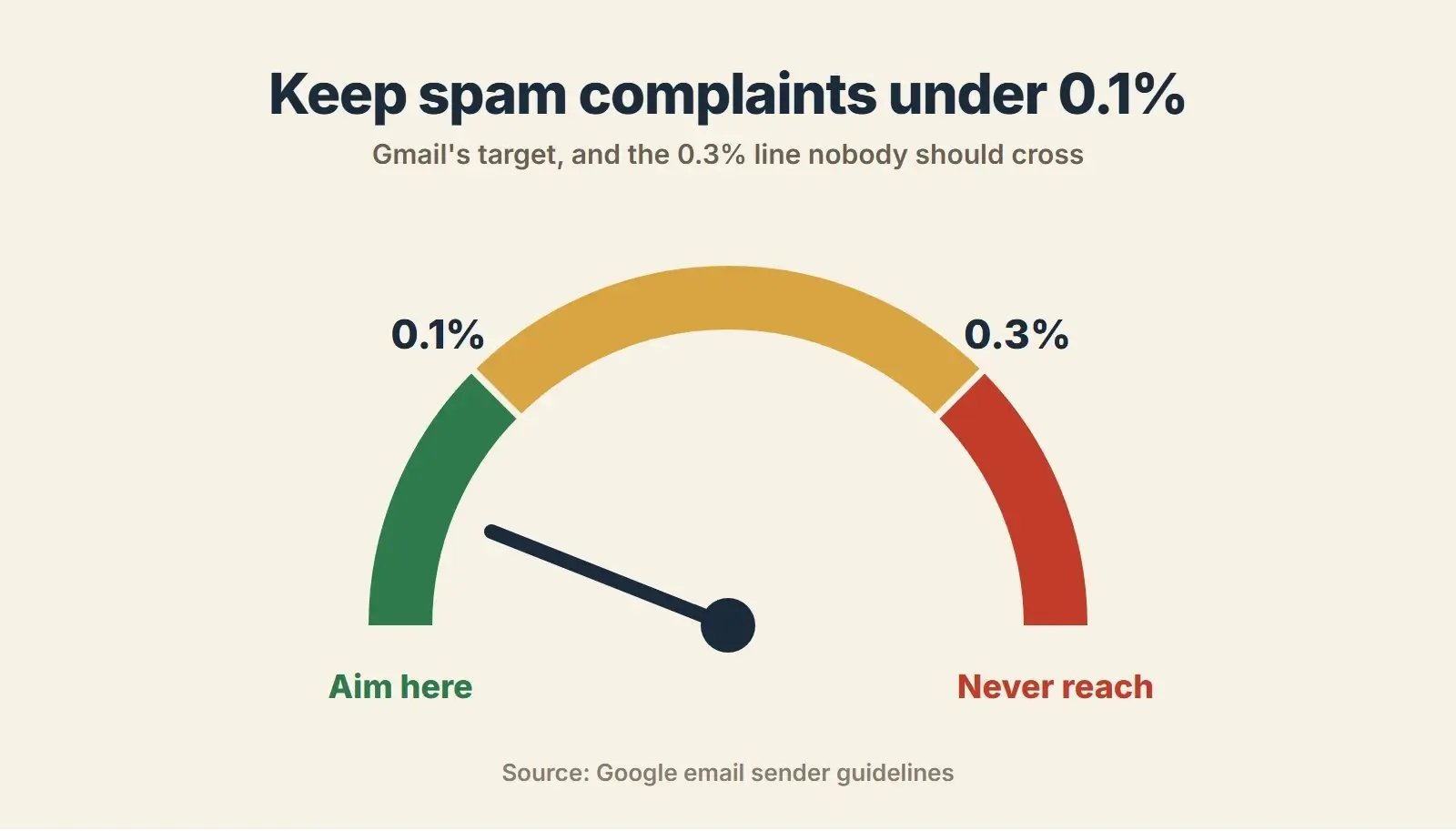
A rate of 0.3% means three complaints for every 1,000 emails delivered to the inbox. That is easy to hit with an old list or a sudden change in how often you send. The usual causes are people who never clearly agreed to hear from you, mail that arrives much more often than they expected and unsubscribe links that are hard to find. You can watch your own rate for Gmail in Google Postmaster Tools.
The best defense is a list of people who asked for your mail. Good lead magnets and a clear welcome sequence set expectations from the first email, which keeps complaints low later.
One-click unsubscribe: what it means
Gmail and Yahoo require marketing and subscribed messages to support one-click unsubscribe. That means two email headers defined in RFC 8058, which let the inbox show its own unsubscribe button, plus a visible unsubscribe link in the body of the email:
List-Unsubscribe: <https://brand.com/unsubscribe?id=123>
List-Unsubscribe-Post: List-Unsubscribe=One-Click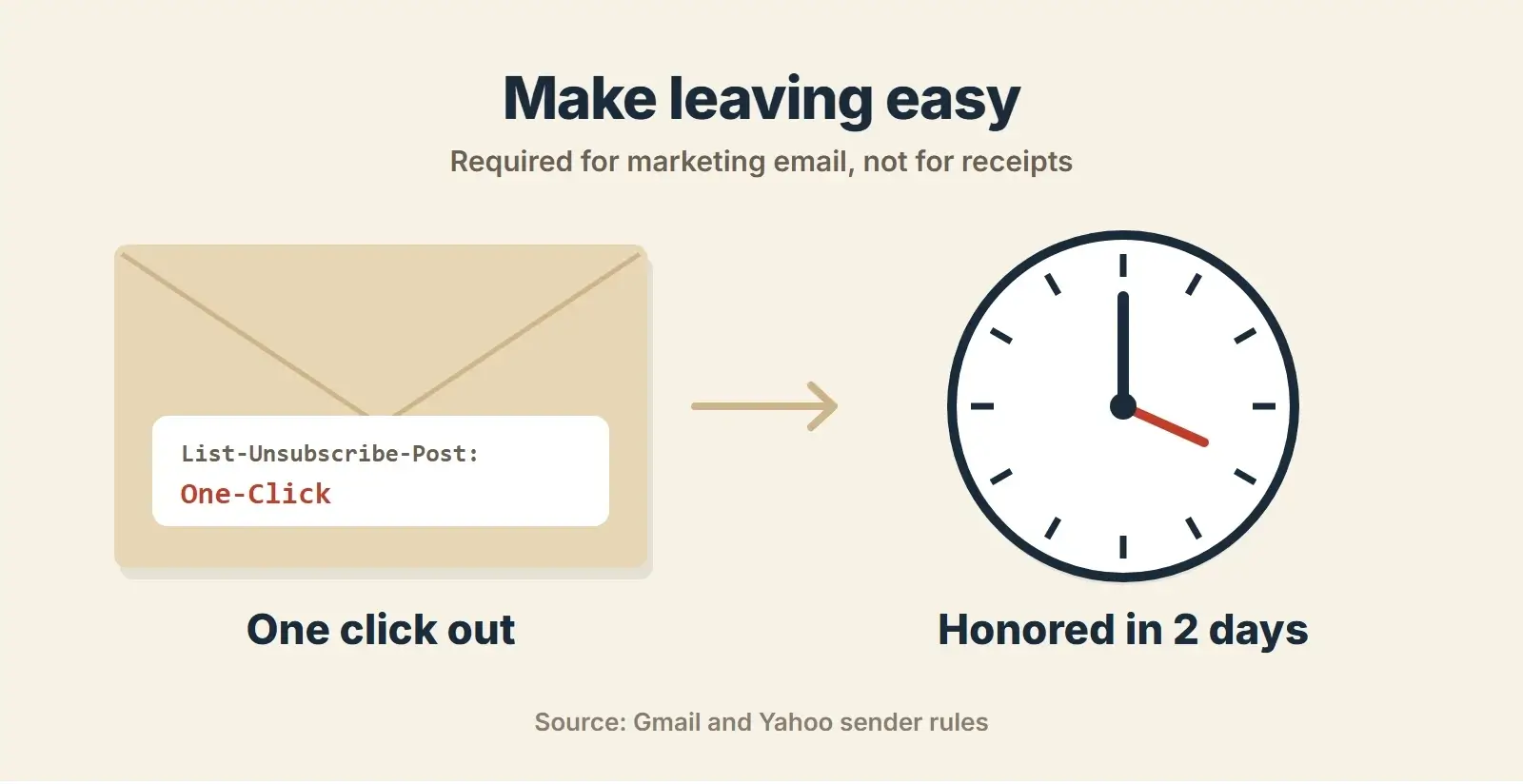
Yahoo asks senders to honor unsubscribes within 2 days, and Google recommends 48 hours. Transactional messages, such as receipts and password resets, are excluded from the one-click rule. Most email platforms add these headers automatically, but check, especially if you send newsletters from a CRM or a custom system.
What happens if you don’t comply?
The consequences have grown since 2024. Google says that, starting November 2025, Gmail is ramping up enforcement on non-compliant traffic, including temporary and permanent rejections, and new domains face an accelerated timetable. Google also says it cannot offer delivery support to senders with a high spam rate, no DMARC record or no working one-click unsubscribe.
Microsoft is blunter. Its announcement, updated in April 2025, says high-volume mail that fails the requirements is rejected with the error 550; 5.7.515 Access denied, sending domain does not meet the required authentication level. If you see that code in a bounce report, start with your SPF, DKIM and DMARC records.
Your DMARC compliance checklist
- List every service that sends email as your domain: mailbox, marketing platform, CRM, website, billing.
- Publish one SPF record that covers them all, within 10 DNS lookups.
- Turn on DKIM in each service with your own domain, using 2048-bit keys where offered.
- Publish a DMARC record with p=none and a rua address for reports.
- Check that the From domain aligns with SPF or DKIM for each service.
- Confirm one-click unsubscribe headers and a visible link on all marketing email.
- Set up Google Postmaster Tools and watch the spam rate.
- Read DMARC reports, fix stragglers, then move to quarantine and later reject.
Mail is often sent from more tools than people expect. A CRM that sends follow-ups, an online store that sends order updates or an email automation platform all count. If you use HubSpot, GoHighLevel or Zoho, our CRM and marketing automation team can check each one is authenticated with your domain.
Want your email authenticated and landing in the inbox?
We configure SPF, DKIM and DMARC, clean your list and follow sending practices that keep your campaigns out of spam, then build the flows that turn subscribers into customers.
Frequently asked questions
What are the DMARC requirements for Gmail?
Gmail requires bulk senders, those sending about 5,000 or more messages a day to personal Gmail accounts, to publish a DMARC record. The policy can be p=none. The From domain must align with the SPF or DKIM domain, and SPF and DKIM must both be set up. All other senders need SPF or DKIM.
What are Yahoo’s DMARC requirements?
Yahoo asks bulk senders to publish a valid DMARC policy of at least p=none, and DMARC must pass. The From domain must align with SPF or DKIM, and relaxed alignment is accepted. Yahoo also requires SPF and DKIM, one-click unsubscribe, unsubscribes honored within 2 days and a spam rate under 0.3%.
What are Microsoft Outlook’s DMARC requirements?
Since May 5, 2025, Outlook requires domains sending more than 5,000 emails a day to pass SPF and DKIM and publish DMARC with at least p=none, aligned with SPF or DKIM. Mail that fails is rejected with error 550 5.7.515. Microsoft also recommends valid reply addresses, unsubscribe links and list cleaning.
Do I need DMARC if I send fewer than 5,000 emails a day?
Gmail, Yahoo and Outlook do not require it below that volume, but all senders need SPF or DKIM, and DMARC protects your domain from being spoofed. It takes one DNS record to start with p=none, so there is little reason to wait, especially as your list grows.
Is p=none enough to meet the DMARC requirements in 2026?
Yes, all three providers accept p=none as the minimum. It does not protect your domain from spoofing, though, because failing mail is still delivered. Use p=none to collect reports and find every sender, then move to p=quarantine and p=reject once all your legitimate mail passes.
Final thoughts
The DMARC requirements look technical, but the idea is simple: prove the mail is really from you, and make it easy for people to stop mail they don’t want. Set up SPF and DKIM with your own domain, publish DMARC at p=none, check alignment for every tool, add one-click unsubscribe and keep complaints low. Email is still one of the few channels you own, as our email vs social media comparison shows, and authentication is what keeps it reaching people. If you want it handled end to end, our email marketing services include deliverability from day one.