- An API integration lets your CRM, accounting software and website share data automatically, so information is entered once and every system stays current.
- There are three ways to connect systems: built-in connectors, automation tools such as Zapier or Make, and custom API integrations.
- Plan the data first: which system owns each record, which direction data flows, and what should happen when something fails.
- Good integrations are secure (OAuth, keys kept on the server), event-driven (webhooks) and monitored.
The short answer: to connect your CRM, accounting software and website, decide which system owns each type of record, then link them through their APIs so a new lead, sale or payment flows automatically to every system that needs it. Use a built-in connector when one does exactly what you need, an automation tool for simple one-way steps, and a custom API integration when you need two-way sync, complex rules or reliable volume.
What Is an API Integration?
An API (application programming interface) is the set of rules a piece of software publishes so other software can read and write its data. Your CRM, accounting package, payment provider and website platform almost certainly have one. An API integration is the code or service that uses those APIs to move data between systems automatically.
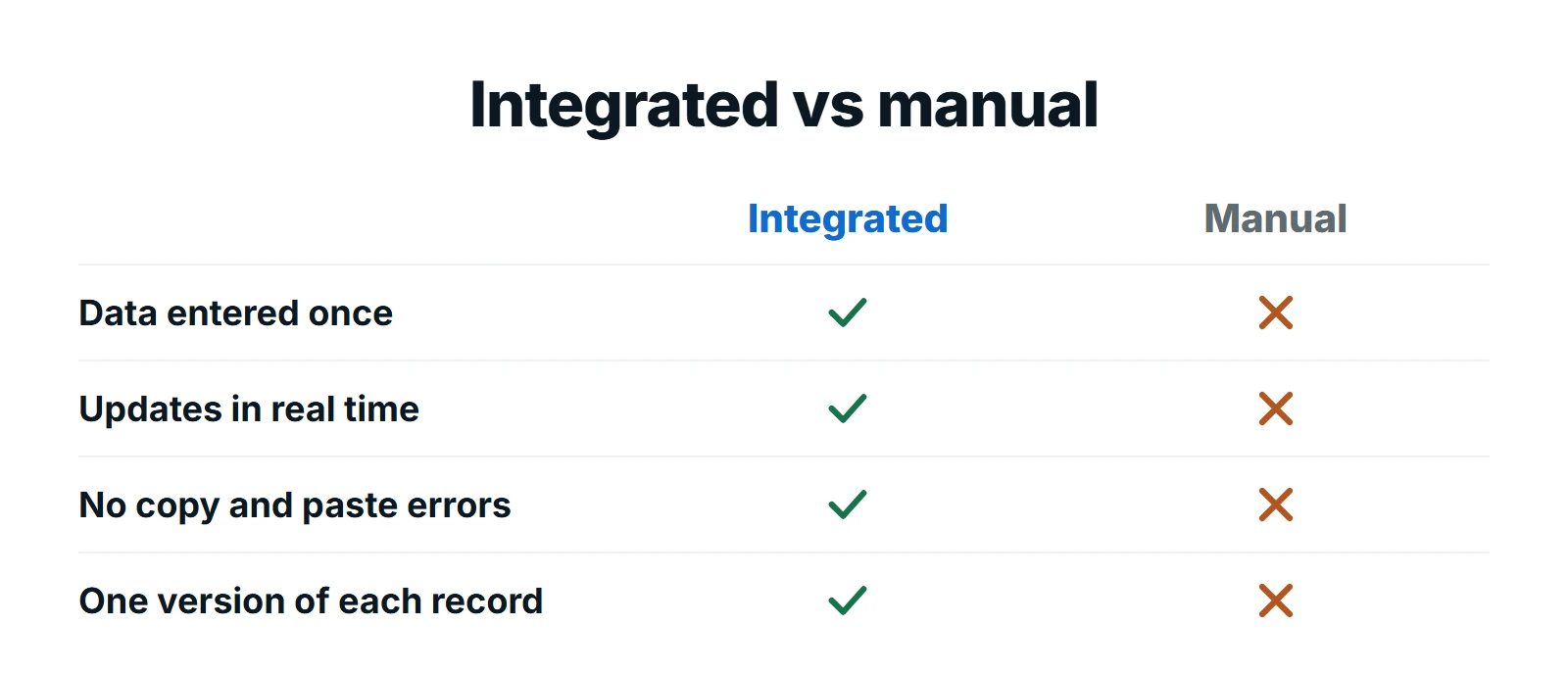
Without integration, people do the moving: copying a website enquiry into the CRM, retyping a closed deal into accounting, updating stock after an online order. That is slow, and every copy is a chance for a typo, a missed record or two versions of the same customer.
You probably need integration if your team copies the same details into more than one system, if invoices go out late because deals are not passed to accounting, or if nobody trusts the numbers because every report is built from exports that disagree.
The Most Common Business Integrations
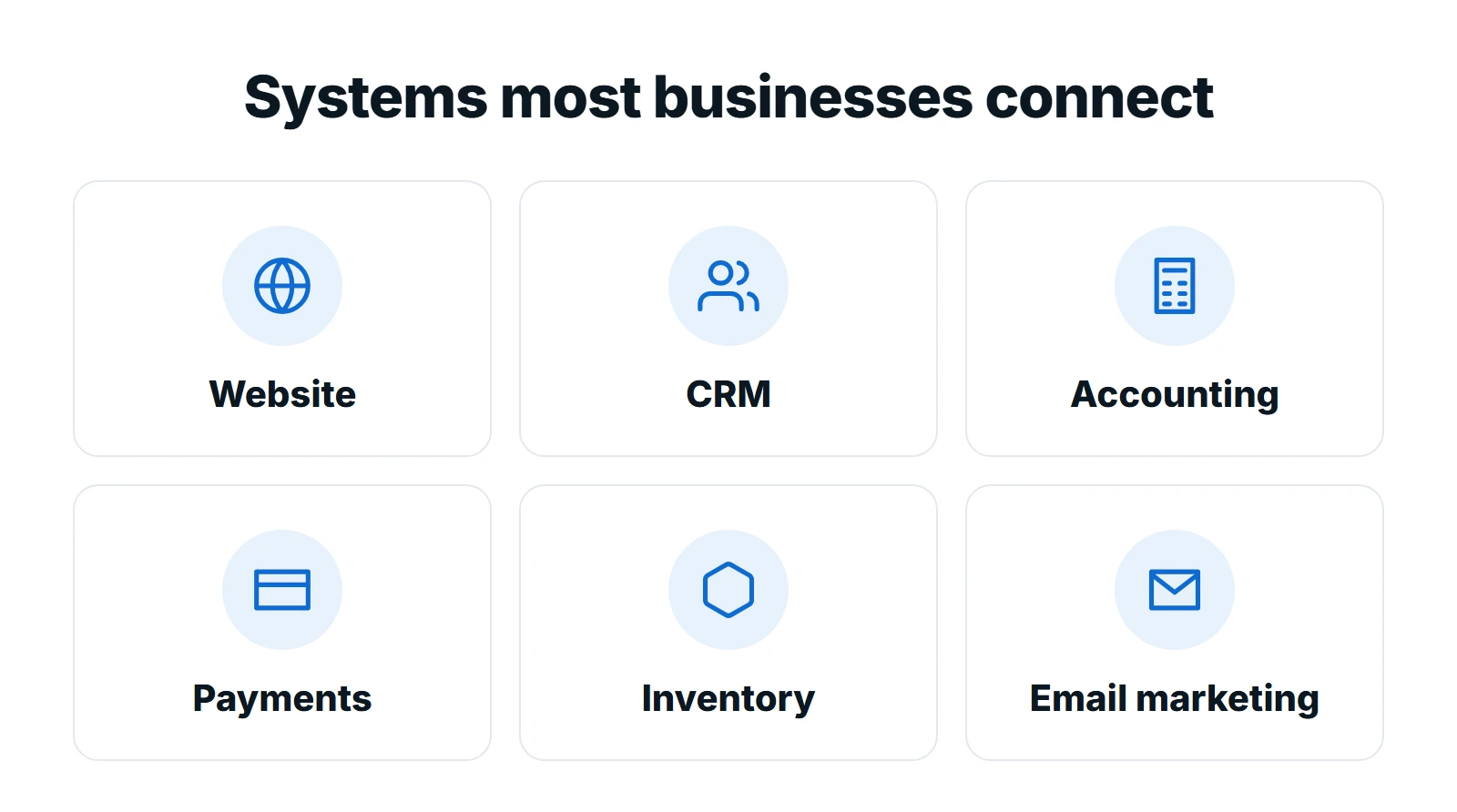
| Connection | What it automates | Main benefit |
|---|---|---|
| Website forms to CRM | New enquiries become contacts and deals | No lost leads, faster replies |
| CRM to accounting | Won deals become customers and invoices | No retyping, faster billing |
| Payments to accounting | Payments are recorded and matched to invoices | Cleaner books |
| Online store to inventory | Orders reduce stock levels | Accurate stock, fewer oversells |
| CRM to email marketing | Contacts join the right lists and sequences | Timely, relevant follow-up |
| Systems to dashboard | Numbers flow into one live view | Decisions from current data |
The last row is often where the value shows up. Once systems share data, a custom dashboard can show sales, cash and workload in one place without anyone building a spreadsheet.
How Data Flows When Systems Are Connected
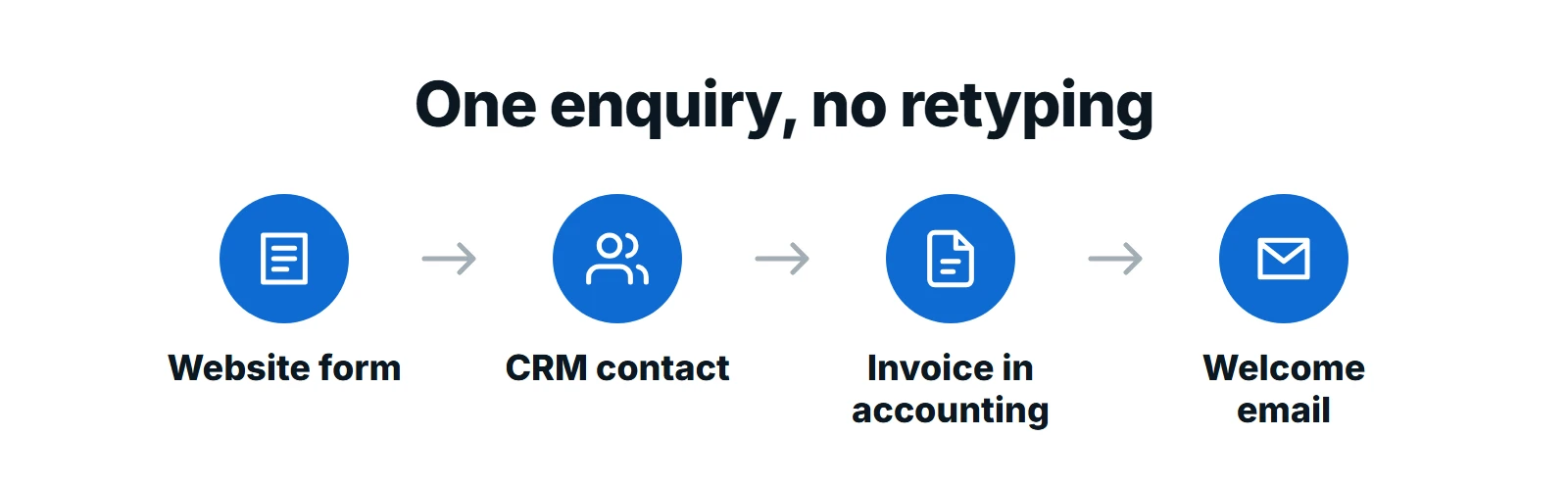
Here is a typical example. A customer fills in a quote form on your website. The integration creates or updates their contact in the CRM and opens a deal. When the deal is marked won, it creates the customer and the invoice in your accounting software. When the invoice is paid, the payment is recorded and the customer receives a welcome email. Nobody retypes anything.
Three Ways to Connect Your Systems
| Approach | Best for | Watch out for |
|---|---|---|
| Built-in connector | A standard link offered by one of your apps | Fixed fields and rules you cannot change |
| Automation tool (Zapier, Make) | Simple, mostly one-way steps | Per-task pricing, limited error handling |
| Custom API integration | Two-way sync, complex rules, volume | Needs a developer to build and maintain |
Start by checking whether your apps already offer a connector that does exactly what you need. If the logic is simple, an automation tool may be enough; we compare the options in Zapier vs Make vs custom automation. Choose a custom API integration when records must stay in sync in both directions, when you need business rules no connector supports, or when failures would cost real money.
Plan the Integration Before You Build
Most integration problems are planning problems. Answer these questions first:
- Which system is the source of truth for customers, products, invoices and payments?
- Which direction does each record flow: one-way or two-way sync?
- Which fields map to which, and how are differences (such as tax codes) handled?
- What triggers each sync: an event, a schedule or a manual action?
- How are duplicates matched, for example by email address or customer ID?
- Who is told, and how, when a sync fails?
The source-of-truth decision matters most. If both the CRM and the accounting system can edit a customer’s address, you need a rule for which change wins. Without one, data sync quietly overwrites good information.
Webhooks vs Scheduled Syncs
There are two ways an integration learns that something changed. A scheduled sync checks each system every few minutes or hours. A webhook is a message the system sends the moment something happens, such as a payment succeeding. Stripe’s webhooks documentation is a clear example of how event-driven updates work.
- Use webhooks when speed matters: payments, new leads, order confirmations.
- Use scheduled syncs for bulk updates or systems that do not offer webhooks.
- Use both for important data: webhooks for speed, plus a nightly check that catches anything missed.
Keep Integrations Secure
An integration has access to customer and financial data, so treat it like any other part of your system that handles sensitive information.
- Use OAuth where the app supports it. The OAuth 2.0 standard (RFC 6749) lets an integration access data without ever handling a user’s password.
- Keep API keys and tokens on the server, never in website code that visitors can read.
- Give each integration only the permissions it needs, such as read contacts and create invoices.
- Validate incoming data and webhook signatures, and design against the OWASP API Security Top 10.
- Log every sync so you can see what changed and when.
Plan for Failures
Every API has outages, rate limits and occasional bad data. A reliable integration retries failed requests, queues work when a system is down, never creates duplicates on a retry, and alerts a person when something needs attention. This is usually the biggest difference between a quick automation and a production integration.
Need your systems talking to each other?
We map your data, choose the right approach for each connection and build secure, monitored API integrations between your CRM, accounting software, website and other tools.
Where to Start
Pick the one connection that costs your team the most retyping today, usually website forms to CRM or CRM to accounting, and integrate that first. Once it is reliable, add the next. For ideas beyond integrations, see our list of business tasks to automate with AI, and if customers need to see their own data, the customer portal features checklist shows how a portal builds on the same connections.
Frequently Asked Questions
What is an API integration?
An API integration connects two or more software systems through their APIs so data moves between them automatically, for example sending website enquiries to your CRM or won deals to your accounting software.
Can I connect my CRM to my accounting software?
Usually, yes. Most modern CRM and accounting platforms have APIs. Check for a built-in connector first; if it cannot handle your rules or two-way sync, a custom CRM integration can.
Do I need a custom integration or is Zapier enough?
Zapier or Make work well for simple, one-way steps. Choose a custom API integration for two-way data sync, complex business rules, high volume or data where errors are costly.
What is the difference between a webhook and an API?
An API is how one system asks another for data or sends it changes. A webhook is a message a system sends automatically when an event happens, so other systems learn about it straight away.
Are API integrations secure?
They can be. Use OAuth where available, keep keys on the server, grant only the permissions needed, validate incoming data and log every sync.
Final Thoughts
Connected systems mean data is entered once, everyone works from the same records and your team stops retyping. Decide which system owns each record, choose the simplest approach that is reliable for each connection, and build in security and failure handling from the start.
At Digital Roots Media, we build API integrations that connect your CRM, accounting software, website and other tools. Request a free proposal and tell us which systems you want talking to each other.