- A customer portal gives customers one secure login for their orders, documents, invoices and requests, so they stop emailing and calling for routine updates.
- Eight features cover most portals: secure login, dashboard, documents, orders and requests, invoices and payments, messages, notifications and team accounts.
- Security comes first: strong authentication, multi-factor login and access only to each customer’s own data.
- Launch with the features that remove the most routine contact, then add payments, messaging and self-service in stages.
The short answer: the customer portal features that matter most are a secure login, an account dashboard, documents, orders or service requests, invoices and payments, messaging, notifications and team accounts, all connected to the systems your team already uses. Start with the features that answer the questions customers ask you most often, and add the rest in stages.
What Is a Customer Portal?
A customer portal is a secure area of your website or app where customers log in to see their own information and get things done: check an order, download a document, pay an invoice or raise a request. Instead of emailing your team for every update, they help themselves, any time.
Signs Your Business Needs a Customer Portal
- Your team answers the same “where is my order?” or “what is the status?” questions every day.
- Documents are sent and re-sent by email, and nobody is sure which version is current.
- Customers chase invoices, statements or receipts they could download themselves.
- Service requests arrive by phone, email and text with missing details.
- Business customers have several contacts who all need the same information.
If two or more of these sound familiar, a portal will likely save your team hours each week and give customers a faster, more professional experience. Typical users include manufacturers and distributors with repeat orders, service companies with jobs and visits, professional firms sharing documents, and subscription businesses managing plans and billing.
The Customer Portal Features Checklist
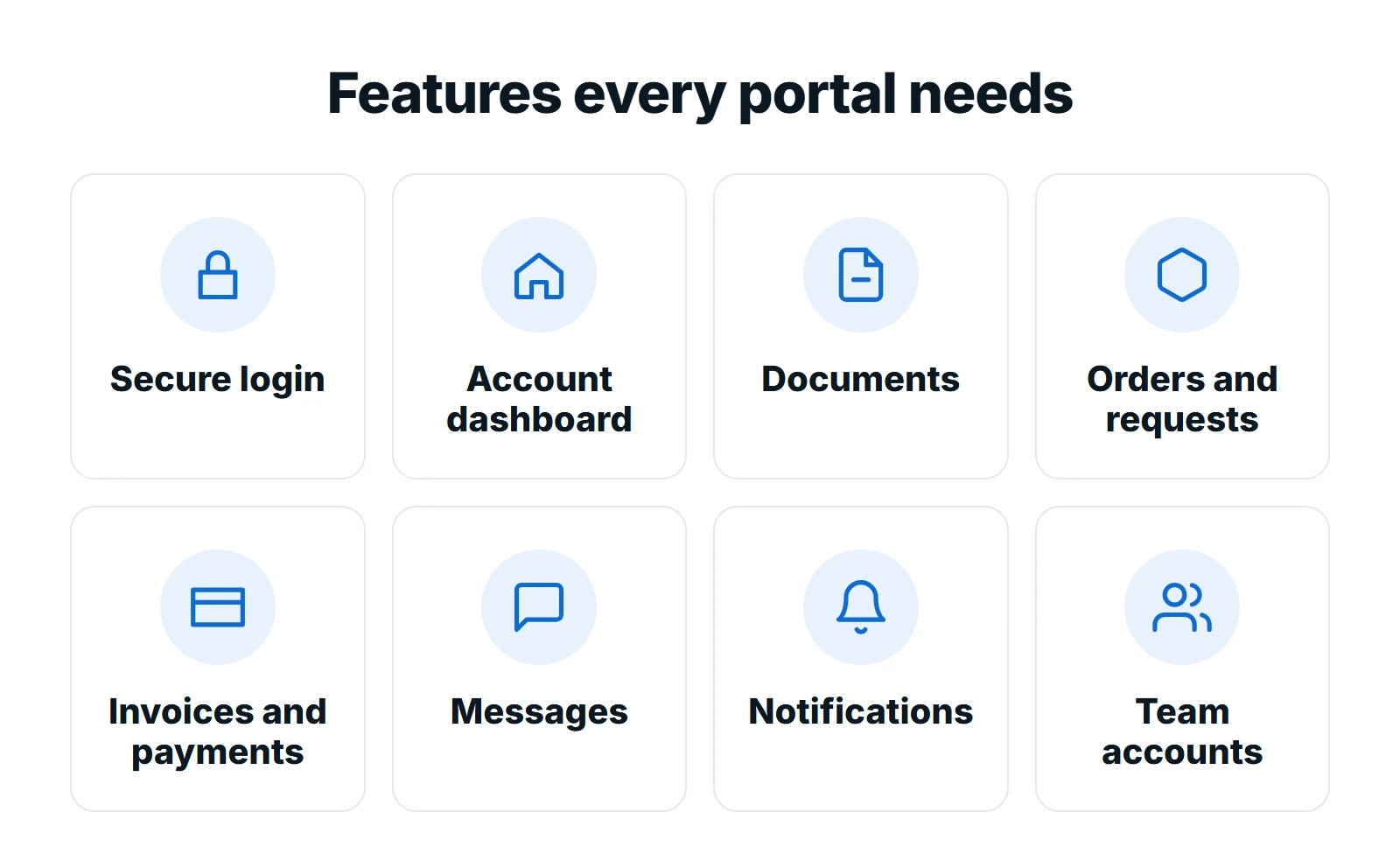
1. Secure login
Email and password at minimum, with multi-factor authentication for sensitive data, password reset and session timeouts. The NIST Digital Identity Guidelines are a good reference for authentication, and the OWASP Top 10 lists the most common web application security risks to design against.
2. Account dashboard
The first screen after login should answer the customer’s most common question at a glance: where is my order, what is due, what needs my attention.
3. Documents
Contracts, reports, certificates, designs or statements, organised and searchable, with customers able to upload what you need from them.
4. Orders and service requests
Place repeat orders, track progress and raise service requests with the details your team needs, instead of a vague email.
5. Invoices and payments
View invoices, see what is outstanding and pay online. Connected to your accounting software, payments update automatically.
6. Messages
Conversations attached to the order or project they relate to, so nothing gets lost in inboxes.
7. Notifications
Email or text updates when something changes: an order ships, a document is ready, a payment is due.
8. Team accounts
For business customers, several people from the same company with different permissions, such as one person who orders and another who pays.
Must-Have vs Nice-to-Have
| Feature | Priority | Why |
|---|---|---|
| Secure login and access control | Must have | Protects every customer’s data |
| Account dashboard | Must have | Answers the most common question at a glance |
| Documents | Must have for most | Removes the “can you resend that?” emails |
| Orders and requests | Must have for most | Replaces calls and emails for updates |
| Invoices and payments | Should have | Faster payment, fewer reminders |
| Messages | Should have | Keeps conversations in context |
| Notifications | Should have | Customers know without asking |
| Team accounts | Could have | Important for larger business customers |
| Native mobile app | Later | A mobile-friendly web portal works on phones |
Build It in Stages
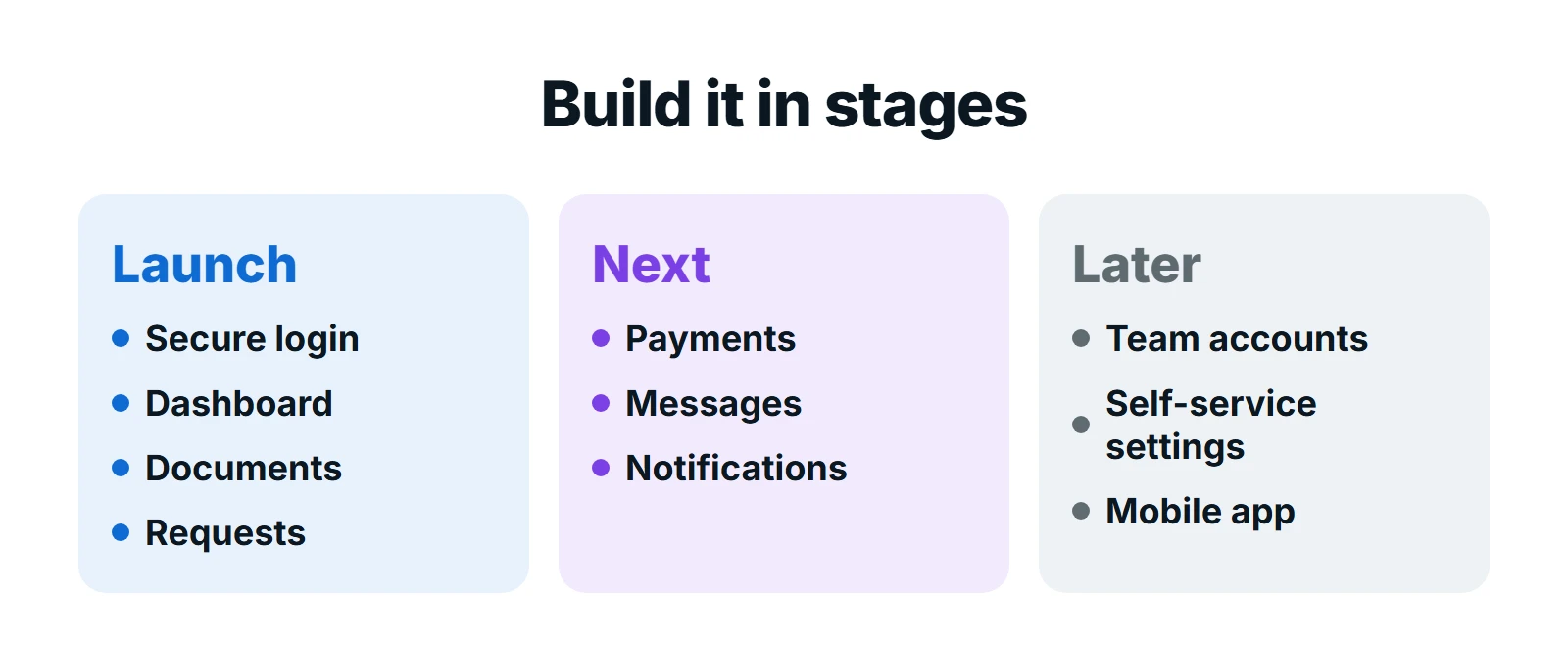
Launching everything at once is slow and risky. Start with the features that remove the most routine contact for your team, measure how customers use them, then add the next set.
How a Portal Fits Your Business
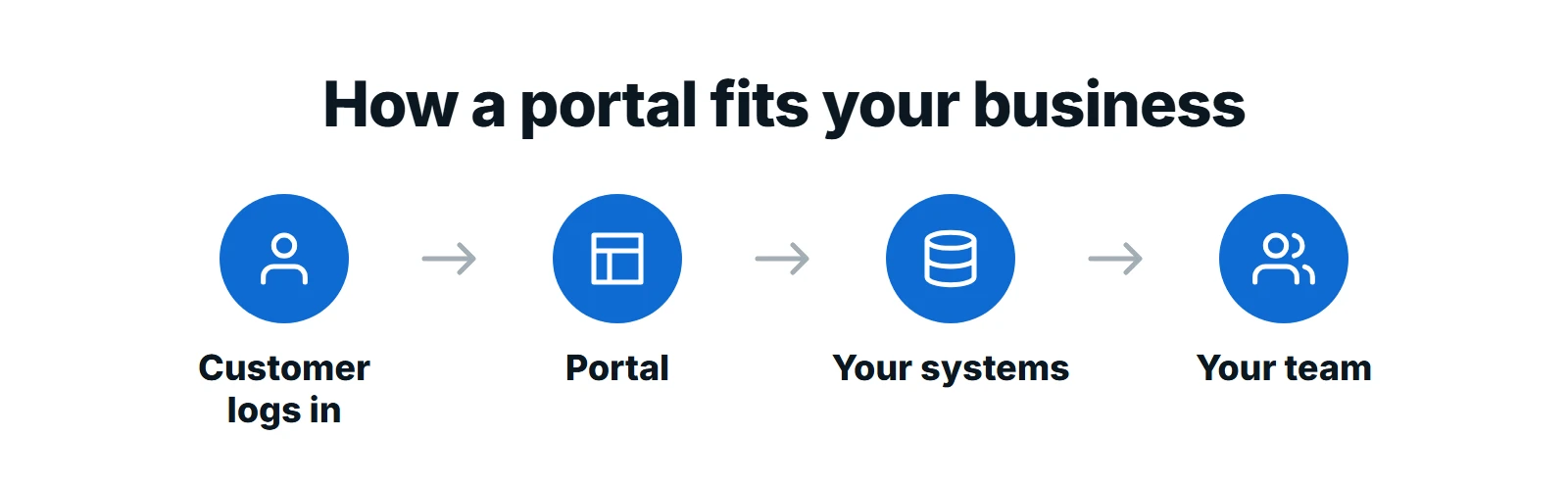
A portal is only as good as its connections. It should read orders from your operations system, invoices from your accounting software and contacts from your CRM, usually through API integrations. When your team updates a job, the customer sees it instantly. Many businesses pair a portal with an internal custom dashboard so staff see the same live information.
Planning a customer portal?
We design portals around the questions your customers ask most, connect them to your existing systems and build them in stages, with a fixed quote for each phase.
Questions to Answer Before You Build
- What do customers email or call about most often?
- Which information should they see, and which must stay internal?
- Which systems hold that information today?
- Do business customers need several users with different permissions?
- Should customers pay online, and through which accounting system?
- How will customers be told about updates: email, text or both?
- Which features must be ready at launch, and which can follow?
Common Customer Portal Mistakes
| Mistake | What happens | Better approach |
|---|---|---|
| Building every feature at once | Slow launch, features nobody uses | Launch the essentials, then add by demand |
| Copying data by hand into the portal | Out-of-date information, lost trust | Connect the portal to your systems |
| Weak login security | Customer data at risk | Strong passwords, multi-factor, access checks |
| Desktop-only design | Frustrated customers on phones | Mobile-friendly from day one |
| No onboarding | Customers keep emailing anyway | Invite emails, a short guide, a clear first screen |
The last point matters more than most businesses expect. Tell customers the portal exists, show them where to find the answers they used to email about, and point routine questions there. Adoption, not the feature list, decides whether a portal saves time.
Weighing a ready-made portal product against a custom build? Our guide to custom software vs off-the-shelf covers the trade-offs.
Frequently Asked Questions
What features should a customer portal have?
The core customer portal features are a secure login, an account dashboard, documents, orders or service requests, invoices and payments, messages, notifications and team accounts for business customers, all connected to your existing systems.
What is the difference between a customer portal and a website?
A website is public information for everyone. A customer portal is a secure, logged-in area where each customer sees only their own orders, documents, invoices and requests.
How secure does a customer portal need to be?
Very. Use strong authentication with multi-factor login for sensitive data, make sure each customer can only reach their own information, and design against well-known risks such as those in the OWASP Top 10.
Can a customer portal connect to my existing software?
Yes, usually through APIs. A portal can read and update orders, invoices and contacts in your CRM, accounting and operations systems so customers always see current information.
Should I build a customer portal all at once?
No. Launch with the features that remove the most routine questions, such as order status and documents, then add payments, messaging and self-service as customers use it.
Final Thoughts
The best customer portal features are the ones that answer your customers’ questions before they have to ask. Start with a secure login and the information they request most, connect it to your systems so it is always current, and grow it in stages. Your customers get answers faster, and your team gets time back.
At Digital Roots Media, we build customer portals that connect to the systems you already use. Request a free proposal and we will help you plan your first version.