- An MVP needs five foundations: the core workflow, secure accounts, billing, onboarding and analytics.
- Almost everything else, from mobile apps to AI extras, can wait for version two.
- Sort every idea with the MoSCoW method: Must, Should, Could and Won’t.
- Ask three questions of every feature: does it solve the core problem, would customers pay without it, and can you do it by hand at first?
The short answer: an MVP feature checklist starts with the one workflow that solves your customer’s problem, then adds only what is needed to use and pay for it safely: secure sign-up and login, billing, simple onboarding, an admin area and basic analytics. Features that are nice to have, that only some customers want, or that you can handle manually for now should wait until real users ask for them.
The MVP Feature Checklist
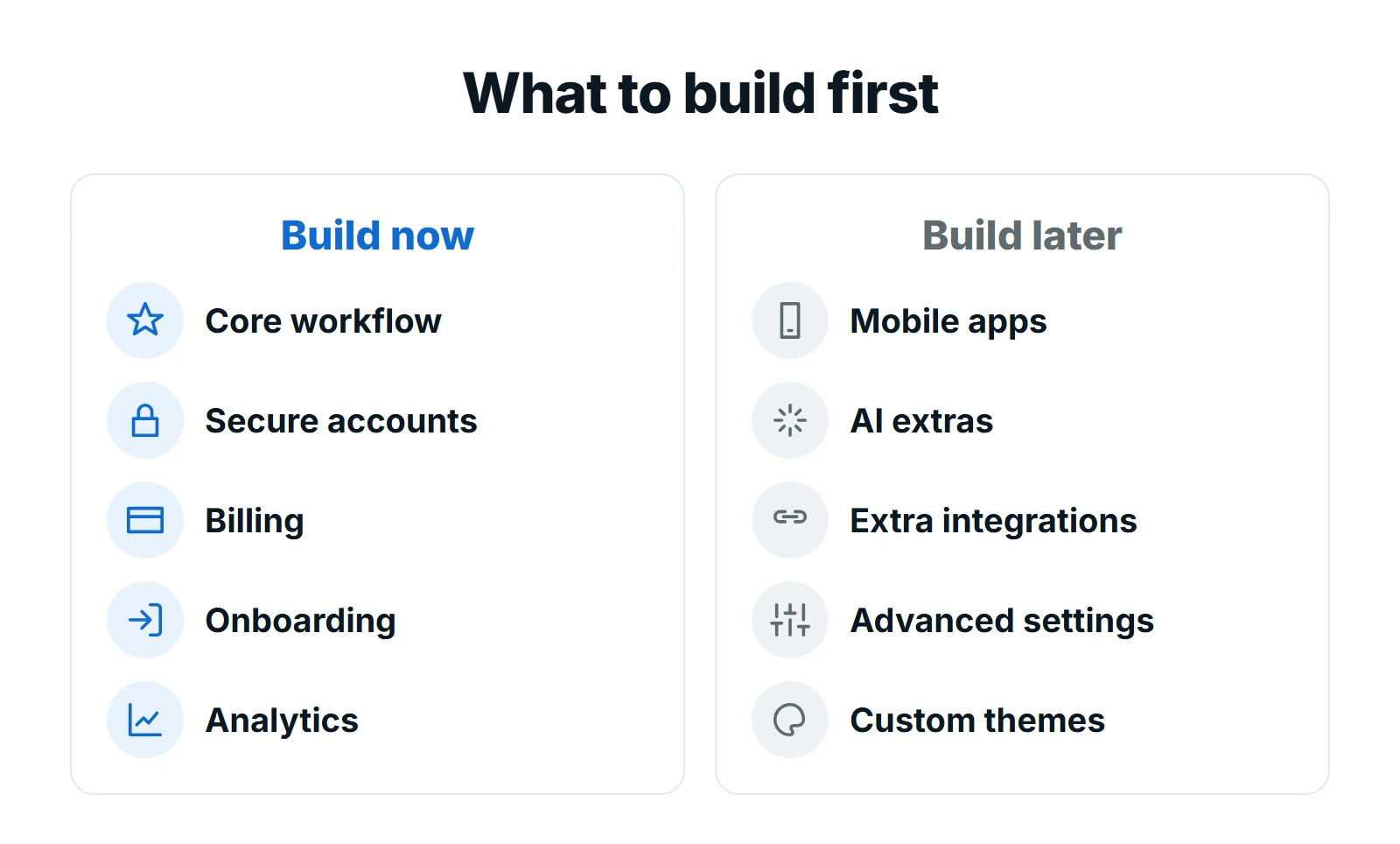
1. The core workflow
The single job your customer hires the product to do, from start to finish. If a scheduling product cannot take a booking smoothly, nothing else matters. Spend most of your budget here.
2. Secure accounts
Sign-up, login, password reset and, if customers work in teams, invitations and roles. Use a proven authentication service rather than building your own, and follow established guidance such as the OWASP Top 10 list of web application security risks.
3. Billing
If customers will pay, let them pay inside the product from day one: plans, a free trial if you offer one, and a page to manage their subscription. A payment provider handles the card details.
4. Onboarding
The first few minutes decide whether a new user comes back. A short welcome, sample data or a checklist that gets them to their first result is often worth more than a new feature.
5. Admin and analytics
A simple admin area to manage customers and plans, and event tracking to see which features people actually use. Without analytics, the next version is guesswork.
6. The basics customers expect
Fast pages, a layout that works on phones, clear error messages, and accessibility that follows the WCAG guidelines. These are not extras; they decide whether people can use the product at all.
What to Leave Out of Your MVP
| Feature | Why it can wait |
|---|---|
| Native mobile apps | A responsive web app works on phones; build apps once usage proves the need |
| AI extras | Add AI where it solves a proven problem, not to impress at launch |
| Many integrations | Start with the one or two customers ask for most |
| Advanced settings | Sensible defaults serve most users; settings can come later |
| Custom themes and branding | Clean and consistent beats fully customisable at this stage |
| Detailed reporting | Export to a spreadsheet first, then build the reports people use |
Sort Every Idea With MoSCoW
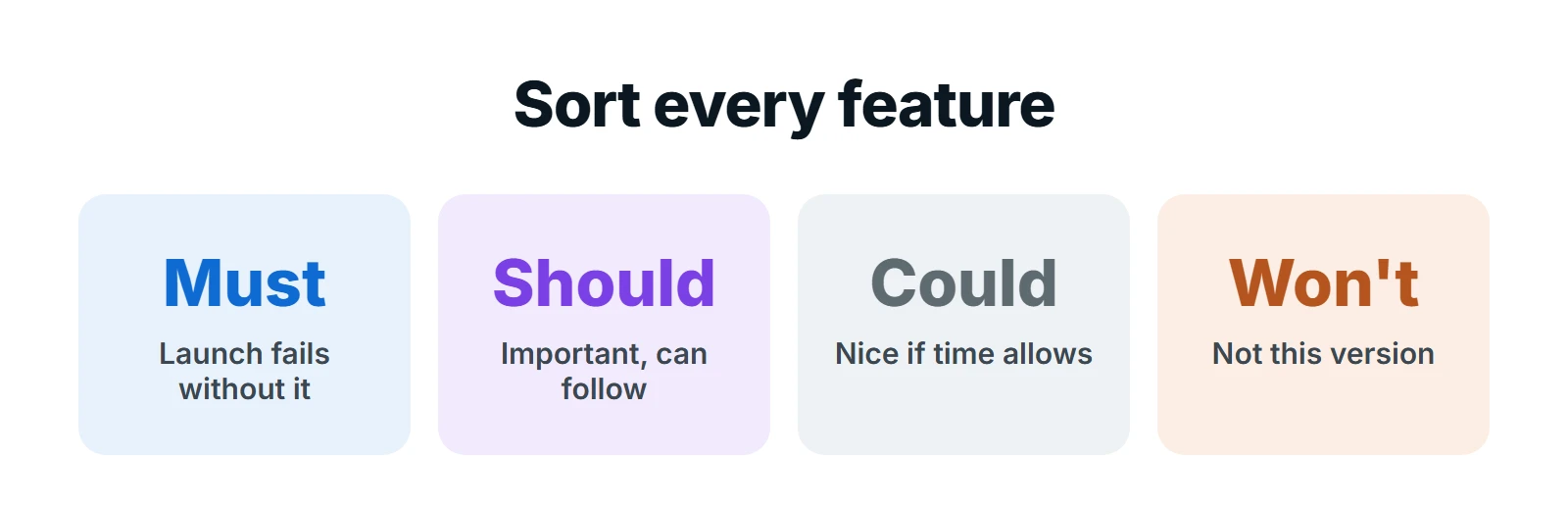
List every feature idea, then put each one in a bucket. Be strict with “Must”: if the product can launch and earn its first customers without it, it belongs in “Should” or lower. Most MVPs that run over budget have too many Musts.
Example: a booking app for dog groomers
Here is how a founder’s list of 12 ideas might sort out. The product lets dog groomers take online bookings:
| Feature idea | Bucket | Why |
|---|---|---|
| Customers book an open slot | Must | This is the core workflow |
| Groomer sets services, prices and hours | Must | Bookings cannot happen without it |
| Email confirmations and reminders | Must | Cuts no-shows from day one |
| Groomer login and secure accounts | Must | Protects customer data |
| Monthly subscription for groomers | Must | This is how the business earns |
| Deposits at booking | Should | Valuable, but can follow the first launch |
| Customer accounts with pet profiles | Should | Guest booking works to start |
| Text message reminders | Could | Email covers the need at first |
| Reports on busiest days | Could | Export bookings to a spreadsheet for now |
| Native iPhone and Android apps | Won’t | The web app works on phones |
| AI chat for customers | Won’t | Not needed to prove the product |
| Loyalty points | Won’t | A version two idea once customers return |
Five Musts, two Shoulds and five ideas parked for later. That MVP can launch, take real bookings and earn subscriptions, which is everything it needs to prove.
Three Questions for Every Feature
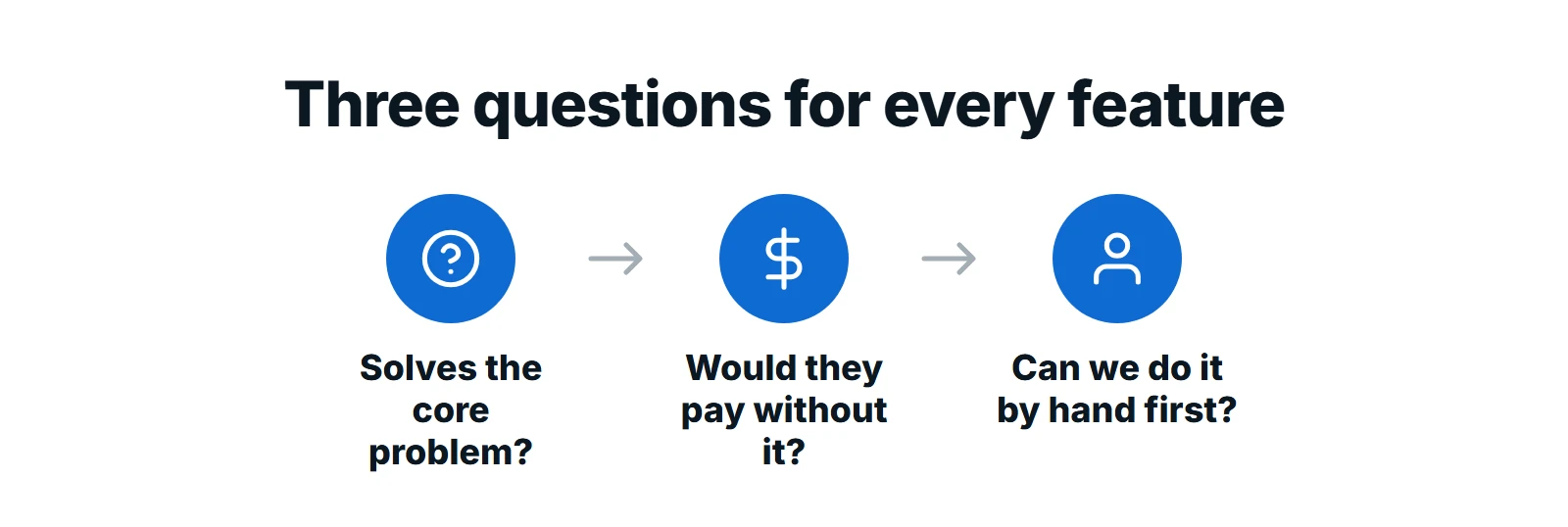
- Does it solve the core problem? If not, it is probably a later feature.
- Would customers pay without it? If yes, it can wait.
- Can we do it by hand first? Many features can start as a manual process behind the scenes, such as sending a monthly report by email, until volume justifies building them.
Common MVP Feature Mistakes
- Building for every customer type at once. Pick the first customer and serve them brilliantly.
- Copying a competitor’s full feature list. They built it over years, with paying customers. You need the core first.
- Skipping billing. If payment is manual, you will not learn whether people will really pay.
- No analytics. Without usage data, version two is built on opinions.
- Treating the MVP as the finished product. Plan and budget for the improvements real users will ask for after launch.
Want help cutting your MVP to the right features?
We run a short scoping session, sort every feature with you, and give you a written scope and a fixed quote for the MVP that is left.
Your Printable MVP Checklist
- One sentence describing the customer and the problem
- The core workflow written step by step
- Every feature idea sorted into Must, Should, Could and Won’t
- Secure sign-up and login using a proven service
- Billing plan, trial and self-serve subscription page decided
- Onboarding that gets a new user to a first result in minutes
- Admin area and analytics events defined
- Mobile-friendly, fast and accessible as standard
Next, see how scope turns into a budget in our guide to SaaS MVP cost, and what comes after launch with web application development.
Frequently Asked Questions
What features should an MVP have?
The core workflow that solves your customer’s problem, secure accounts, billing if customers pay, simple onboarding, an admin area and basic analytics, plus a fast, mobile-friendly and accessible interface. Everything else can wait.
How many features should an MVP have?
As few as possible. There is no fixed number, but every feature should be essential to completing the core workflow or to using and paying for the product safely.
What is the MoSCoW method?
A way to prioritise features into four groups: Must have, Should have, Could have and Won’t have this time. It forces clear decisions about what goes into the first version.
Should an MVP include a mobile app?
Usually not. A responsive web app works on phones and is much faster to build and change. Build native apps once usage shows customers need device features or app store distribution.
What is the difference between an MVP and a prototype?
A prototype shows how a product might look or work, often without real data. An MVP is a working product that real customers use, and ideally pay for, so you can learn from actual behaviour.
Final Thoughts
A good MVP feature checklist is short on purpose. Build the core workflow brilliantly, add only what is needed to sign up, pay and succeed, and let real customers tell you what to build next. That is how you launch sooner, spend less and avoid building features nobody uses.
At Digital Roots Media, we help founders scope and build SaaS MVPs with a fixed price. Request a free proposal and bring your feature list.