- An AI chatbot for small business answers website visitors in plain language using your own approved content, day and night.
- The best uses are answering common questions, capturing leads, booking appointments and routing requests to the right person.
- It should not give advice it was not trained on, handle complaints alone or replace a person on sensitive conversations.
- Self-serve chatbot tools start at about $25 to $40 a month; usage-based AI agents such as Intercom’s Fin charge $0.99 per outcome on top of seats.
The short answer: an AI chatbot for small business is a chat assistant on your website that understands questions written in normal language and answers them from your own content, such as your services, prices, hours and FAQs. It can capture contact details, book appointments and pass conversations to your team, 24 hours a day. It works best for repetitive questions and lead capture, and it should always hand complex or sensitive conversations to a person.
What Is an AI Chatbot?
Older website chatbots were button bots: visitors clicked through fixed menus, and anything outside the script ended in “Sorry, I did not understand.” An AI chatbot uses a large language model, so it understands questions however they are phrased and writes its own answers, grounded in the information you give it.
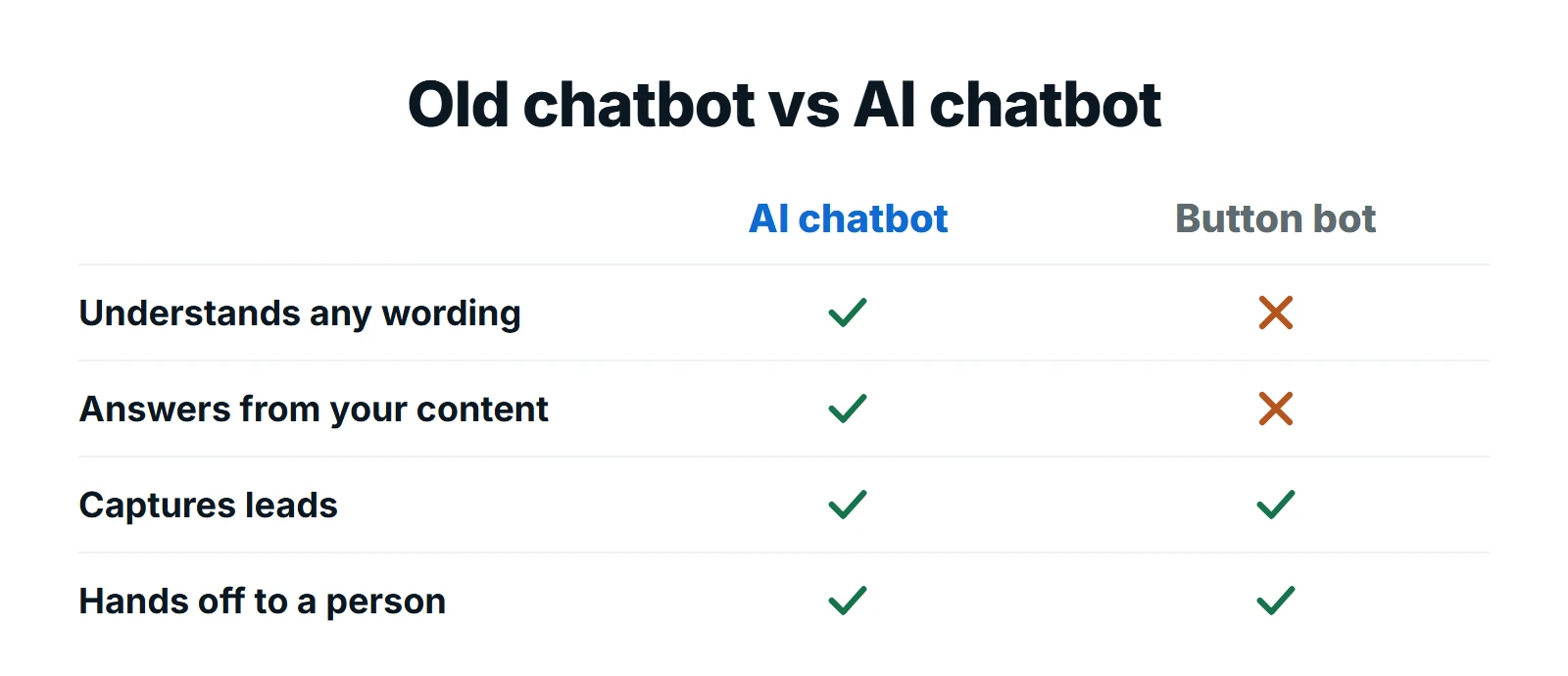
The important part for a business is the grounding. A well-built website chatbot does not answer from the whole internet. It answers from your approved content, and when it does not know, it says so and collects details for your team.
What an AI Chatbot Can Do for a Small Business
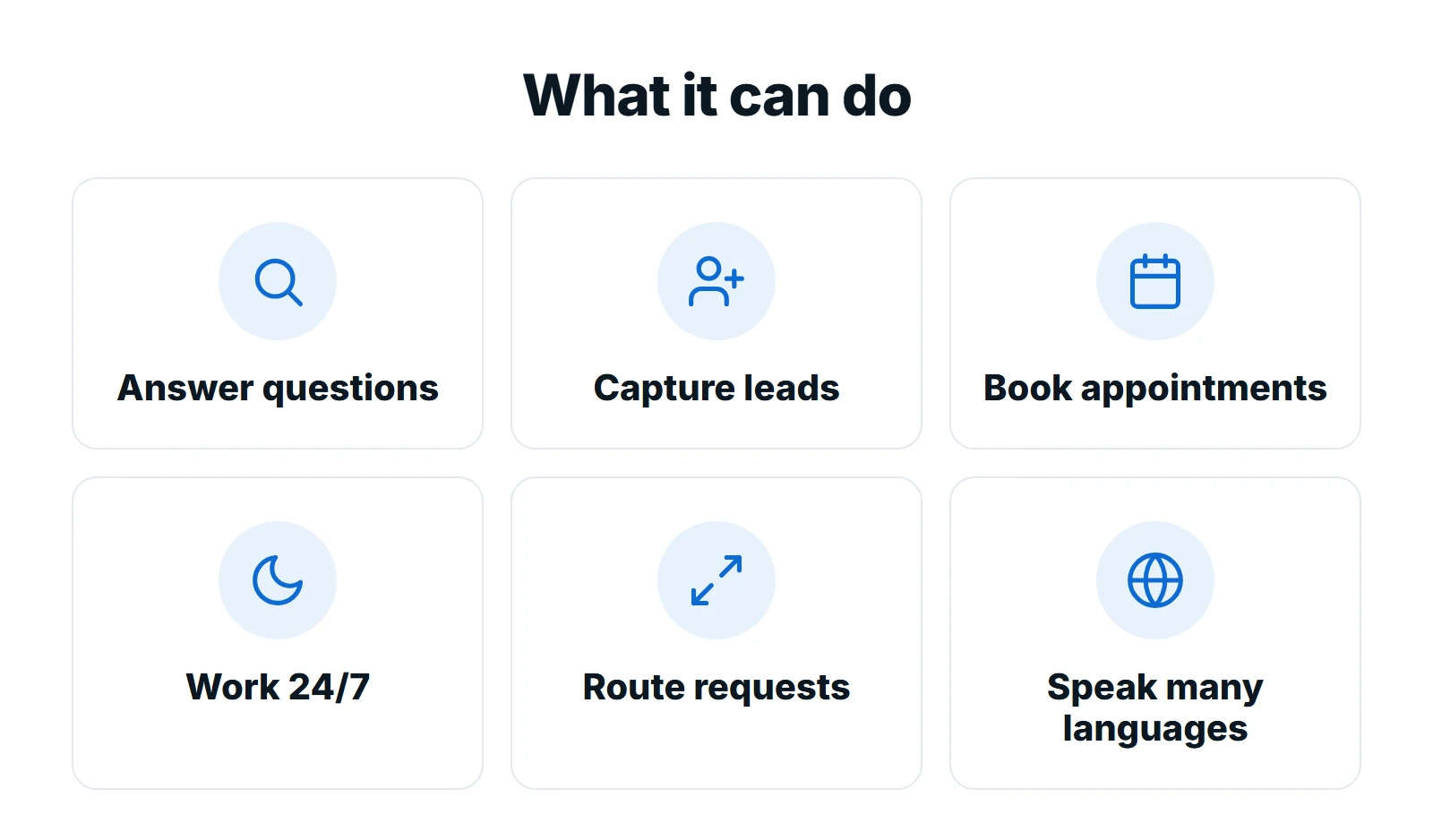
1. Answer common questions instantly
Prices, opening hours, service areas, delivery times, what to bring to an appointment: most businesses answer the same questions every day. A chatbot answers them in seconds, even at midnight.
2. Capture leads while visitors are interested
When a visitor asks about a service, the chatbot can ask for their name, email or phone number and the details of their project, then send the lead to your inbox or CRM. That turns anonymous visits into enquiries you can follow up, which is how most businesses use a chatbot to capture leads.
3. Book appointments
Connected to your calendar, a chatbot can offer open times and book appointments, following your rules for service types and lead time.
4. Work 24/7
Many visitors research in the evening and at weekends. A chatbot gives them an answer then, instead of a contact form and a wait until Monday.
5. Route requests to the right person
Sales question, support issue or job application: the chatbot can recognise the type of request and send it to the right person with a summary.
6. Help in other languages
Most modern AI models can reply in the visitor’s language, which helps businesses that serve multilingual communities. Check the quality in each language before you rely on it.
What an AI Chatbot Should Not Do
A chatbot is a fast first responder, not a replacement for your team. Keep it away from:
- Advice outside its approved content, especially legal, medical or financial advice.
- Complaints and sensitive conversations, which need a person and empathy.
- Promises and exceptions, such as refunds, discounts or guarantees that only your team can approve.
- Guessing. If it does not have an approved answer, it should collect details and promise a follow-up, with a clear handoff to your team.
How an AI Chatbot Works on Your Website
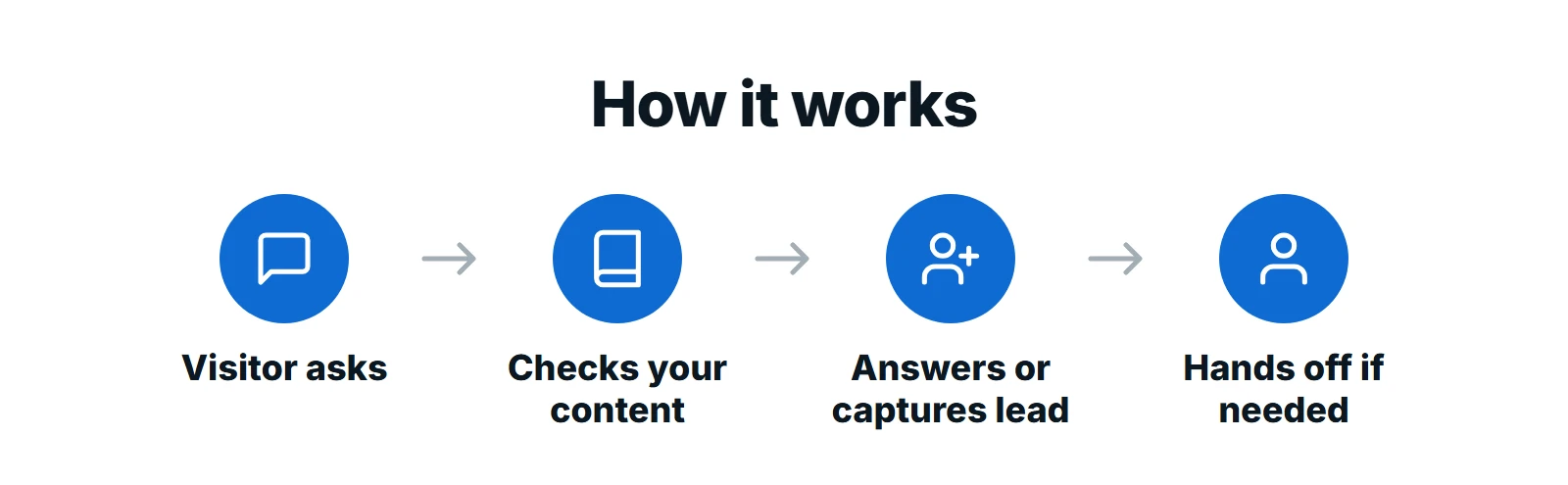
- The visitor asks a question in the chat window on your website.
- The chatbot checks your approved content: website pages, FAQs, service details and documents you have given it.
- It answers, or captures the lead when the visitor wants a quote, a booking or a callback.
- It hands off when needed, passing the conversation and a summary to your team by email, text or your CRM.
What Does an AI Chatbot Cost?
Chatbot cost depends on the pricing model. Published prices, checked on October 13, 2026, show three common models:
| Option | Price | What you get |
|---|---|---|
| Tidio Lyro | Free plan; Lyro from $32.50 a month | 50 lifetime AI conversations free, then 50+ AI conversations a month on paid plans |
| Dialzara chatbot | $39 a month standalone | Website chatbot with unlimited sessions |
| My AI Front Desk | $99 a month bundle | 100 chatbot conversations plus 200 phone minutes, SMS and email |
| Intercom Fin | $0.99 per outcome + seats from $29 | AI agent priced on resolved conversations, plus help desk seats |
| Done-for-you setup | Setup fee + monthly plan | Content, flows, integrations, testing and monthly review handled for you |
The software is the smaller part of the cost. The real work is preparing accurate content, writing the rules for leads and handoffs, connecting your calendar and CRM, and reviewing conversations so answers improve. If you also want calls answered, see what an AI receptionist costs, since several tools bundle chat and voice together.
Want a chatbot trained on your business?
We build AI chatbots on your own content, connect them to your booking and CRM tools, set clear handoff rules and review conversations every month. You get a fixed quote before any work starts.
Best Uses by Industry
| Industry | What the chatbot handles |
|---|---|
| Home services | Service areas, emergency call-outs, quote requests with photos |
| Healthcare and dental | Opening hours, insurance questions, booking requests (no medical advice) |
| Legal and professional | Practice areas, consultation booking, document checklists |
| Real estate | Listing questions, viewing requests, buyer and seller lead capture |
| Ecommerce | Order status, shipping and returns, product questions |
How to Launch an AI Chatbot in 6 Steps
- List the 20 questions your team answers most often
- Write or approve the answers and the pages the chatbot may use
- Decide what counts as a lead and which details to collect
- Set handoff rules: which topics go to a person, and how fast
- Connect your calendar, inbox or CRM and test real conversations
- Review conversations every month and add missing answers
Want the chatbot to do more than answer? Connect it to the rest of your business with AI workflow automation, so leads, bookings and follow-ups run without manual copying.
How to Tell If Your Chatbot Is Working
A chatbot is only worth keeping if it helps customers and your team. Check these five numbers every month:
| What to measure | What good looks like |
|---|---|
| Leads captured | Enquiries with contact details that would otherwise have been a bounce or a missed form |
| Questions answered without a person | Routine questions handled end to end, without your team stepping in |
| Handoffs | Sensitive or complex chats reaching a person quickly, with a useful summary |
| Unanswered questions | A short list that gets shorter as you add approved answers |
| Bookings | Appointments booked through the chat, landing in your calendar without double bookings |
Read a sample of real conversations too. Numbers tell you how much the chatbot is used; transcripts tell you whether customers got a good answer. If you see the same question go unanswered twice, add it to the chatbot’s content that week.
Frequently Asked Questions
Is an AI chatbot worth it for a small business?
Usually, if your team answers the same questions every week or you get website visitors outside business hours. A chatbot answers instantly, captures leads you would otherwise miss and frees your team for higher-value work. It is less useful if you get very little website traffic.
How much does an AI chatbot cost for a small business?
Self-serve tools start at about $25 to $40 a month, with usage limits. Intercom’s Fin AI agent is $0.99 per outcome plus help desk seats from $29. A done-for-you setup adds a one-time setup fee plus a monthly plan.
Can an AI chatbot give wrong answers?
Yes, if it is not set up carefully. Limit it to your approved content, tell it to say when it does not know, and review conversations regularly. A good chatbot collects details and hands off rather than guessing.
What is the difference between a chatbot and an AI chatbot?
A traditional chatbot follows fixed buttons and scripts. An AI chatbot uses a large language model to understand questions in normal language and write answers from your content, so it can handle questions you did not script.
Can a website chatbot book appointments?
Yes. When it is connected to your calendar, a website chatbot can offer open times and book appointments using your rules for services, locations and lead time.
Final Thoughts
An AI chatbot for small business is one of the easiest ways to answer customers faster and capture more leads from the traffic you already have. The difference between a helpful chatbot and an embarrassing one is the setup: accurate content, clear limits and a fast handoff to your team.
At Digital Roots Media, we build AI chatbots trained on your business and connected to your tools. Request a free proposal and we will show you what a chatbot could handle on your website.