
Free Website AuditSee exactly what is holding your site back from ranking and converting. Claim yours →
Free Website AuditClaim yours →
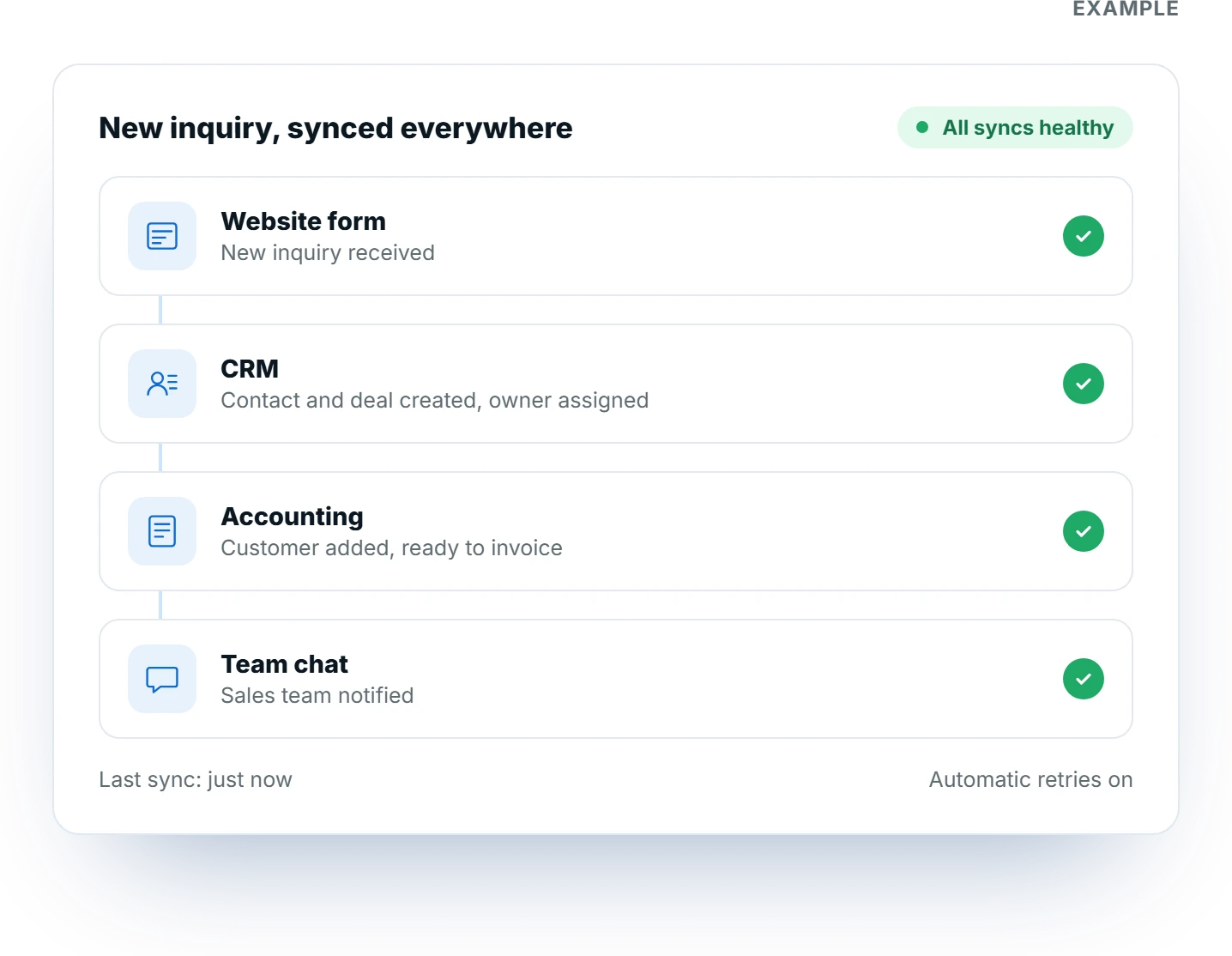
Your website, CRM, accounting, payments and scheduling tools each hold part of the picture, and your team fills the gaps by re-typing. We connect them through their APIs so customer, order and invoice data moves on its own, with monitoring that tells us when something needs attention.




In Short
API integration services connect separate software systems through their application programming interfaces (APIs), the published ways a system lets other software read and send data, so the systems share information automatically. With a CRM integration, a website form can create a CRM contact, a won deal can create an invoice and a payment can update the order, with error handling so the connection keeps working.

By the Digital Roots Media development team
What We Connect
Most third-party API integration projects start with one of these flows. Pick yours to see how it works.
Every inquiry lands in your CRM straight away, with the page, source and campaign attached, and is assigned to the right person. No lead sits in an inbox.
When a deal is marked won, the customer and invoice are created in your accounting software automatically, with the right line items.
Online payments update the order, the customer’s account and your books at the same time, so everyone sees the same status.
New bookings appear in the right calendar, confirmations and reminders go out on their own, and changes sync both ways.
Orders from your store update stock levels and reach whoever packs and ships them, without anyone re-keying them.
Numbers from several systems feed one live view for the team.
Common connections include HubSpot, Zoho, Salesforce, GoHighLevel, QuickBooks, Xero, Stripe, Square, Shopify, WooCommerce, Google Workspace, Microsoft 365, Calendly, Mailchimp, Twilio and Slack. These are examples of tools with APIs we can connect, not partnerships.
Built to Last
The hard part of an integration is not the first sync. It is what happens on the day something goes wrong. That is where we spend our effort.
Every field, format and rule is agreed in writing, including how duplicates and conflicts are handled.
If a system is briefly unavailable, the sync tries again instead of losing the data.
A failed sync is reported to us straight away, not discovered weeks later.
Connections use secure authentication such as OAuth 2.0, credentials are stored safely and never in code, and each connection gets only the access it needs.
Rate limits, required fields and approval steps are respected, so the provider does not block the connection.
You get a map of what connects to what and why, so your team is never stuck with a black box.
Compare Your Options
Zapier and Make are excellent tools, and for many connections they are the right answer. Here is how to decide.
Many businesses use both. We will recommend the simplest option that will hold up for each connection, even when that is a no-code tool. For AI steps inside your workflows, such as reading documents or drafting replies, see AI workflow automation.
Your Own API
Sometimes the system that needs connecting is yours. If your web app or platform needs to share data with partners, customers or a mobile app, we design, secure and document an API for it, so other software can work with your data safely and predictably.
Our Process
We list your tools, the data each holds and where it needs to go.
Your tools listed
The data each one holds
Where it needs to go
We agree fields, rules and how conflicts and duplicates are handled.
Fields and formats
Rules
How conflicts and duplicates are handled
Each connection is built to its provider’s documentation and limits.
Built to each provider’s documentation
Within each provider’s limits
We run real scenarios, including the failures.
Real scenarios
Including the failures
Connections switch on with monitoring and alerts in place.
Connections switched on
Monitoring and alerts in place
We watch for errors and for provider API changes, and update connections before old versions stop working.
Errors watched for
Provider API changes tracked
Connections updated before old versions stop working
Cost
The cost of an integration depends on how many systems are involved, which way the data flows and how much of it there is. You get one fixed quote from a written scope after a free discovery call.
Each connection adds build and testing
Two-way syncs and large volumes need more care
Some APIs have strict limits or approval steps
Live alerts and status views add scope
After a short discovery call, you get a written proposal you can compare like for like.
Why Choose Us
We already set up CRMs, marketing automation and analytics for our clients, so we know these tools from the inside: their quirks, their limits and the ways they break. That means fewer surprises when our system integration services connect them, and one team that understands both the systems and the business reasons behind them.
FAQs
Straight answers to what business owners ask before they build.
Talk it through with our team. No sales script, just a clear next step.
An API integration is a connection between two software systems through their APIs, the published ways a system lets other software read or send data. It lets information move automatically, such as a new website lead appearing in your CRM.
Use Zapier or Make for simple, lower-volume tasks between popular apps. Choose a custom integration for two-way syncs, high volumes, complex rules or connections your business depends on. Many businesses use both.
Yes. Form submissions can create or update CRM contacts and deals as they arrive, with the source and campaign attached, so no lead is lost.
Yes. Common examples are creating invoices when deals close, syncing customers and payments, and feeding accounting data into a dashboard.
Providers announce changes and retire old versions in advance. With a support plan, we watch for those notices and update your integration before the old version stops working.
Yes, when it is done properly: secure authentication such as OAuth 2.0, credentials stored securely and never in code, encrypted connections and only the access each connection needs.
We look at the alternatives, such as scheduled file exports, email parsing or the vendor’s other connectors, and tell you honestly how reliable each option is before you commit.
Yes. We design, secure and document APIs so partners, apps or other systems can work with your data safely.
Yes, through our CRM and marketing automation services. This page covers connecting your CRM to everything else.
Talk it through with our team. No sales script, just a clear next step.
Explore Related Services
Set up the CRM at the center, add AI steps to your workflows or bring every number into one view.
Choosing and setting up a CRM and the automations around it.
AI steps inside everyday workflows, such as reading documents or drafting replies.
One live view of your numbers and the tools your team uses every day.
Free Proposal
Tell us which tools you use and where the re-typing happens. You will receive a free discovery call and a fixed-price proposal, with no obligation.