- In the PHP security update of October 2026, the PHP project fixed two critical PHP vulnerabilities, CVE-2026-109618 and CVE-2026-109619. Each critical PHP vulnerability is rated 9.2 on the CVSS v4.0 scale.
- Both can allow unauthenticated remote code execution: an attacker can run code on a web server without logging in.
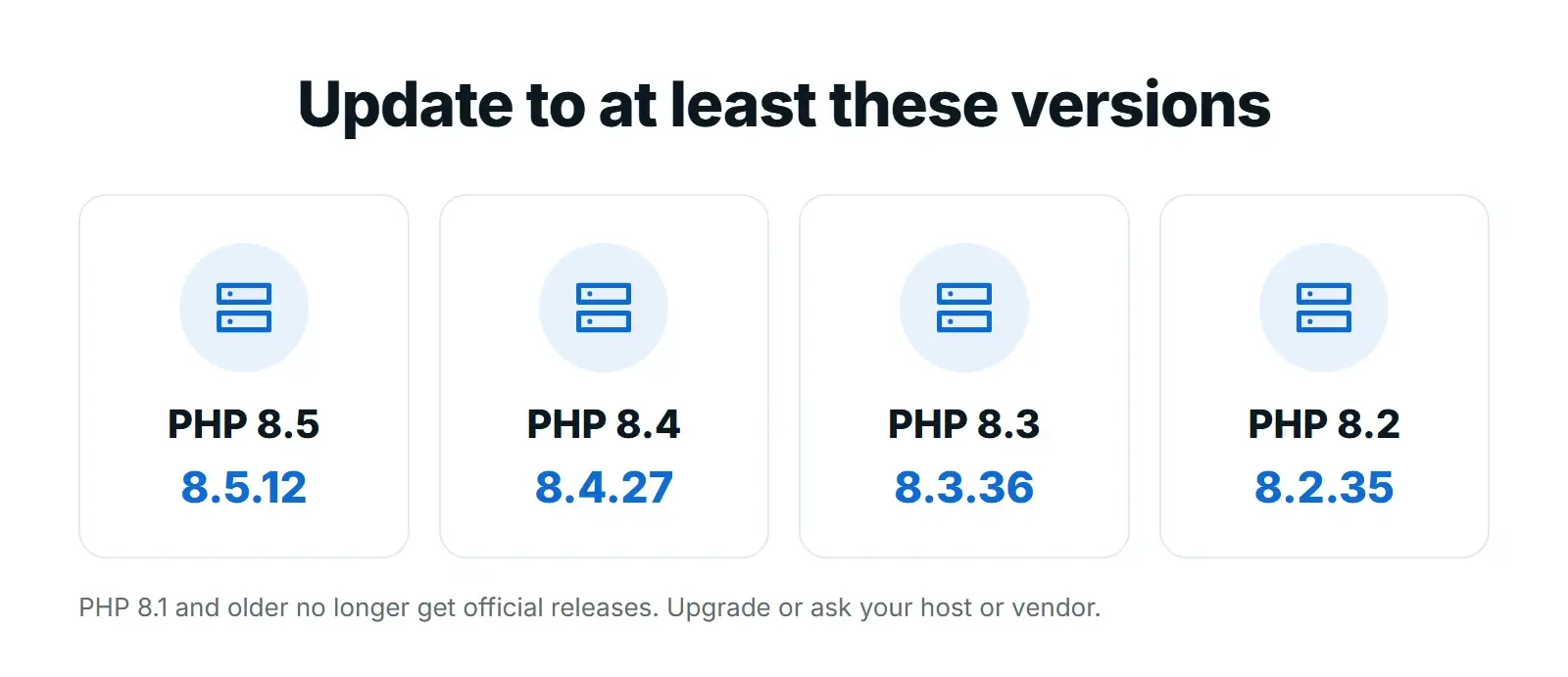
- The fixed versions are PHP 8.5.12, 8.4.27, 8.3.36 and 8.2.35. PHP 8.1 and older get no official release.
- Updating WordPress or its plugins does not update PHP. Your host or server team has to install the new PHP version or apply a fix at server level.
- Early attacks were reported before the patch, so check your PHP version today and look for signs of compromise after updating.
The short answer: two critical PHP vulnerabilities fixed on October 21, 2026 let attackers run code on a web server without logging in. Every website that runs on PHP, including WordPress, Drupal, Joomla, Magento and custom PHP sites, needs its server updated to PHP 8.5.12, 8.4.27, 8.3.36 or 8.2.35, or to a vendor-patched build. Updating WordPress itself does not fix this, because PHP runs underneath WordPress on your hosting server.
This PHP security update is one of the most serious in years. The PHP project announced it a day early, both flaws carry a 9.2 severity score, and security teams in the EU and the UK published advisories the same day. Below is what happened, which sites are affected, what hosting companies are doing, how to check your PHP version in WordPress and exactly what to ask your host.

What Happened
On October 20, 2026, the PHP project warned that a critical security release would follow the next day at 14:00 UTC. On October 21 it released PHP 8.5.12, PHP 8.4.27, PHP 8.3.36 and PHP 8.2.35, each described as a security release fixing two critical vulnerabilities that can allow unauthenticated remote code execution.
In plain terms, the two PHP vulnerabilities work like this, based on the PHP security advisory:
- CVE-2026-109618: when PHP runs out of memory part way through handling a request, some of its internal request data can be left half set up. The cleanup that follows can then treat that broken data as valid, which can be abused to run code.
- CVE-2026-109619: some internal state that belongs to one request can survive after its memory has been freed. A later request handled by the same PHP worker can use that stale state before it is reset, which can also be abused to run code.
Sansec, the ecommerce security firm that named the issue PHP2Shell, reports that the vulnerable code goes back to PHP 5.4.0 and that default configurations are vulnerable. The PHP project’s own advisory does not publish exploit details, and neither do we.
Which PHP Versions Are Affected and Fixed
CERT-EU, the cybersecurity service for EU institutions, lists the affected and fixed versions as follows:
| PHP branch | Affected | Fixed version | Support status |
|---|---|---|---|
| PHP 8.5 | Before 8.5.12 | 8.5.12 | Supported |
| PHP 8.4 | Before 8.4.27 | 8.4.27 | Supported |
| PHP 8.3 | Before 8.3.36 | 8.3.36 | Supported |
| PHP 8.2 | Before 8.2.35 | 8.2.35 | Security fixes end on December 31, 2026 |
| PHP 8.1, 8.0, 7.4 and older | All versions | No official release | End of life: source-only backports for 7.4, 8.0 and 8.1, or a vendor or host fix |
If your site still runs PHP 8.1, 8.0 or 7.4, there is no official update to install. Because of the severity, the PHP security team published minimal source-code backports for 7.4, 8.0 and 8.1, but these are meant for teams that build PHP themselves. For most website owners, the real options are a patched build or server-level protection from your host, a fix from your Linux distribution or long-term support vendor, or an upgrade to a supported PHP version. The PHP supported versions page lists which branches still receive security fixes.
Is My Website at Risk?
If your website runs on PHP, assume yes until your host confirms it is protected. The UK National Cyber Security Centre says organisations using any version of PHP are affected, and CERT-EU says every PHP installation serving web requests is at risk.
- Highest risk: Apache with mod_php. The PHP security team names mod_php as the setup it considers most at risk.
- PHP-FPM is affected too. Sansec reports that both mod_php and PHP-FPM setups are vulnerable, so switching handlers is not a fix.
- WordPress, WooCommerce, Magento and other PHP platforms are affected through the server, not through their own code. Sansec notes you cannot fix this from inside your store code.
- Attacks may already be happening. CERT-EU reports that proofs of concept have begun to circulate, and Sansec cites Cloudflare seeing early attacks at 07:43 UTC on October 21, before the patch was released.
Search Engine Journal, which covered the release for site owners, makes the same key point for WordPress users: updating WordPress or its plugins will not update PHP.
What Hosting Companies Are Doing
Because the fix lives on the server, your hosting company decides how quickly your site is protected. SiteGround, for example, says it rolled out server-level mitigation rules across all of its servers after PHP’s advance notice, disabling the affected functionality on every PHP version it supports before the details became public. It tells its own customers they do not need to change any settings or switch PHP versions.
Not every host works this way, and on a VPS or a server your own team manages, nobody patches PHP unless you do. That is why the safest step is to ask your host directly:
- Is my site already protected against CVE-2026-109618 and CVE-2026-109619, and how?
- When will the fixed PHP version (8.5.12, 8.4.27, 8.3.36 or 8.2.35) be installed on my server?
- If my site runs PHP 8.1 or older, do you provide a patched build, or do I need to upgrade?
Keep the answer in writing. If your host has only applied temporary mitigations, ask when the full PHP update will follow.
How to Check Your PHP Version in WordPress
You can see the PHP version your WordPress site runs on in a minute, without any plugin:
- Log in to WordPress and go to Tools, Site Health.
- Open the Info tab and expand the Server section.
- Find PHP version and compare it with the fixed versions in the table above.
- Your hosting control panel (cPanel, Plesk or your host’s own dashboard) usually shows the PHP version too, and lets you switch branches.
WordPress also keeps a guide to updating PHP that explains why it matters and what to check before you switch. Note that a host using server-level mitigations, as SiteGround describes, may show an older version number while still blocking the attack, which is another reason to ask.
What to Do Now
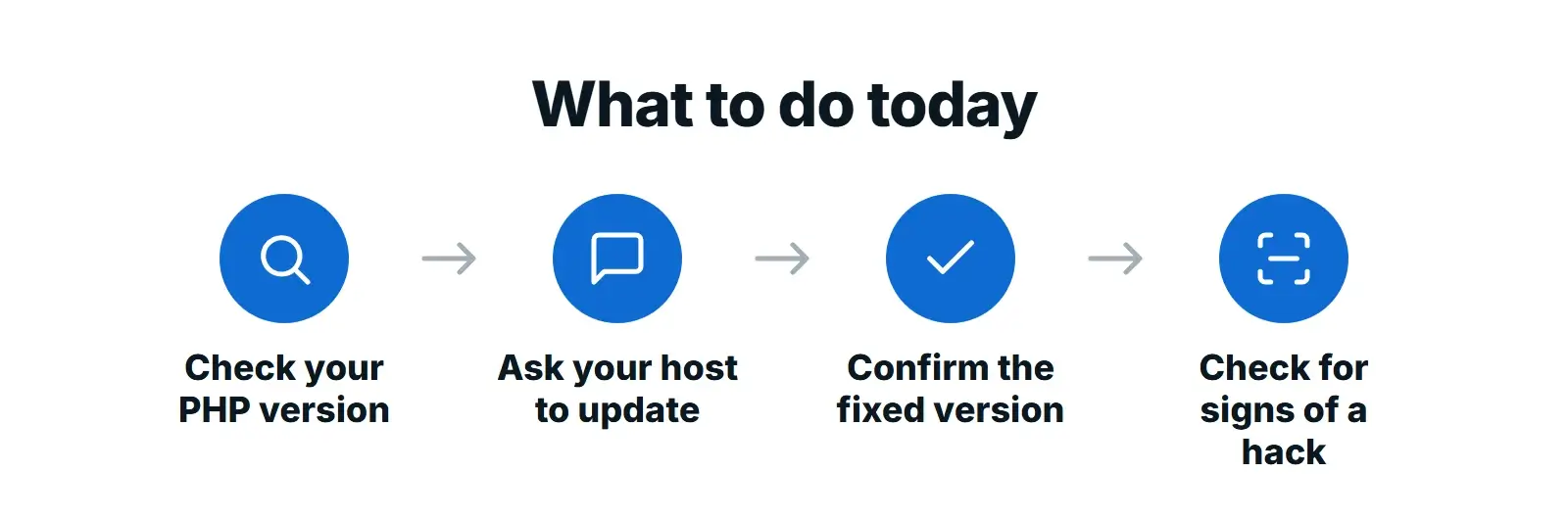
- Back up the site (files and database) before any server change.
- Ask your host to install a fixed PHP version today, or to confirm in writing how your server is protected against CVE-2026-109618 and CVE-2026-109619.
- Check the version yourself in Tools, Site Health, Info, Server once they say it is done.
- If you run PHP 8.1 or older, plan the upgrade to a supported branch now and test the site on a staging copy first, because old themes and plugins can break on newer PHP.
- If you use a firewall or CDN, make sure visitors cannot reach your server directly and bypass it. Cloudflare explains how to protect your origin server.
- Agree who does what next time: who applies emergency patches, and who can take the site offline if needed.
If your server cannot be updated right away
The advisories are clear that only an update fully fixes these PHP vulnerabilities. Until then, CERT-EU lists temporary settings your host or server team can apply to reduce exposure:
- Set
memory_limit=-1throughphp_admin_value(for CVE-2026-109618). - Set a low
post_max_size, such as 8M, or 32M if your site needs uploads. - Set
session.upload_progress.enabled=0and restart PHP workers (for CVE-2026-109619). - On PHP 8.5, set
fatal_error_backtraces=0and restart PHP workers.
These are partial measures and some carry their own risks, so they are a job for whoever runs your server. If even that is not possible quickly, the NCSC suggests considering taking the affected system offline. A web application firewall may block some attacks, but it is not a substitute for installing the fixes.
After You Patch: Check for Signs of Compromise
A patch closes the door, but it does not remove an attacker who already got in. Because attacks were reported before the fix, the NCSC recommends checking systems you could not patch quickly for signs of compromise and backdoors. On a WordPress site, start with these:
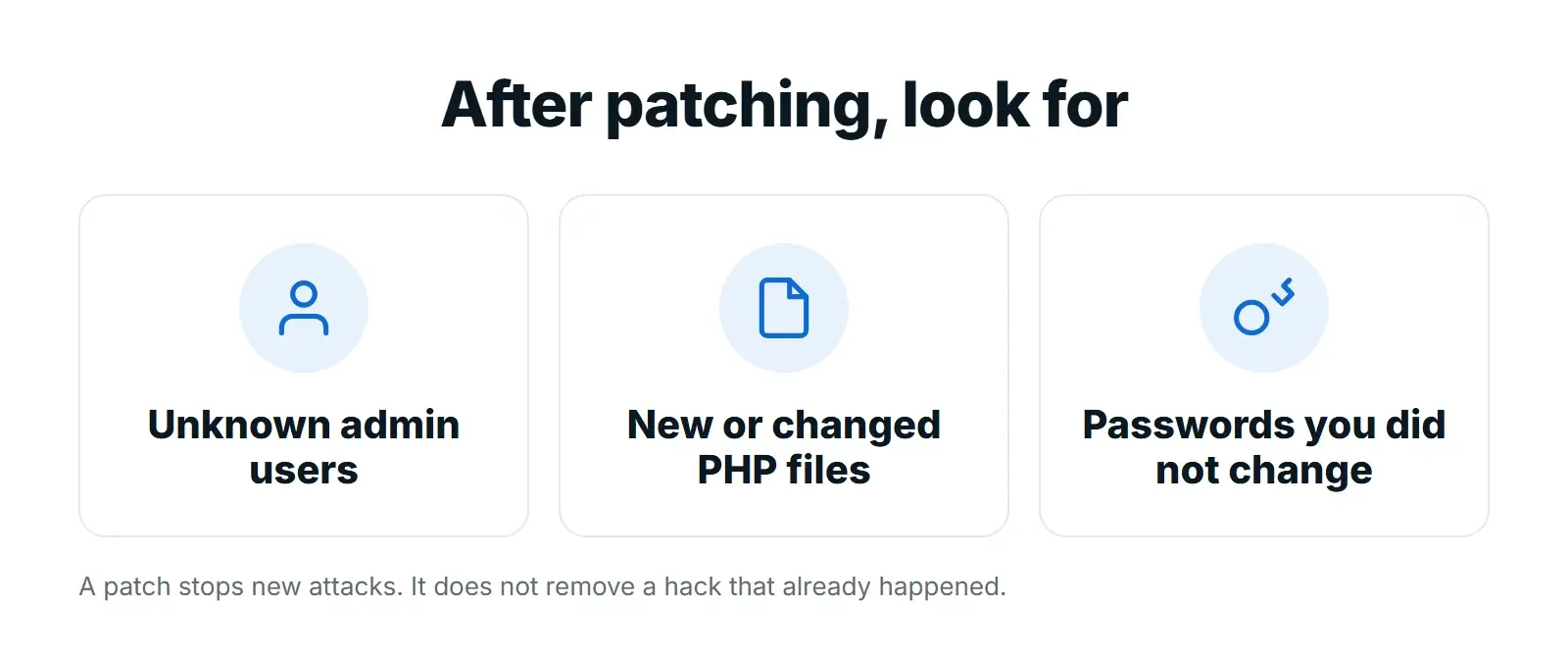
- Users: any administrator accounts you do not recognise.
- Files: PHP files that are new or were changed recently, especially in the uploads folder, which should not contain PHP files at all.
- Logins: password reset emails or login alerts you did not trigger.
- Behaviour: unexpected redirects, spam pages in Google’s index or a warning from your host or security plugin.
If you find anything, restore from a clean backup taken before October 21 where possible, change every password, including hosting, database and FTP, and ask your host to scan the server.
Want a second pair of eyes on your site?
Our website care plans include WordPress, plugin and theme updates, off-site backups, security scans and hosting support, so updates like this one do not slip through.
Why Old PHP Versions Are a Business Risk
This PHP security update shows the cost of running an old server. Sites on PHP 8.1 or older have no simple fix today, and PHP 8.2 stops receiving security fixes at the end of 2026. Many of the sites stuck on old PHP are held back by an outdated theme or plugin, which turns a server update into a rebuild.
If that sounds like your site, it is worth planning the move now rather than during the next emergency. Our WordPress development team can update a theme and plugins for current PHP, and a website redesign is often the cleaner option for a site built many years ago. Newer PHP versions are also faster, which helps with website speed.
FAQs
Does updating WordPress fix the PHP vulnerabilities?
No. WordPress, plugins and themes are applications that run on PHP. The flaws are in PHP itself, on your hosting server, so your host or server team has to install PHP 8.5.12, 8.4.27, 8.3.36, 8.2.35, a vendor-patched build or a server-level fix.
My host says I do not need to do anything. Is that true?
It can be. SiteGround, for example, says it applied server-level mitigations on all its servers before the details went public, so its customers need no changes. Ask your own host to confirm in writing how your server is protected and when the full PHP update will be installed.
Is my site safe if my host uses PHP-FPM instead of mod_php?
No. The PHP security team considers mod_php the highest risk, but Sansec reports that PHP-FPM setups are vulnerable too. Every PHP installation that serves web requests should be updated.
My site runs PHP 7.4. What should I do?
PHP 7.4 has no official release with these fixes. Ask your host whether they provide a patched build or server-level protection, and plan an upgrade to a supported PHP version. Test the site on a staging copy first, because older themes and plugins may need updates to work on newer PHP.
Can a firewall or Cloudflare protect my site?
A web application firewall may block some attacks, and Cloudflare reported early attacks, but the advisories say only an update fully fixes the issue. Make sure attackers cannot reach your server directly and bypass the firewall.
How do I know if my site was hacked?
Look for administrator accounts you do not recognise, new or changed PHP files, especially in the uploads folder, unexpected redirects and spam pages in Google. If you find any of these, restore a clean backup, change all passwords and ask your host to scan the server.
Final Thoughts
These two critical PHP vulnerabilities affect the software that runs most of the web, and the fix lives on your server, not in your WordPress dashboard. Check your PHP version today, get written confirmation from your host that your server is protected, and check for signs of compromise afterwards. If your site is stuck on an old PHP version, treat this as the push to plan an upgrade.
Need help? See our website maintenance and support plans or request a free proposal.