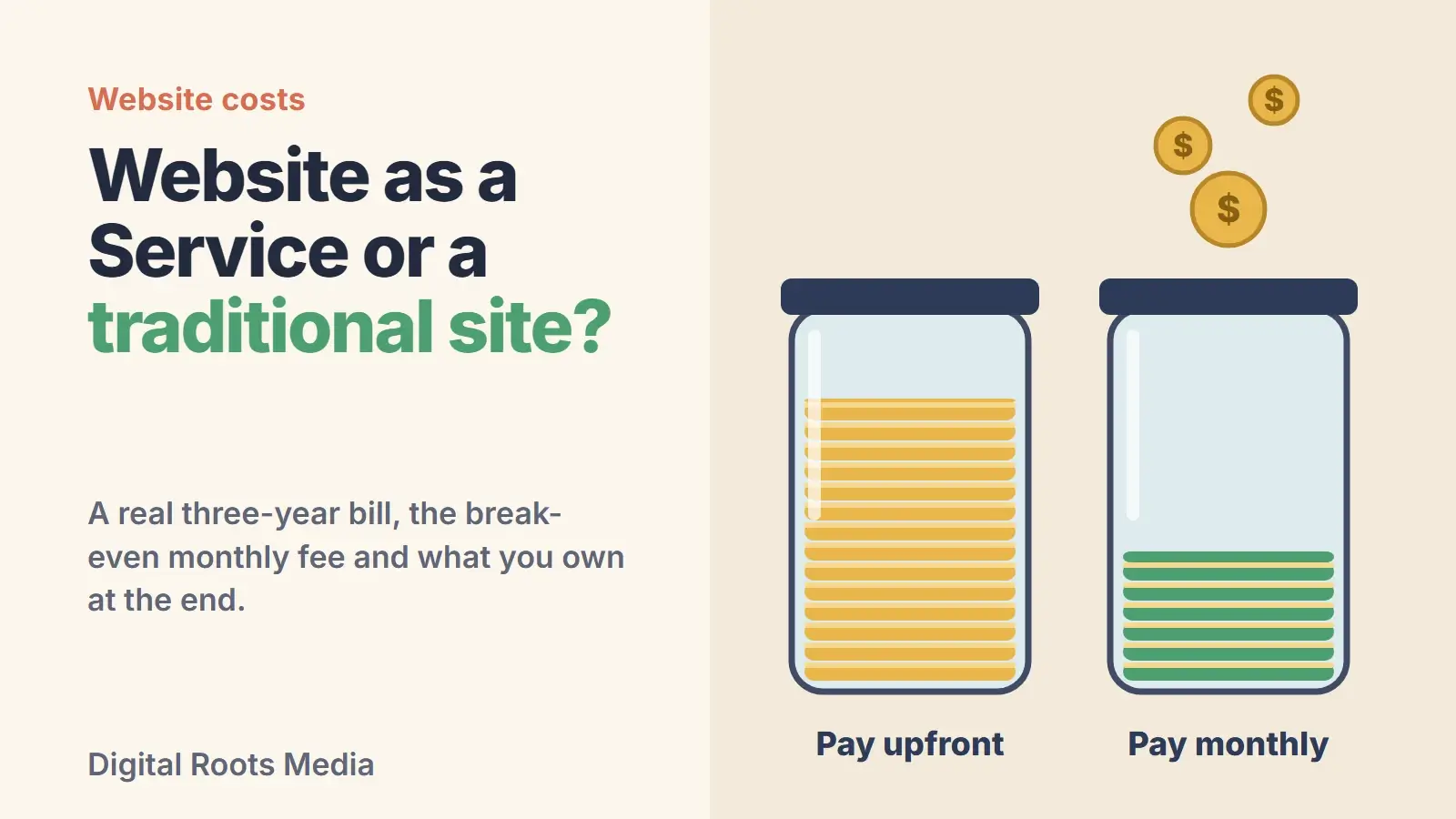
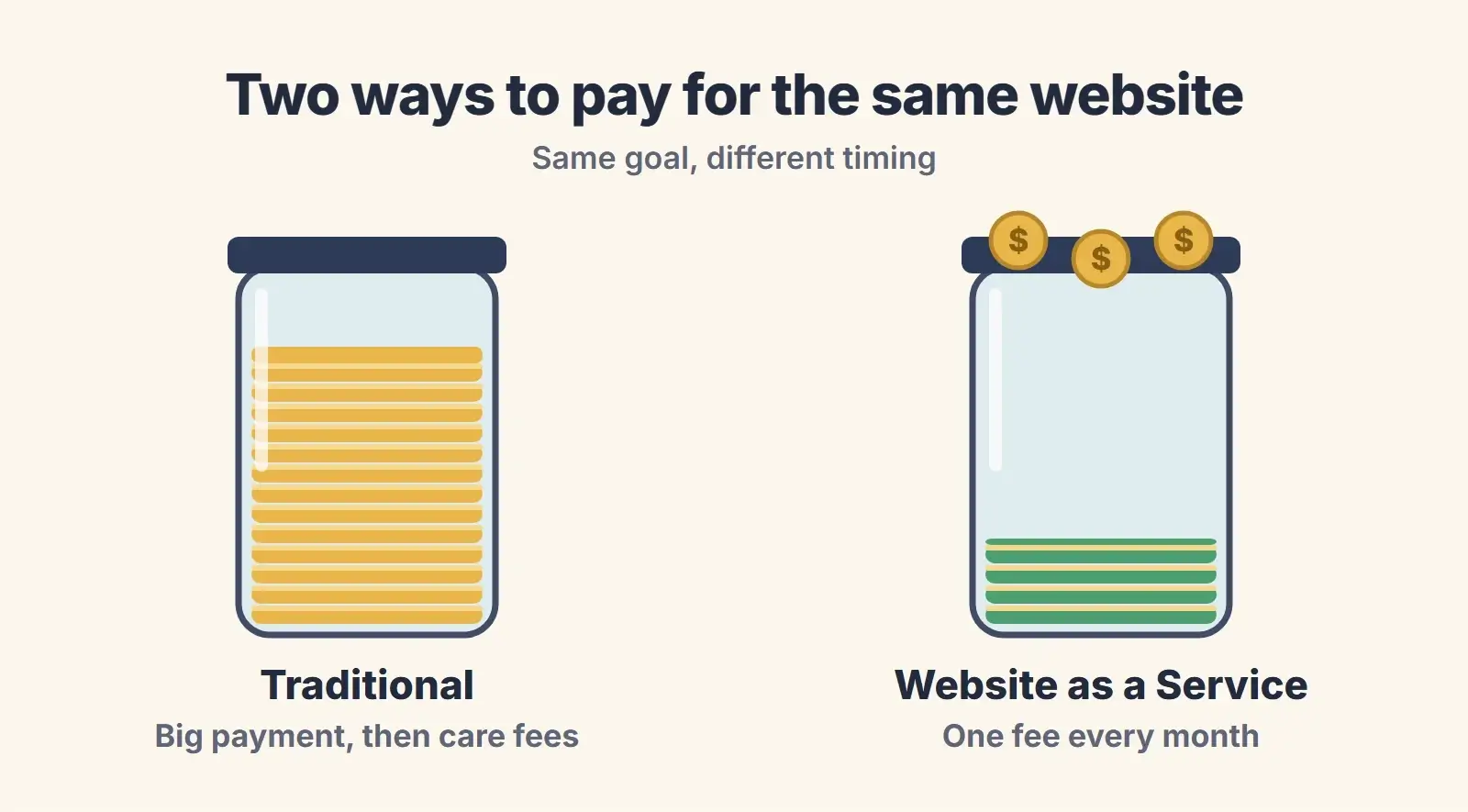
Choosing website as a service vs traditional website comes down to timing and ownership. With a traditional website you pay for the design and build upfront, then pay separately for hosting and care, and you own the finished site. With Website as a Service (WaaS) you pay one monthly fee that covers the build, hosting, updates and support, and the ownership terms depend on the contract. Over three years, WaaS costs less only if its monthly fee is below the traditional total divided by 36. Using our published rates, that break-even point is about $310 a month for a small site with basic care, or about $410 with monthly edits included.
The vendor pages we read stop at pros and cons. This one adds up a real three-year bill using published prices, shows you how to work out the break-even fee for any quote you receive, and covers a question that is easy to forget until you want to leave: what you own at the end.
- A traditional small business site with hosting and a basic care plan comes to about $11,172 over three years at our published rates.
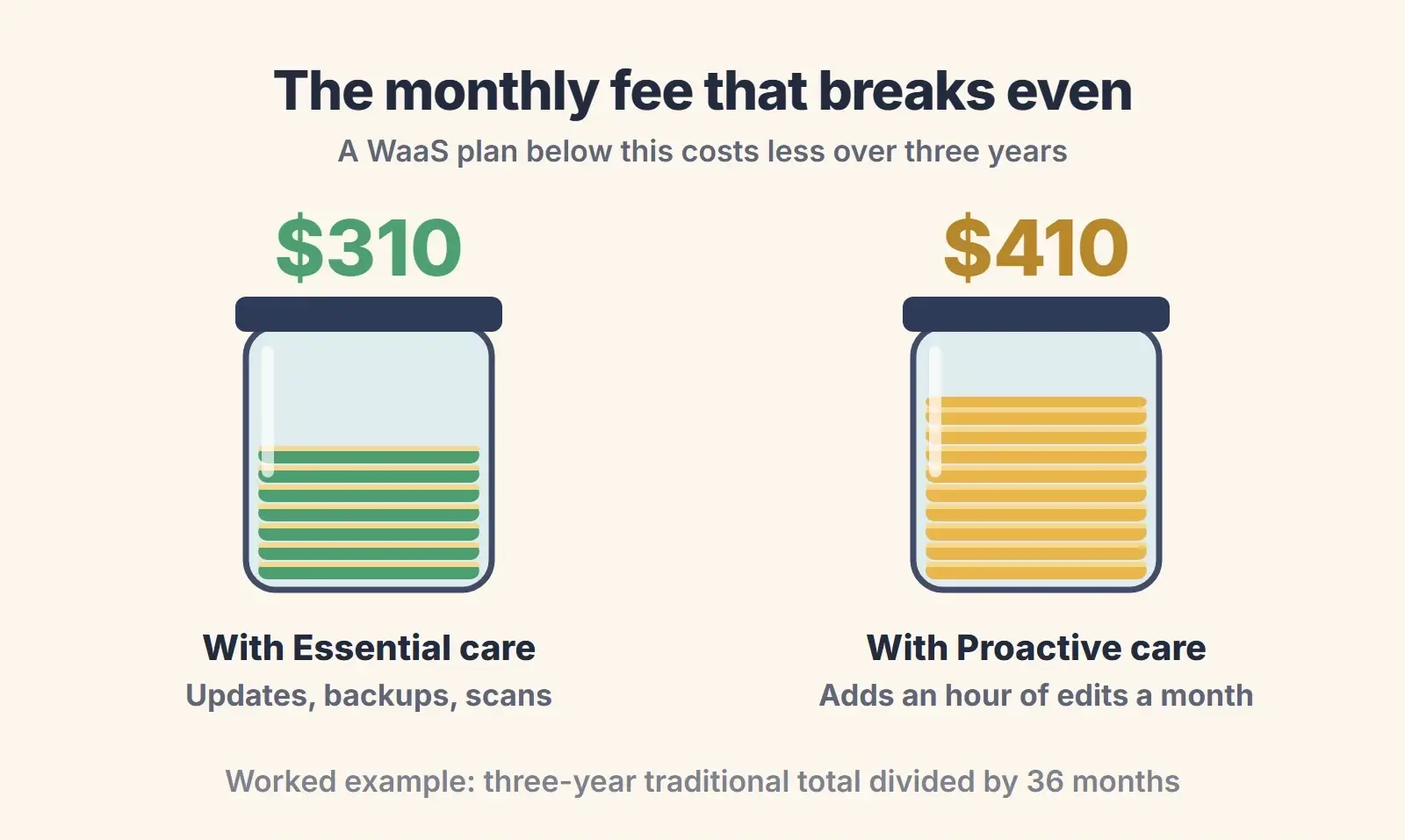
- Divide that by 36 and you get the break-even WaaS fee: about $310 a month, or $410 if you want monthly edits included.
- After three years a traditional site is yours outright; with WaaS, check the exit terms before you sign.
- WaaS suits businesses that want to keep cash free and have no one to maintain the site.
- Every WordPress site needs ongoing updates either way, so the real choice is who does them and how you pay.
What is the difference between Website as a Service and a traditional website?
Both can produce the same quality of website. The difference is the commercial model around it.
| Traditional website | Website as a Service | |
|---|---|---|
| How you pay | Project fee upfront or in stages | One monthly subscription |
| Hosting | Arranged and paid separately | Included |
| Updates and security | A separate care plan, or you do it | Included |
| Content changes | Per request, or hours in a care plan | Depends on the plan; ours include monthly updates |
| Ownership | You own the site when it is paid for | Set by the contract; check exit terms |
| Leaving | Move host or agency when your contracts allow | Depends on the contract |
| Biggest risk | Site goes out of date if nobody looks after it | Paying more over time, or a hard exit |
A note on terms: in this post, a traditional website means a custom site built by an agency or freelancer for a project fee. It does not mean a do-it-yourself website builder, which is a third option with its own trade-offs, covered in our post on website builders vs custom web design.
The three-year bill for a traditional website
Here is a worked example using real, published prices, so you can repeat the sum with your own quotes. It is a small business site of 1 to 10 pages, built on WordPress.
- Build: our websites start from $3,000 for 1 to 10 pages, $5,000 for 11 to 25 and $8,000 for 26 to 50. Our website price calculator gives a figure for your own scope.
- Hosting: as a reference point, WP Engine’s Essential managed WordPress plan was listed at $28 a month billed annually when we checked in November 2026. That is $1,008 over three years.
- Care: our website maintenance plans are $199, $299 or $399 a month. The $199 Essential plan covers core, plugin and theme updates, backups, security scans, uptime monitoring and a monthly report. Over 36 months that is $7,164.
- Domain: left out of both sides, because you pay for it either way. Registrars such as Cloudflare charge the registry price with no markup, so it is a small cost.
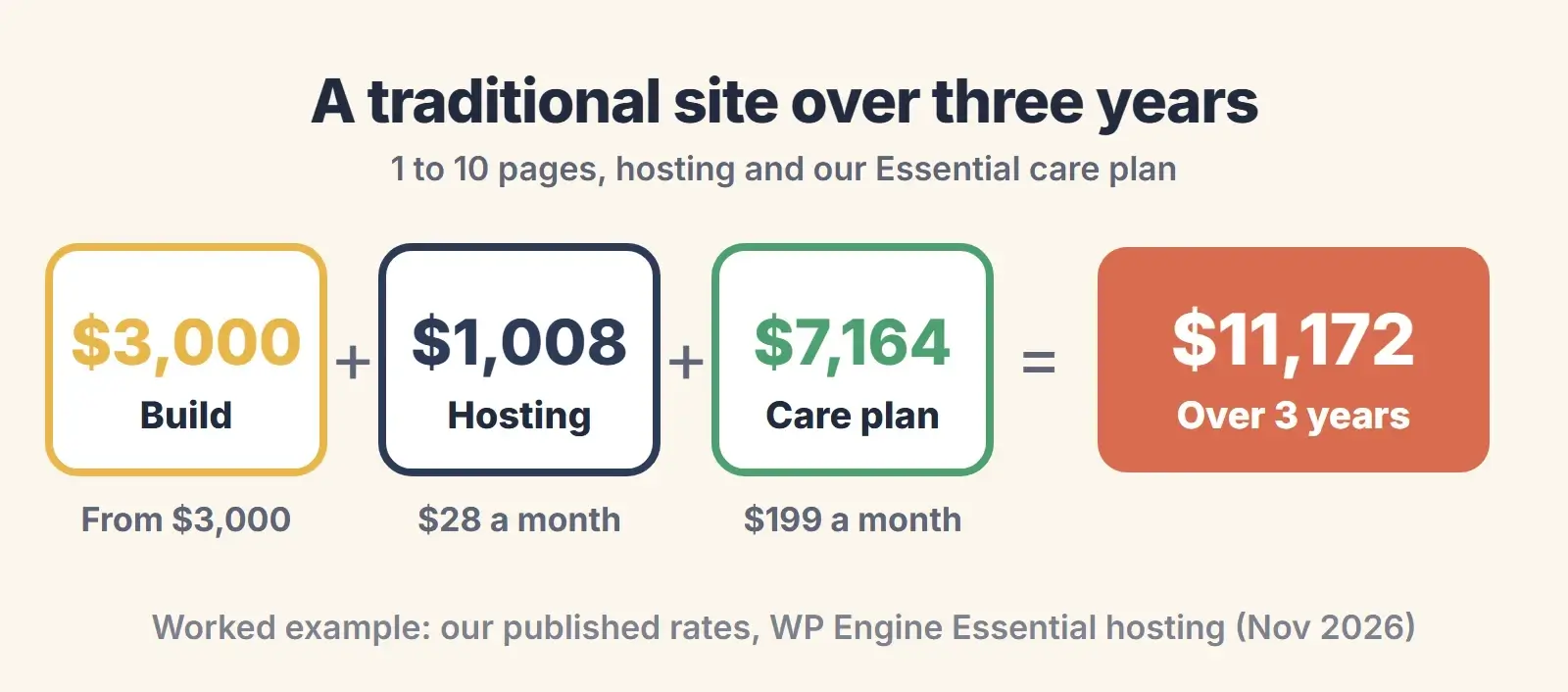
That gives a three-year total of $11,172. If you want an hour of content or design changes every month, the $299 Proactive plan takes it to $14,772. A larger site of 11 to 25 pages starting at $5,000 adds $2,000 to either figure.
Could you skip the care plan and keep the cost near $4,000? Technically, yes. But WordPress, its plugins and the PHP it runs on all need regular updates. The WordPress hardening guide puts updates first, and PHP versions lose security support on a fixed timetable. If nobody is paid to do it, someone on your team does it unpaid, or it does not get done. Our WordPress security best practices explain why that last option is the expensive one.
The break-even fee: when WaaS is cheaper
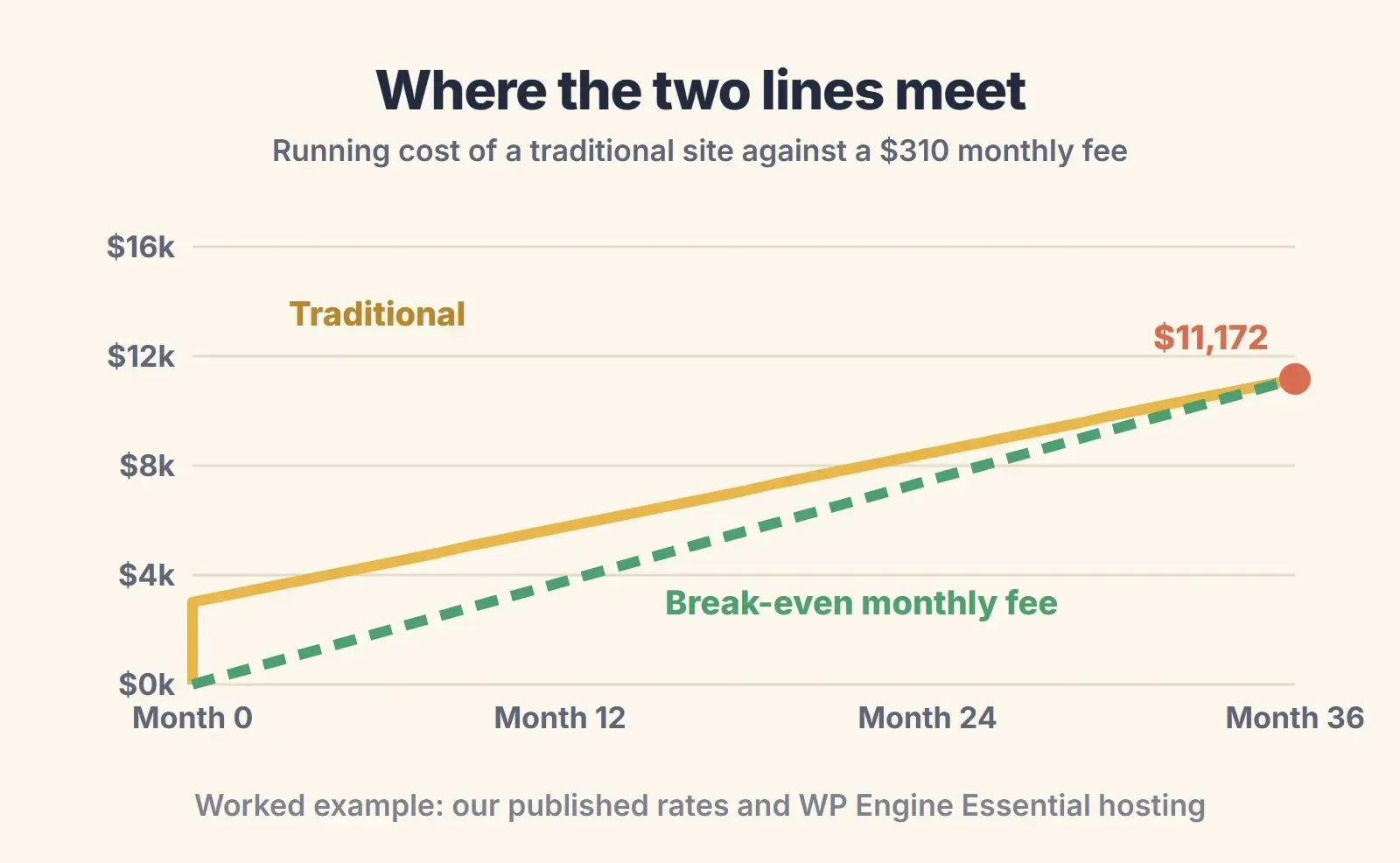
You can compare any WaaS quote with a traditional site in one step. Take the traditional three-year total and divide it by 36. That is the monthly fee at which both routes cost the same over three years.
| Traditional setup (3 years) | Total | Break-even monthly fee |
|---|---|---|
| 1 to 10 pages, hosting, Essential care ($199) | $11,172 | About $310 |
| 1 to 10 pages, hosting, Proactive care with monthly edits ($299) | $14,772 | About $410 |
| 11 to 25 pages, hosting, Essential care | $13,172 | About $366 |
| 11 to 25 pages, hosting, Proactive care | $16,772 | About $466 |
Compare like with like. Our own WaaS plans include monthly content and design updates, so the fairer comparison for those is the Proactive row. If a WaaS quote does not include edits, compare it with the Essential row instead.
What changes after year three
The time frame matters. Stretch the same example to five years and the traditional total becomes $16,620, or about $277 a month, because the build fee is spread over more months. So the longer you keep a site, the better the traditional route looks on cost alone. The flip side: if you expect to redesign within that time, add the cost of a website redesign to the traditional side. If your WaaS plan keeps improving the site each month, you may avoid some of that cost, which changes the sum again.
What you own at the end
Price is only half of the comparison. The other half is what you hold if you stop paying.
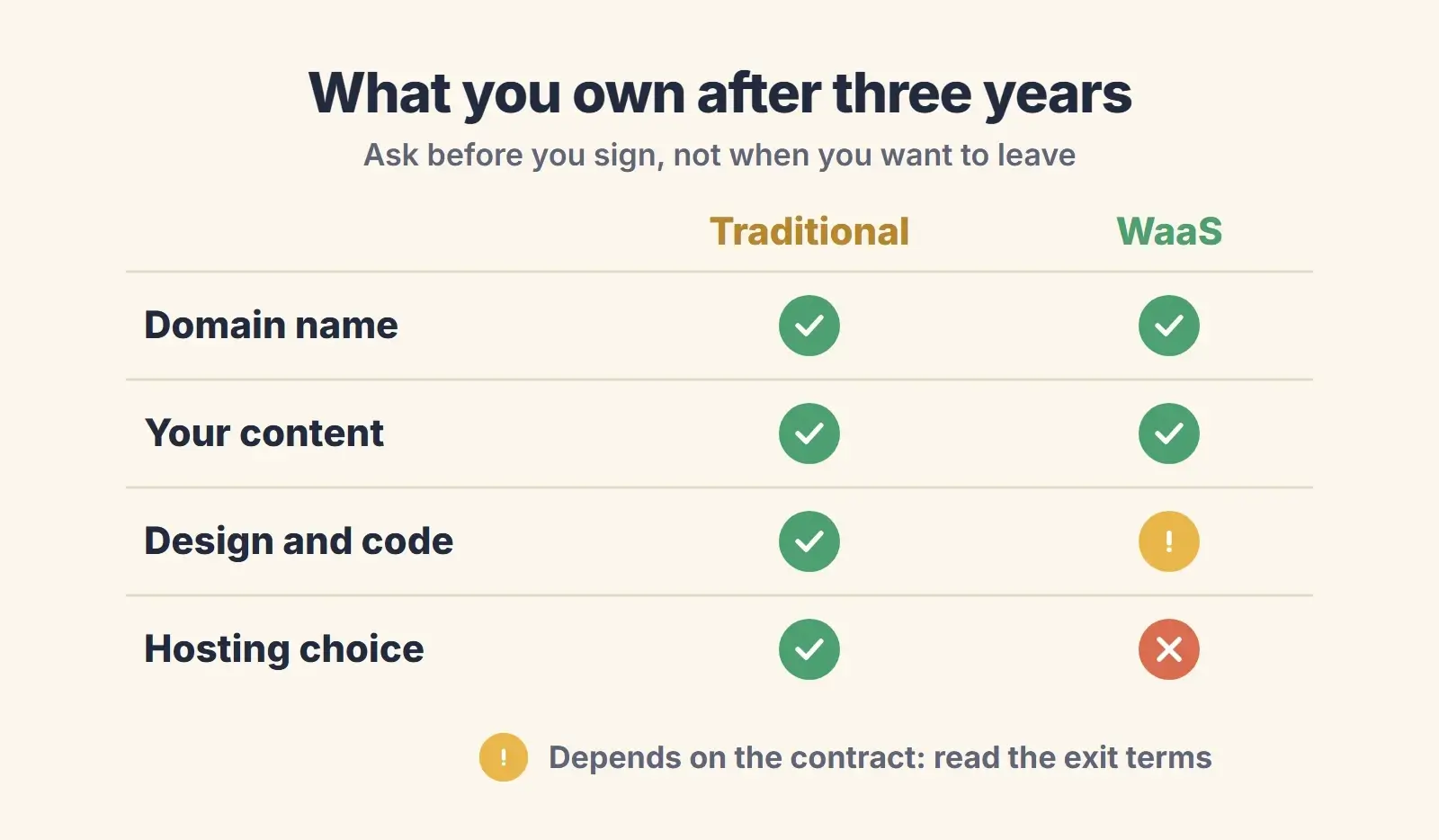
With a traditional build, the contract should say the site is yours once the invoice is paid, so you can host it anywhere. WordPress itself is released under the GPL, so you are free to run your own copy of it. With WaaS, the answer depends on the contract, and this post cannot speak for every provider. Ask these questions before you sign, with a traditional quote too:
- Is the domain registered in my name, with my login?
- If I leave, do I get a full copy of the site, including the theme, plugins and database?
- Is there a minimum term, and what does leaving early cost?
- Can I buy the site outright, and at what price?
- Who owns photos, copy and logos created during the project?
On our own WaaS plans, ownership terms, including what happens if you leave, are set out in the plan before you sign, and your domain and content are always yours.
Which is right for your business?
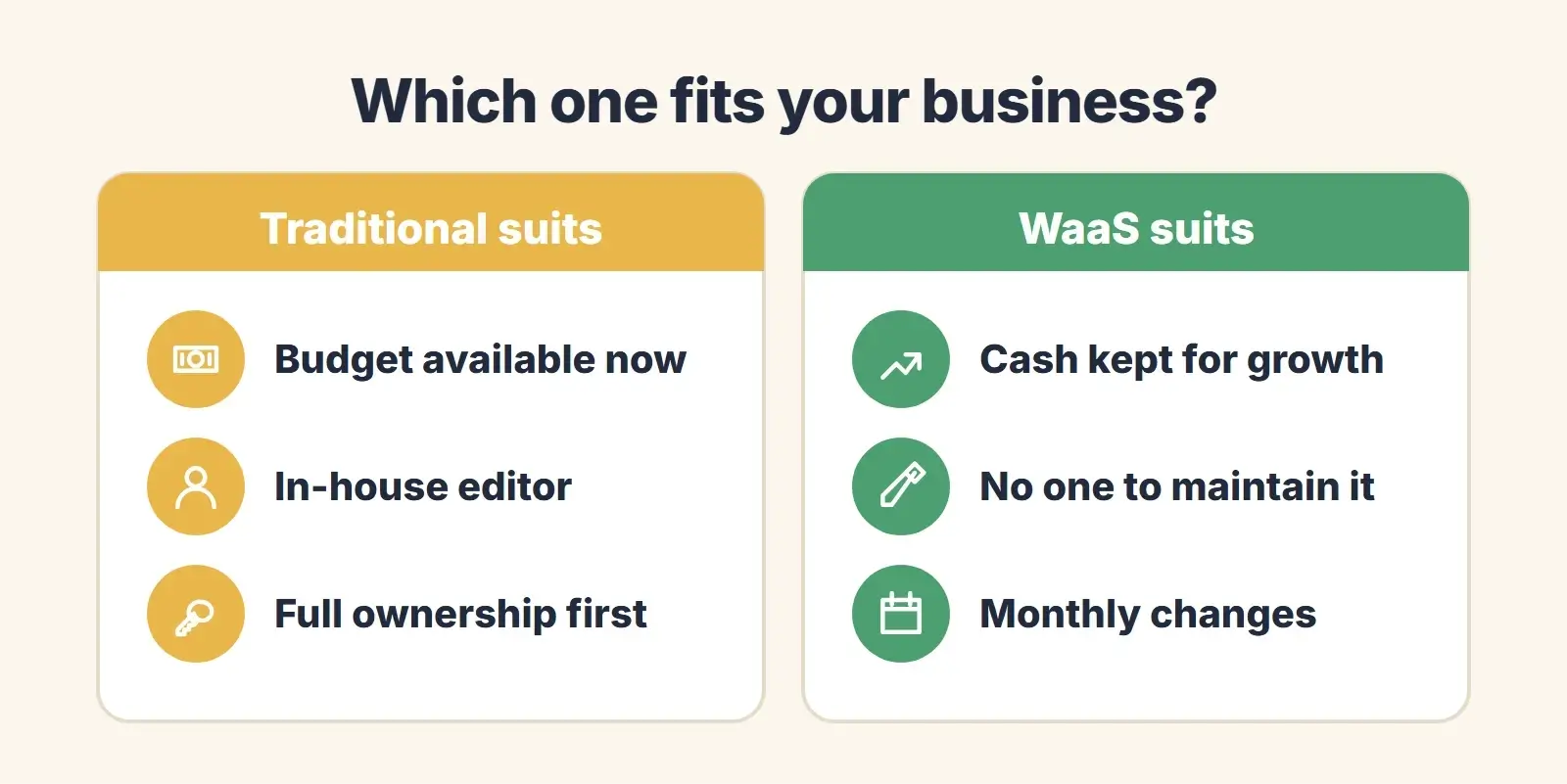
Choose a traditional website if you have the budget now, expect to keep the site for five years or more, have someone who can manage content, or need to own every part of it from day one. Pair it with a care plan so it stays secure. Our custom website design service is built for this route.
Choose Website as a Service if you would rather keep cash free for hiring, stock or advertising, nobody on your team wants to deal with updates and hosting, and the site needs regular changes. It also suits new businesses that want a professional site now and expect to grow into a larger one.
- Get a traditional quote for build, hosting and care, and add up 36 months.
- Divide by 36 to find your break-even monthly fee.
- Check whether each WaaS quote includes hosting, updates, backups and monthly edits.
- Compare like with like: a plan with edits against a care plan with edits.
- Ask who owns the domain, content, design and code if you leave.
- Check the minimum term and any exit or buy-out fee.
- Decide how long you expect to keep this site before a redesign.
- Ask how quickly security updates are applied in each option.
If you are still working out what a website should cost in the first place, our guide to small business website costs breaks down the drivers, and the WordPress maintenance checklist shows what ongoing care actually involves.
Want a monthly plan you can compare?
Tell us about your business and the pages you need. We will quote a clear Website as a Service plan, so you can run the break-even sum yourself.
Frequently asked questions
Is Website as a Service worth it?
It is worth it when the monthly fee is at or below your break-even point and it includes the care you would pay for anyway: hosting, updates, backups, security and edits. It is also worth it when keeping cash free matters more than the lowest total cost. If you plan to keep the same site for many years and can manage it yourself, the sums above lean towards a traditional build.
Is Website as a Service cheaper than a traditional website?
Not automatically. Over three years, WaaS is cheaper only if its monthly fee is below the traditional total divided by 36. With our published rates, that is about $310 a month for a small site with basic care, or about $410 with monthly edits. Over five years the break-even fee drops, because the build cost is spread over more months.
Who owns the website with Website as a Service?
It depends on the provider and the contract. Your domain and your content should always be yours, but the design, theme and code may stay with the provider unless the contract says otherwise. Ask whether you get a full copy of the site if you leave, whether there is a buy-out option, and what the minimum term is, before you sign.
Can I switch from Website as a Service to a traditional website later?
It depends on your contract. If it lets you take a full copy of the site, you can move it to your own hosting and a care plan. If it does not, you may need a rebuild, so check the exit terms first. To move a WordPress site between hosts you need the files, the database and access to the domain, so ask for those in writing.
Does a traditional website need a monthly fee too?
In practice, yes. Hosting is a monthly or yearly cost, and WordPress, plugins and PHP need regular security updates. You can do the updates yourself or pay for a care plan. That is why the fair comparison is the full three-year cost of each route, not the build fee against the WaaS fee.
Final thoughts
The Website as a Service vs traditional website decision is not about which model is better in general. It is about your cash flow, how long you will keep the site and who will look after it. Add up three years of real quotes, find the break-even fee, and read the exit terms. If a monthly plan suits you, see our Website as a Service plans. If you would rather own it outright, start with custom website design and keep it healthy with one of our website maintenance plans.