
- Apache fixed a critical HTTP/2 flaw, CVE-2026-119618, that can let an attacker run code on the server without logging in.
- Affected: Apache HTTP Server 2.4.55 to 2.4.70 with HTTP/2 switched on. The fix is Apache 2.4.71, released November 11, 2026, or a patched vendor package.
- Updating WordPress, plugins, themes or a security plugin does not fix it. The fix belongs to whoever runs the web server.
- If a fixed package is not ready yet, turning off HTTP/2 in Apache removes this attack path for now.
- No attacks in the wild had been reported at disclosure, so there is time to act calmly, today.
The short answer: the Apache HTTP2 vulnerability, CVE-2026-119618, is a critical bug in the module Apache uses to serve HTTP/2 traffic. On an unpatched server with HTTP/2 enabled, a remote attacker could corrupt the server’s memory and potentially run their own code. If your WordPress site runs on Apache, ask your host today whether its Apache servers accept HTTP/2 and whether the fix is installed. If you run your own server, update to Apache 2.4.71 or your vendor’s fixed package and restart Apache.
This is the second server-level scare in a month. In October it was PHP, which we covered in our guide to the critical PHP vulnerabilities and the PHP2Shell one-week update. This time the problem sits one layer higher, in the web server that receives every request before PHP or WordPress ever see it. Here is what is known, who is affected and exactly what to ask.
What Is CVE-2026-119618?
According to the Apache HTTP Server security advisory, CVE-2026-119618 is a critical flaw in mod_http2, the part of Apache that handles HTTP/2 connections. Apache describes it as heap corruption that can lead to remote code execution, caused by a function called assign_headers() working on shared data without proper locking.
In plain terms, HTTP/2 lets a browser send many requests at once over a single connection, and Apache handles them with several threads working side by side. Red Hat explains that because of a thread-safety mistake, one thread can change memory that belongs to another. A skilled attacker could use that to take over the server process, with no username or password needed. That is why this Apache RCE (remote code execution) bug is rated critical.
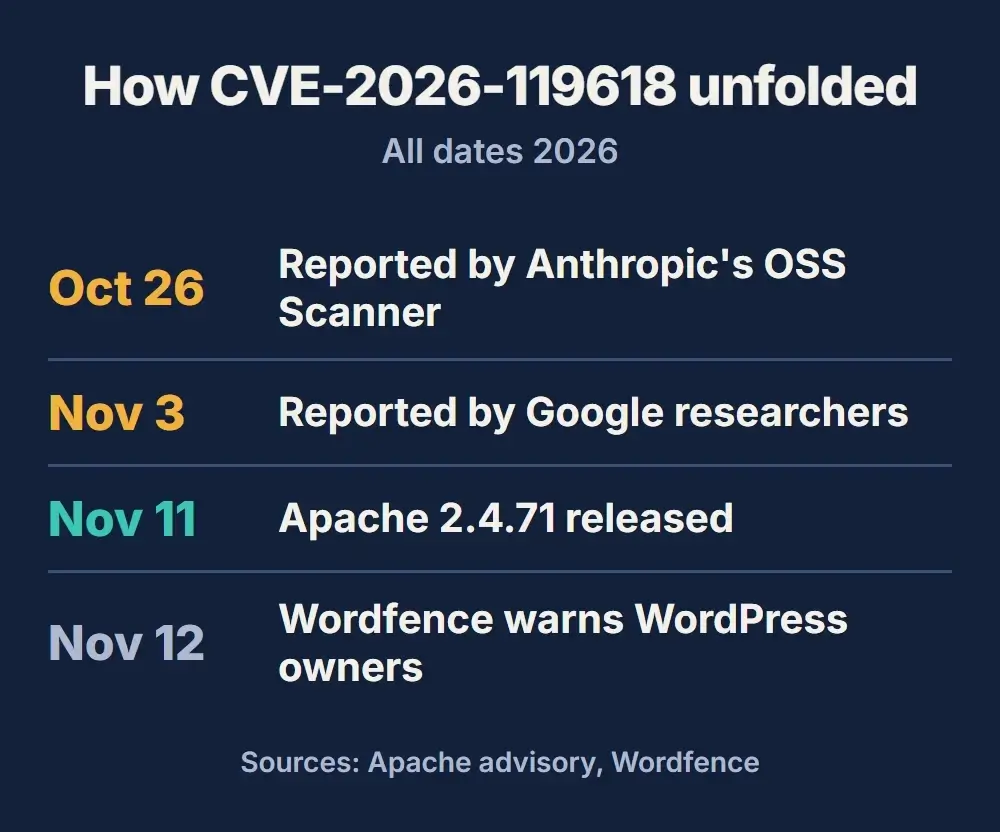
The flaw was reported to Apache twice, independently. Apache credits Anthropic’s OSS Scanner, which reported it on October 26, 2026, and Anthony Weems and Simon Scannell of Google Cloud Vulnerability Research, who reported it on November 3. Apache released the fix and published the details on November 11, including a notice on the oss-security mailing list.
Which Apache Versions Are Affected?
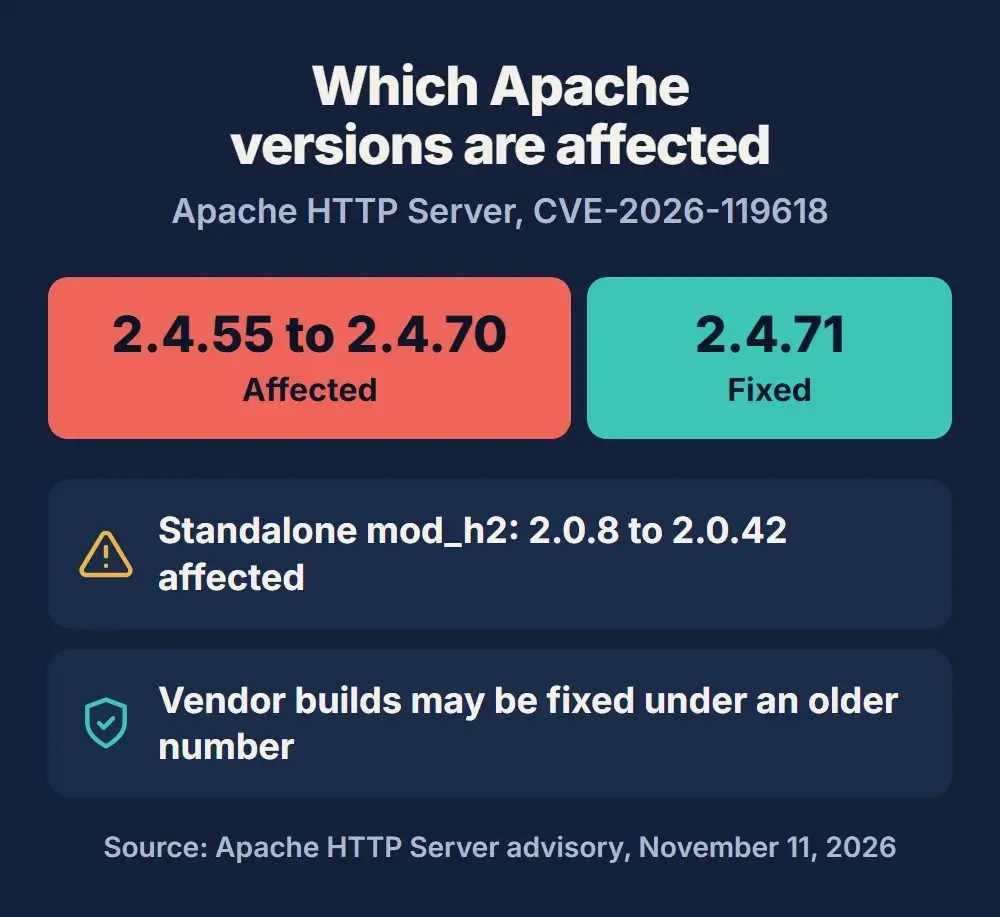
Apache lists these versions as affected by this Apache HTTP server vulnerability, and one fixed release:
| Software | Affected versions | Fixed in |
|---|---|---|
| Apache HTTP Server | 2.4.55 to 2.4.70 | 2.4.71 |
| mod_h2 (standalone module from GitHub) | 2.0.8 to 2.0.42 | Use the fixed release |
| Linux or control panel packages | Depends on the vendor | The vendor’s fixed package |
The last row matters more than it looks. Linux distributions and hosting control panels often copy security fixes into their own Apache packages without changing the main version number. So a server that reports an older number may already be patched, and the version number alone does not settle it. Ask for the vendor’s advisory for that exact package.
Apache 2.4.71 also fixes two smaller issues: CVE-2026-106023, rated important, which can crash Apache child processes through mod_md, and CVE-2026-109163, rated low, in mod_vhost_alias. Both are one more reason to update rather than rely only on a workaround.
Does This Apache Vulnerability Affect WordPress Sites?
It can, but not because of WordPress. Apache is web server software that often sits in front of WordPress. It accepts the connection, then passes the request to PHP, which runs WordPress. A flaw in Apache is exploited before WordPress is involved at all.
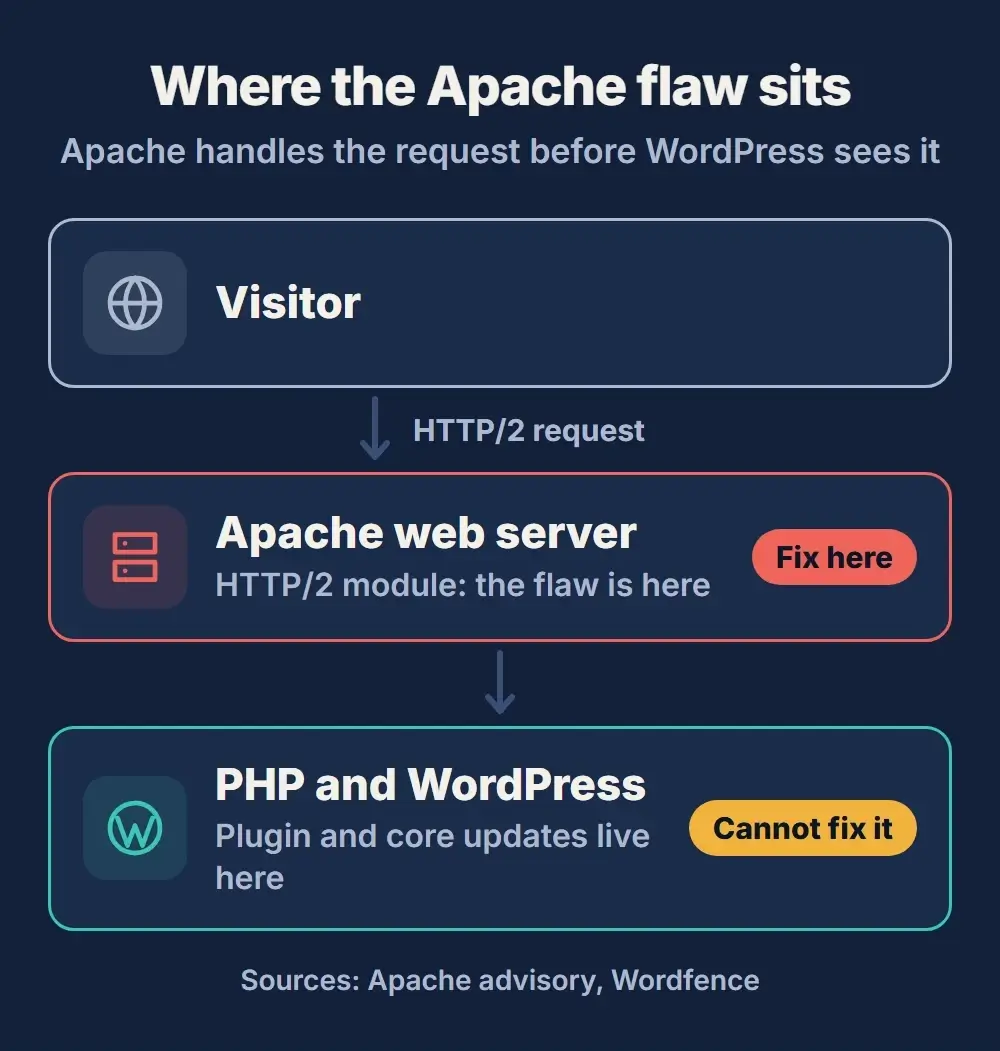
That has three practical consequences, all spelled out in Wordfence’s warning to WordPress site owners:
- WordPress updates will not patch it. Updating WordPress core, plugins, themes or a security plugin does nothing for Apache. The fix comes from your host or server administrator.
- A WordPress firewall plugin cannot block it. Plugin firewalls such as Wordfence run inside PHP, after Apache has already handled the HTTP/2 connection.
- A successful attack would hit the whole server. Code running as the web server process could read or change sites and data on that server, including your database credentials in
wp-config.php.
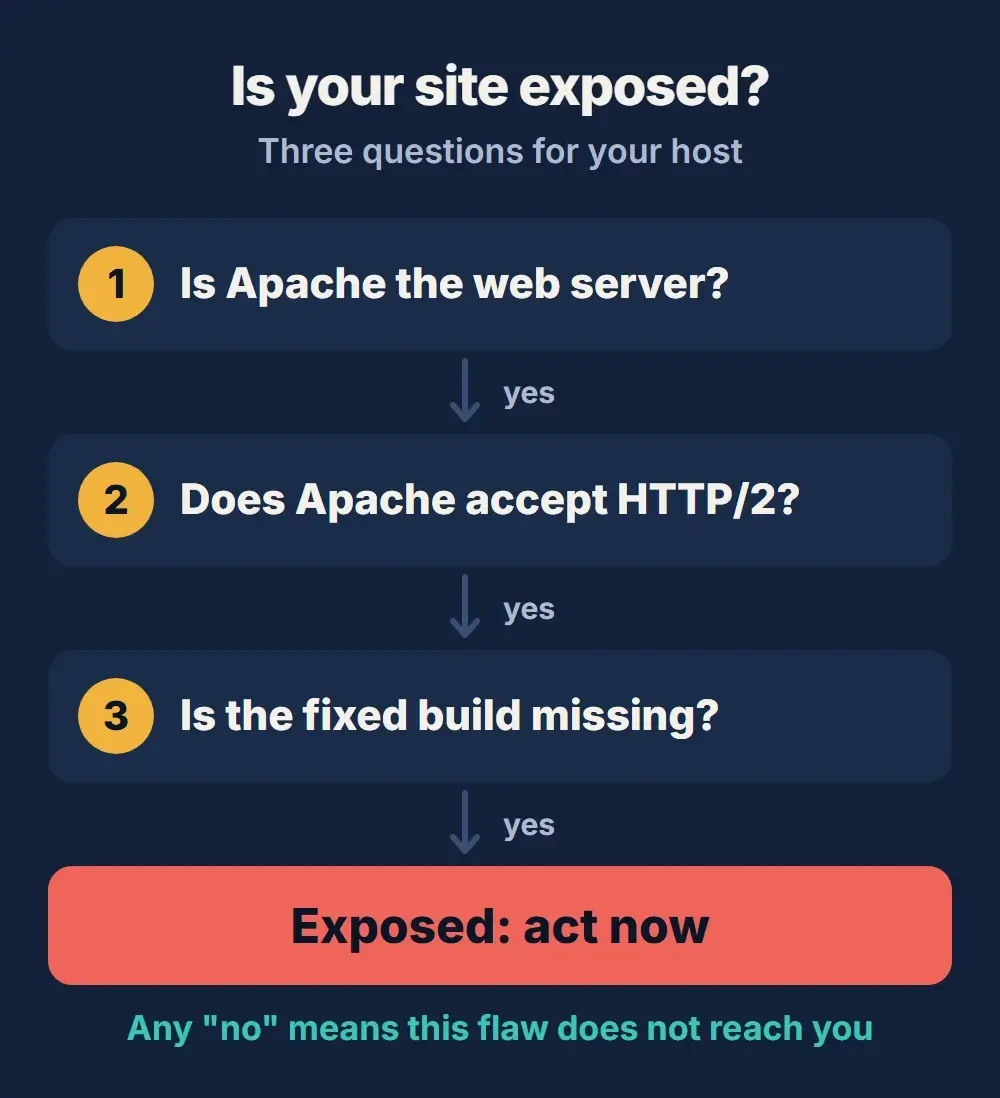
Whether your site is exposed depends on the server and how it is set up, not on the fact that it runs WordPress. Plenty of WordPress hosts use nginx, LiteSpeed or another web server, and plenty of Apache servers never switch HTTP/2 on.
How to Check Whether Your Server Is Exposed
Your WordPress dashboard can tell you the PHP version (Tools, Site Health, Info, Server), but not which Apache build your host runs or whether its HTTP/2 module is patched. Three questions decide it:
If your site is on shared or managed hosting
Send your host this question in writing: “Does the Apache server hosting my site accept h2 or h2c, and has CVE-2026-119618 been fixed in the installed package?” Ask them to confirm Apache was restarted after the update, because an installed fix does nothing until the server reloads it.
If you manage your own server
Check three things: the installed Apache and mod_http2 packages, whether the HTTP/2 module is loaded (for example with apachectl -M), and whether any Apache site or virtual host lists h2 or h2c in its Protocols directive. Apache’s default is HTTP/1.1 only, so HTTP/2 is on only if someone enabled it.
Do not judge by what visitors see
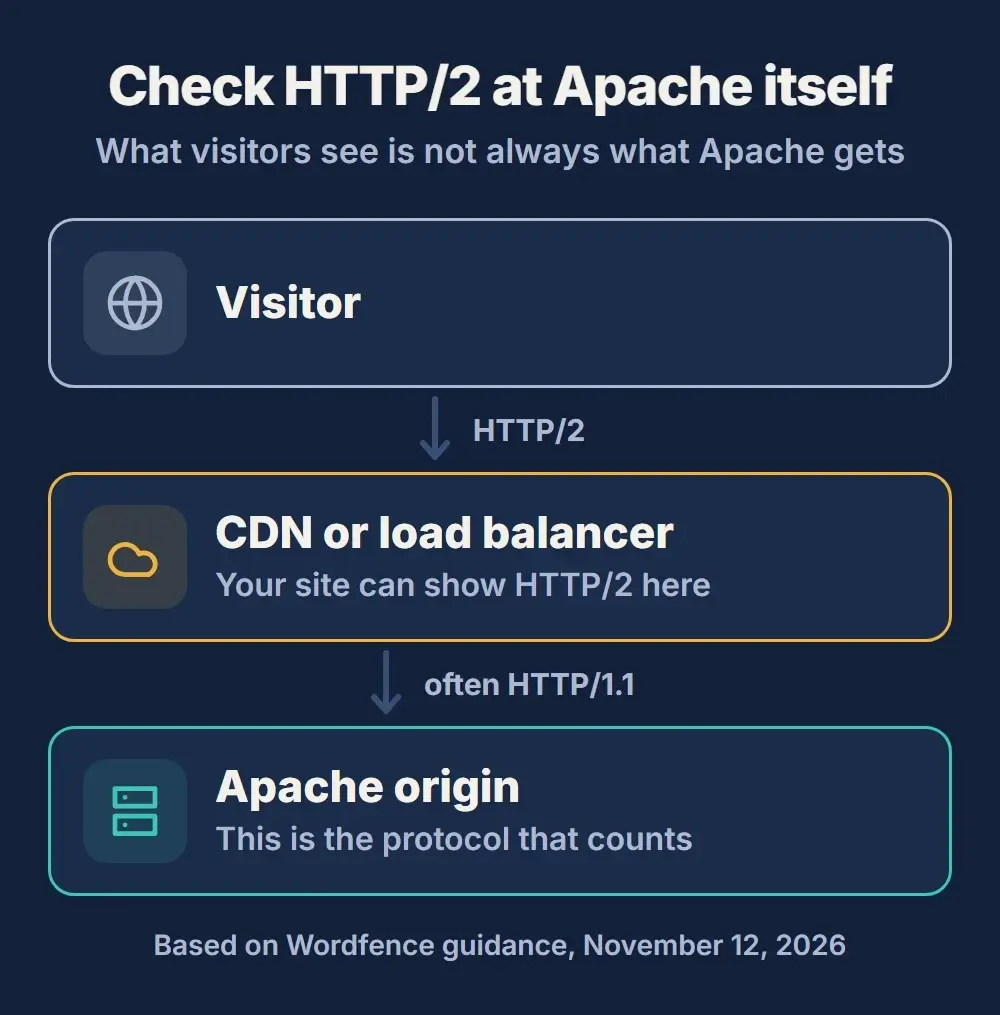
A site can show HTTP/2 to visitors while Apache never receives HTTP/2 at all. A CDN, load balancer or nginx proxy in front of Apache often talks to the server behind it over HTTP/1.1. The reverse is also possible: a site that looks like HTTP/1.1 from outside can have an internal route that accepts HTTP/2. Check the protocol at the Apache origin itself.
What to Do Now
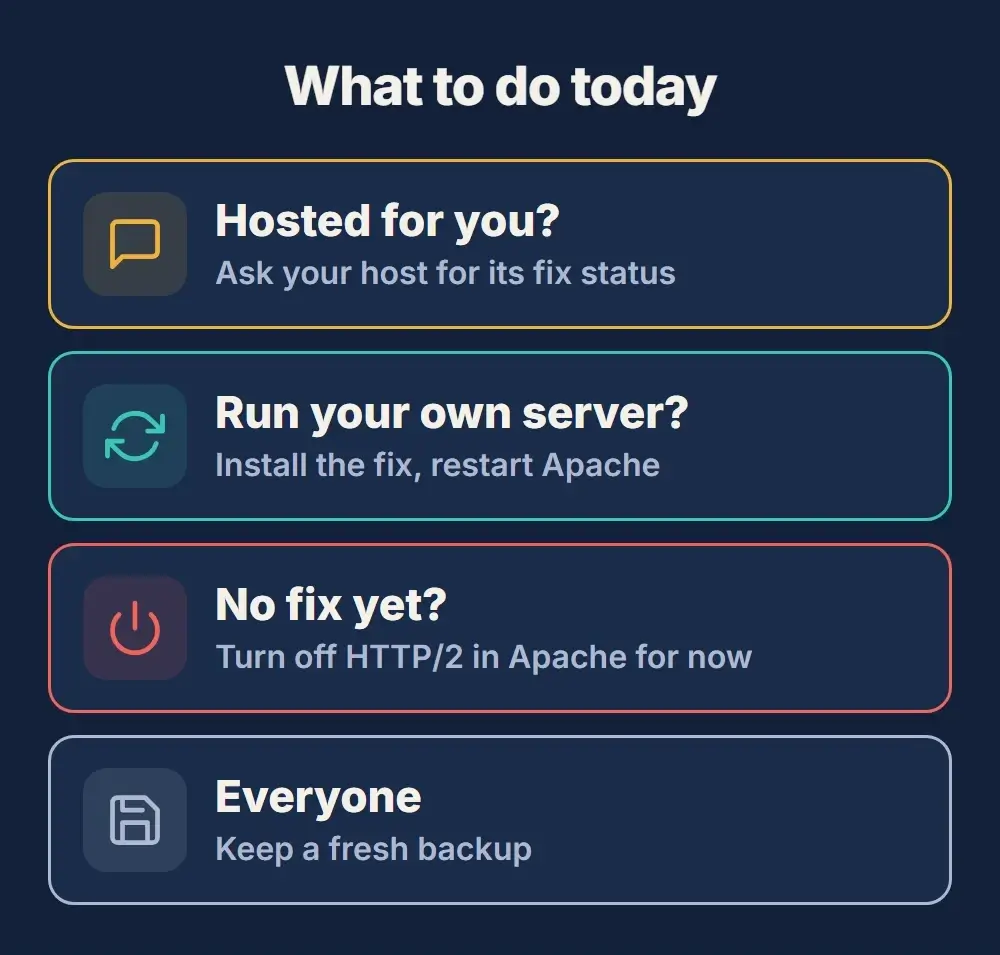
- Shared or managed hosting: contact your host, ask for its CVE-2026-119618 status and update date, and keep the reply.
- Your own server or VPS: take a backup, install Apache 2.4.71 or your vendor’s fixed package, then restart Apache.
- Control panels and containers: follow the panel vendor’s advisory, or rebuild from an updated image and redeploy. The fixed build may carry a different version number.
- Agencies and multi-site owners: check every server, including staging copies and old client sites nobody has logged into for a while.
- Everyone: keep a current backup of files and the database. It will not stop this flaw, but it makes recovery possible.
Not sure who looks after your server?
Our care plans cover WordPress, plugin and theme updates, off-site backups, security scans and uptime monitoring, with a monthly report. We will also tell you exactly what to ask your host.
If a Fix Is Not Available Yet: Disable HTTP/2 in Apache
If your server’s fixed package is not out yet, the stopgap is to switch HTTP/2 off in Apache until it is. Red Hat confirms that servers serving only HTTP/1.1 are not affected by this flaw. How to disable HTTP2 in Apache, in short, for whoever manages the server:
- Remove
h2andh2cfrom everyProtocolsline in the Apache configuration, including inside virtual hosts, so onlyhttp/1.1remains. - Restart Apache, then confirm the origin no longer accepts HTTP/2.
- Switch HTTP/2 back on once the fixed package is installed.
Most sites will keep working normally over HTTP/1.1, though some may load slightly slower until HTTP/2 returns. If a CDN sits in front of your site, visitors can usually keep HTTP/2 between their browser and the CDN while Apache uses HTTP/1.1 behind it.
Is CVE-2026-119618 Being Exploited?
Not as far as anyone has reported. When Wiz published its analysis on November 11, it said no exploit was available and there were no reports of exploitation in the wild. Wordfence notes that a public researcher has posted a test that crashes Apache 2.4.70, but that test does not show code execution, and none of the public sources show a WordPress site compromised through this flaw.
That will not last forever. The fix itself shows attackers where to look, which is why critical server bugs often see working exploits within days or weeks of a patch. The quiet period is your window to update, not a reason to wait. It is also a good moment to run through a full WordPress maintenance checklist, from backups to the software your host runs.
If your site sits on an old, unmanaged server that nobody is sure how to update, that is the bigger risk. Our WordPress development team can move a site to a well-maintained host and a current setup, so fixes like this one get applied by people whose job it is.
Apache HTTP/2 Vulnerability FAQ
Do I need to update WordPress to fix CVE-2026-119618?
No. CVE-2026-119618 is a flaw in the Apache web server, not in WordPress, plugins or themes. The fix is Apache 2.4.71 or a patched vendor package, installed by your host or server administrator, followed by an Apache restart.
Is my site affected if it does not use HTTP/2?
Not by this flaw. Only Apache servers that accept HTTP/2 (h2 or h2c) are affected. Servers that only speak HTTP/1.1, which is Apache’s default, are not. Check the Apache origin itself, because a CDN can show HTTP/2 to visitors while Apache gets HTTP/1.1.
How do I find out which web server my host uses?
Ask your host directly. Response headers sometimes name the server, but many hosts hide or change them, and a CDN in front of the site can mask the origin entirely. Your host’s support team can confirm the web server, whether HTTP/2 is on and whether the fix is installed.
Will a WordPress security plugin protect me?
Not against this flaw. Plugin firewalls run inside PHP, after Apache has already processed the HTTP/2 connection. Security plugins are still useful for scanning files and spotting changes if a server is ever compromised.
Is this the Apache vulnerability of 2026 everyone is talking about?
It is the most serious Apache HTTP Server vulnerability of 2026 so far: rated critical by Apache, with remote code execution possible on servers that accept HTTP/2. It was disclosed and fixed on November 11, 2026, in Apache 2.4.71.
Final Thoughts
CVE-2026-119618 is serious but very fixable. It only matters if your site runs on Apache with HTTP/2 switched on, and the fix is a server update your host can usually apply quickly. Send your host the one question above, get the answer in writing, and if a fix is not ready, ask for HTTP/2 to be turned off until it is. If you would rather have a team keep an eye on updates, backups and security scans for you, our website maintenance plans are built for exactly that.