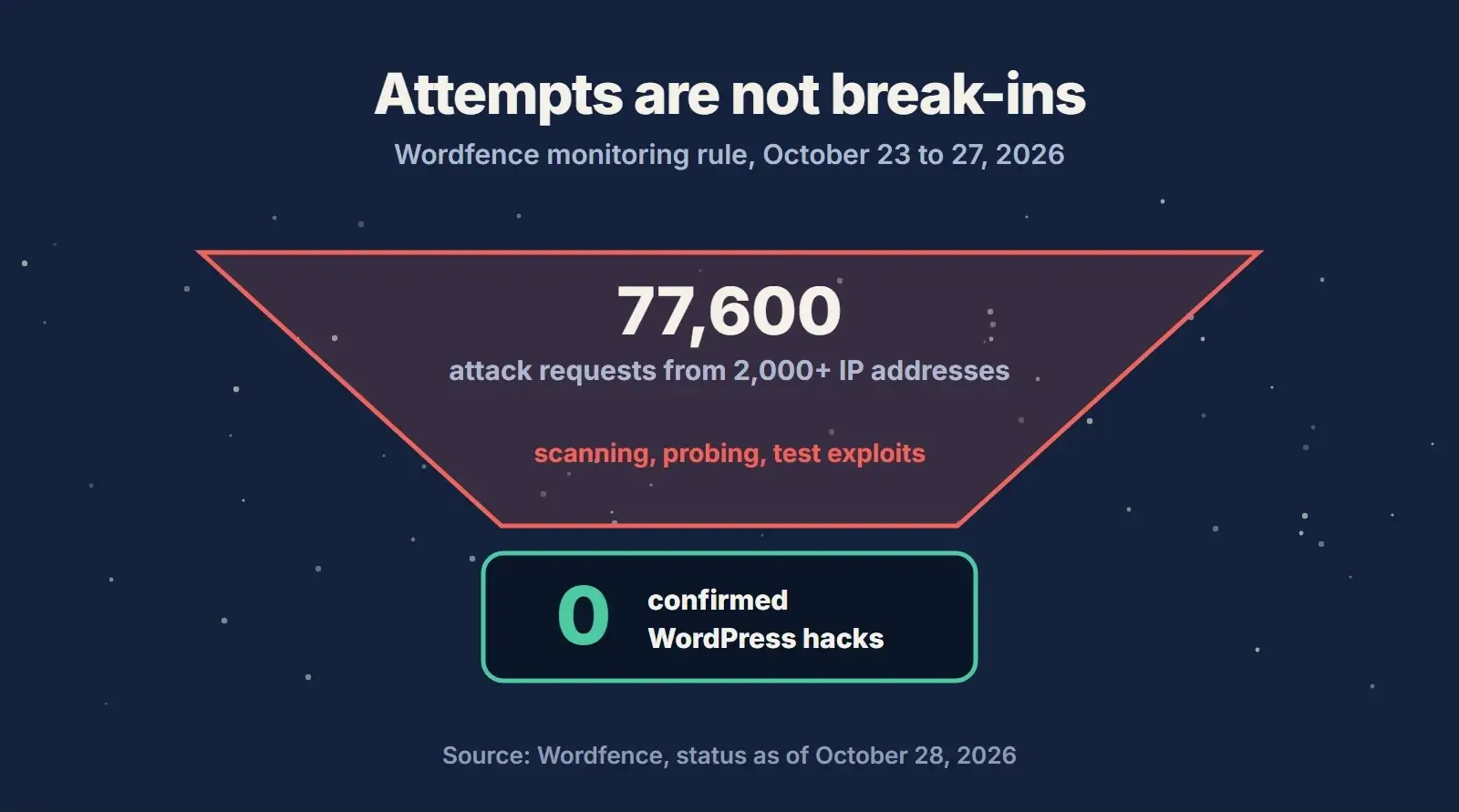
- As of October 28, 2026, Wordfence knows of no WordPress site hacked through PHP2Shell, across the more than 5 million sites it protects.
- Attack traffic is real and ongoing: about 77,600 PHP2Shell requests from more than 2,000 IP addresses in five days.
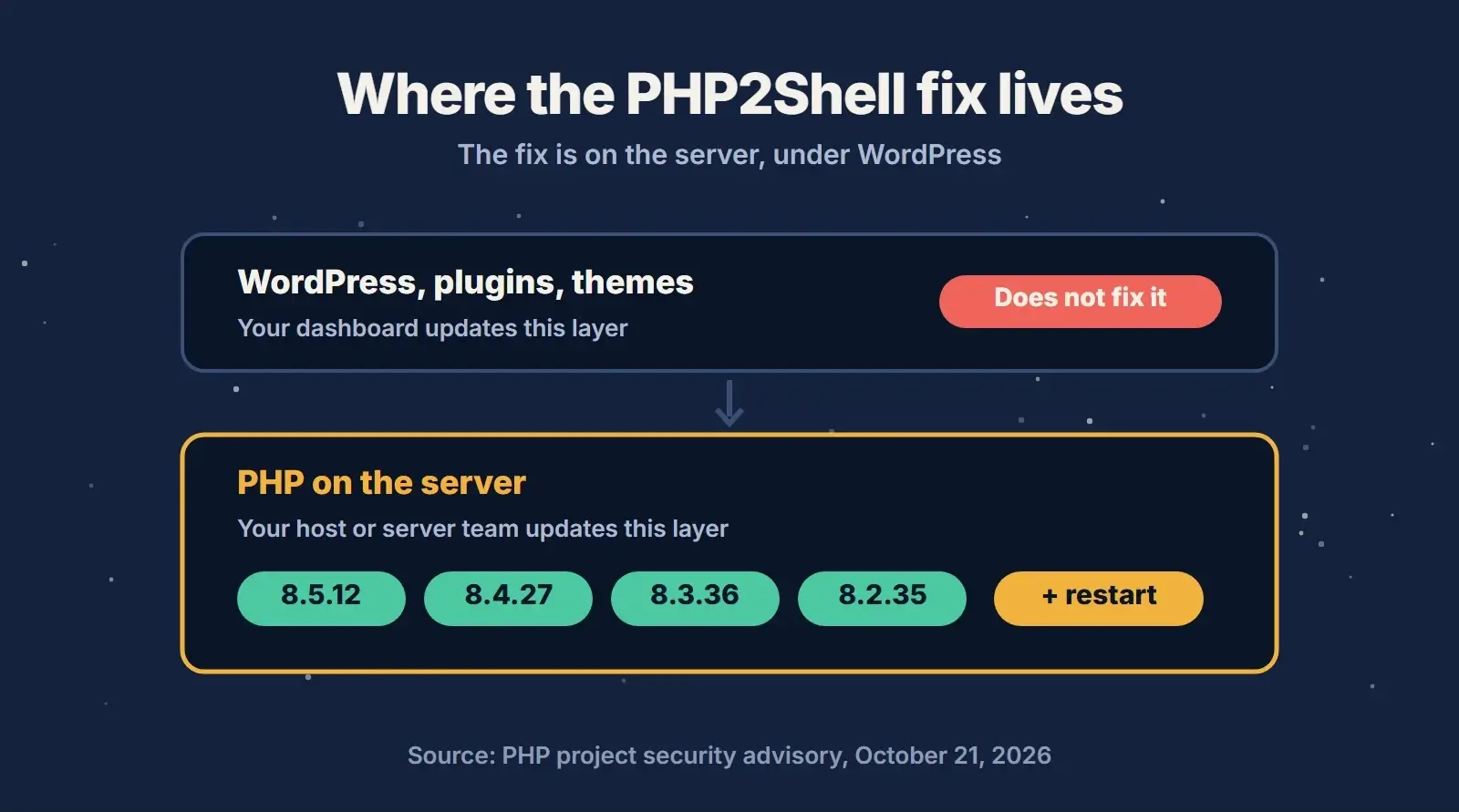
- The fix has not changed. Update PHP to 8.5.12, 8.4.27, 8.3.36 or 8.2.35 (or a vendor build with both fixes) and restart PHP. Updating WordPress does not update PHP.
- A separate, unpatched PHP flaw, CVE-2026-115560, only affects an unusual setup. The workaround is one php.ini setting.
- If your PHP update was slow, check for signs of compromise from October 17 onwards.
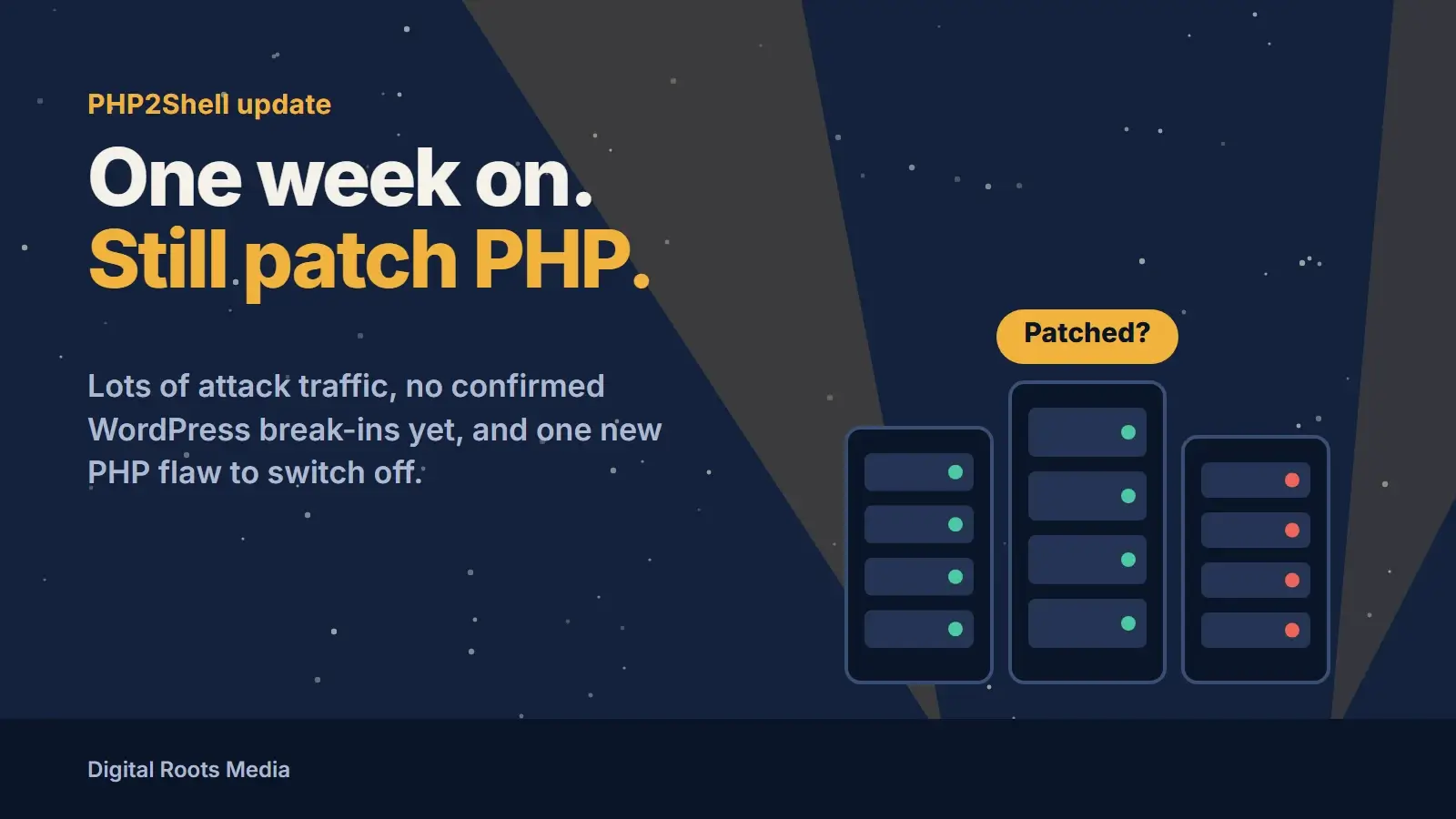
The short answer: one week after the PHP project shipped emergency fixes for PHP2Shell, attackers are scanning and probing PHP servers every day, but no WordPress site has been confirmed hacked through it. Wordfence, Wiz and other researchers report that most exploit attempts fail, because a working attack usually has to be tuned to each server. That is good news, not a reason to wait. If your server still runs an unpatched PHP version, update it and restart PHP today.
We covered the original release in our October 21 guide to the critical PHP vulnerabilities, including which versions are affected and how to ask your host the right questions. This PHP2Shell update covers what has happened since: who has been attacked, what the attack traffic tries to do, the new PHP flaw disclosed on October 23 and the checks every WordPress site owner should run now.
What Is PHP2Shell?
PHP2Shell is the nickname for two critical vulnerabilities in PHP itself: CVE-2026-109618 and CVE-2026-109619. Both are rated 9.2 out of 10 on the CVSS v4.0 scale, and both can allow unauthenticated remote code execution. In plain terms, an attacker who has never logged in could run their own code on your web server.
The PHP security advisory explains the two flaws simply. The first happens when PHP runs out of memory part way through a request and later treats half-prepared data as valid. The second happens when data from a finished request survives in memory and a later request handled by the same PHP worker uses it. Neither is a WordPress, plugin or theme bug, which is why the PHP2Shell vulnerability explained in one line is this: the fix lives on your server, not in your dashboard.
PHP2Shell Affected Versions and the Fix
The PHP project says every PHP installation that serves web requests is at risk, including PHP-FPM, Apache with mod_php, php-cgi, FrankenPHP and LiteSpeed. It considers mod_php the highest risk. Here are the PHP2Shell affected versions and what to do on each branch:
| PHP branch | Fixed version | What to do |
|---|---|---|
| PHP 8.5 | 8.5.12 | Update and restart PHP |
| PHP 8.4 | 8.4.27 | Update and restart PHP |
| PHP 8.3 | 8.3.36 | Update and restart PHP |
| PHP 8.2 | 8.2.35 | Update now, and plan a move to 8.3 or newer before security support ends on December 31, 2026 |
| PHP 8.1, 8.0, 7.4 and older | No official release | Ask your host or vendor for a backported fix, or upgrade to a supported branch |
One detail catches people out. Linux distributions and long-term support vendors often add security fixes without changing the main version number, so an older-looking number is not always unpatched. If you see one, ask your host whether that exact package contains both fixes. The PHP supported versions page shows how long each branch gets security fixes.
Has Any WordPress Site Been Hacked Through PHP2Shell?
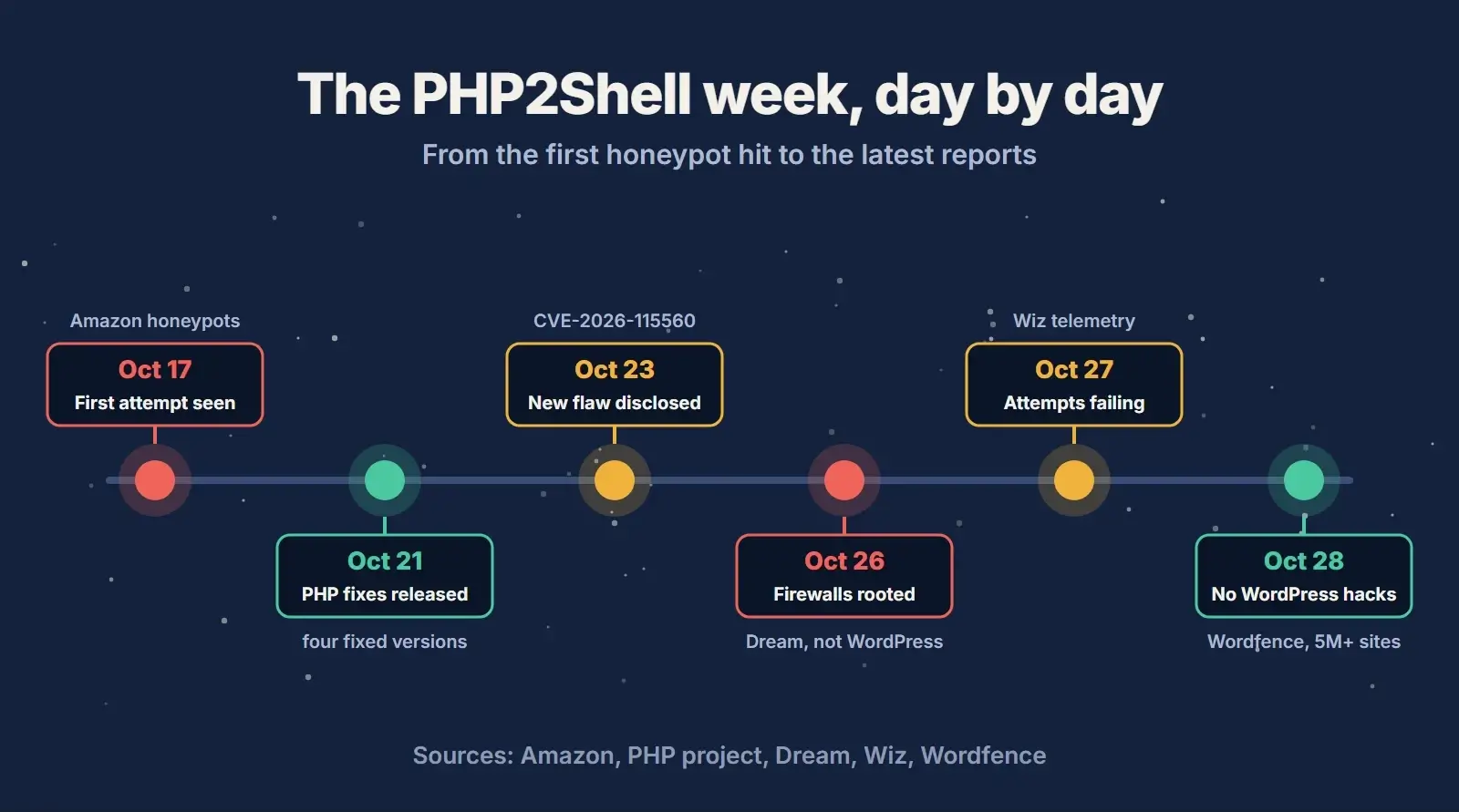
Not that anyone has confirmed. In its October 28 PHP2Shell update, Wordfence says its site-cleaning and incident response teams have not handled a single WordPress compromise attributed to these vulnerabilities. That is across a network of more than 5 million WordPress sites.
The attacks outside WordPress are a different story. Here is what has been reported, and what each report does and does not show:
- Amazon saw an exploit attempt against its honeypots on October 17, four days before the public disclosure, and more attempts in the hours before the fixes shipped.
- Dream reported a custom PHP2Shell exploit chained with a Linux kernel flaw that took full control of 25 servers running an unnamed vendor’s firewall software. Not WordPress.
- Morphisec reported blocking follow-on attack code on a Windows server running IIS and PHP-CGI. Not WordPress.
- Palo Alto Networks lists the exploit status as attacked in its PHP2Shell product advisory, which covers its own PAN-OS firewalls.
- Wiz reported on October 27 that none of the attempts it captured completed the full attack chain.
Why exploitation has been hard so far
Several teams found that a working exploit for one server often fails on another. In Wordfence’s lab, the same test exploit ran code on a specially built PHP but only crashed a normal, optimised build of the same version. Memory layout protections, the way PHP was compiled, its extensions, memory limits and how the server hands out requests all change the outcome. Wiz saw public exploit kits fail at different stages, including one blocked simply because the request was bigger than the server’s upload limit.
Those obstacles slow attackers down. They do not stop a skilled one, as the firewall case shows, and attack tools are still being improved. Treat the quiet week as extra time you were lucky to get.
What the Attack Traffic Is Trying to Do
Between October 23 and 27, a dedicated Wordfence monitoring rule logged roughly 77,600 PHP2Shell requests from more than 2,000 IP addresses. None of it looked like normal visitor traffic. The requests showed clear signs of attack tools, scanners or automated testing.
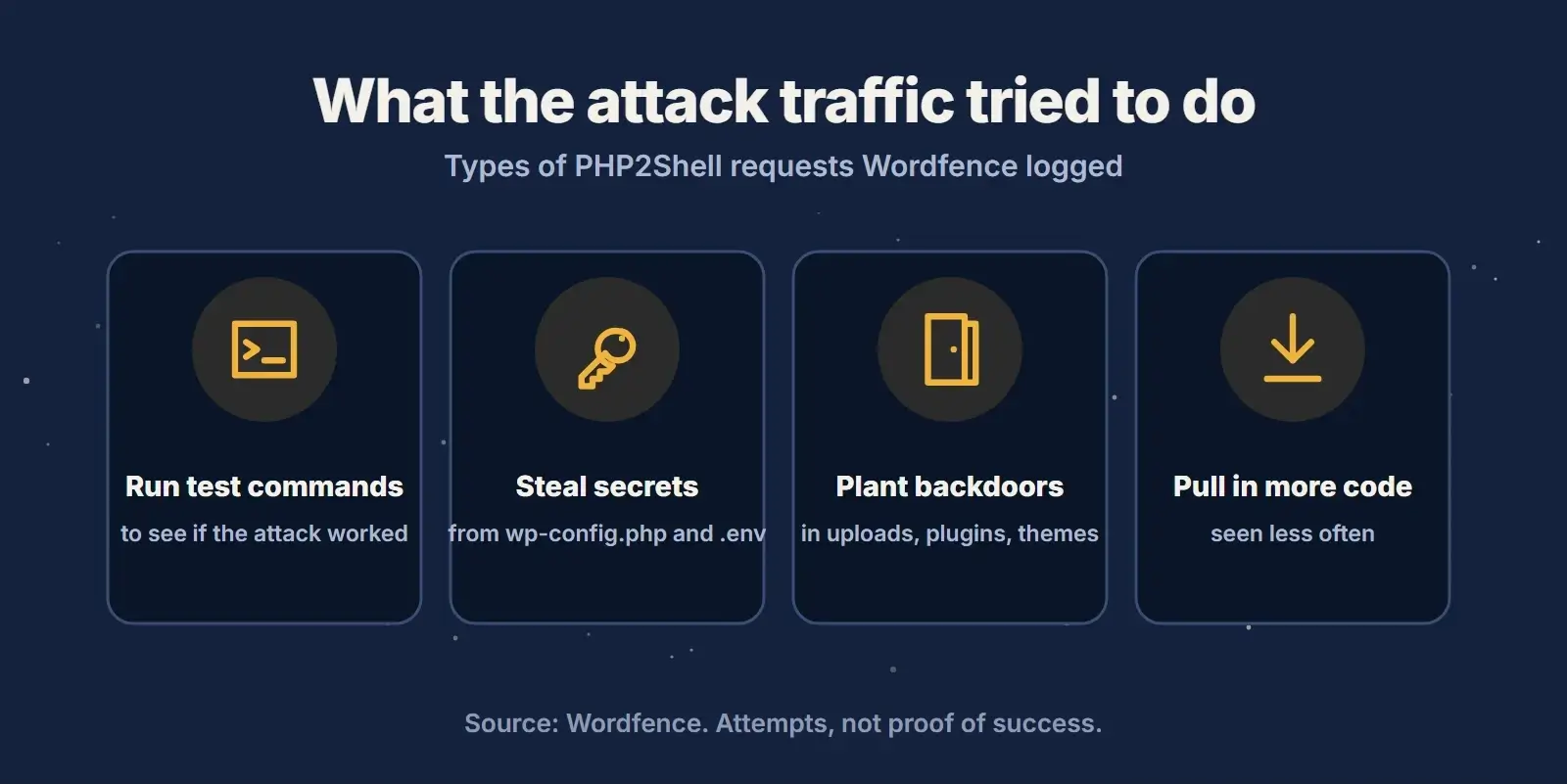
What the requests tried to do tells you exactly what to protect. They aimed to:
- Run small commands to check whether the attack had worked.
- Read database passwords and other secrets from
wp-config.phpand.envfiles. - Drop backdoor files into the uploads, plugin or theme folders, so the attacker could come back later.
- Download and run more malicious code, which was less common than the other three.
If an attack did succeed, the attacker could reach your files, your database and every password stored on the server. That is why the fix is still urgent, even with no confirmed WordPress cases.
How to Update PHP on WordPress
You cannot fix PHP2Shell from the WordPress dashboard. What you can do is check which PHP version your site really uses, then get the right person to update it. Here is how to update PHP for a WordPress site, depending on how you host it:
- Check your PHP version. In WordPress, open Tools, then Site Health, then the Info tab, and expand Server. This shows the PHP version your website actually runs.
- Managed or shared hosting: ask your host in writing whether the PHP serving your site is patched for CVE-2026-109618 and CVE-2026-109619, and whether PHP has been restarted since.
- Your own server or VPS: take a backup, install the updated PHP packages, then restart Apache, PHP-FPM or whatever runs PHP so no old process keeps the vulnerable code in memory.
- Containers: rebuild from an updated image and redeploy.
- Agencies and multi-site owners: check every environment, including staging sites and old servers you forgot about.

Restarting matters. A PHP update that is installed but not loaded leaves the old code running. If you are moving to a newer branch rather than patching your current one, WordPress.org’s guide to updating PHP explains how to change your WordPress PHP version safely, and it is worth testing a staging copy first so an old plugin does not break the live site.
Not sure who looks after your PHP?
Our care plans cover WordPress, plugin and theme updates, off-site backups, security scans and uptime monitoring, with a monthly report. We will also tell you exactly what to ask your host.
If You Cannot Update PHP Right Away
The PHP project is clear that only an update is a complete fix. It does list settings that reduce exposure while you wait, and your host or server team should be the one to apply them:
- Set
session.upload_progress.enabled = 0in php.ini or the PHP-FPM pool settings, then restart every worker. Setting it from inside WordPress, with ini_set() or in a .user.ini file, is too late to help. - Keep
post_max_sizelow: 8M if the site never takes uploads, 32M if it does. - Ask about the memory limit change the advisory describes. It has trade-offs, so leave it to whoever manages the server.
These steps block some attack paths, not all of them. Use them as a bridge to the update, never as a replacement.
The New PHP Flaw: CVE-2026-115560
On October 23 the PHP project disclosed a separate flaw, CVE-2026-115560, which has no patch yet. It only applies to an unusual setup: an application has to change the format PHP uses to store session data while it is running, then start a session, with PHP’s session upload progress feature switched on. Upload progress is on by default.
The workaround is the same setting as above: session.upload_progress.enabled = 0, set in php.ini or the PHP-FPM pool, followed by a restart. If your host already applied it for PHP2Shell, nothing else is needed. The PHP project plans to fix it in the next regular release. For most WordPress site owners this is a short conversation with your host, not a reason to panic.
Servers Are Getting Patched
There is encouraging data too. Wiz reported that within a few days of disclosure, the number of internet-exposed machines still vulnerable to PHP2Shell fell by about 67%, and that fewer than 53% of the organisations it first saw as affected were still exposed a week later.
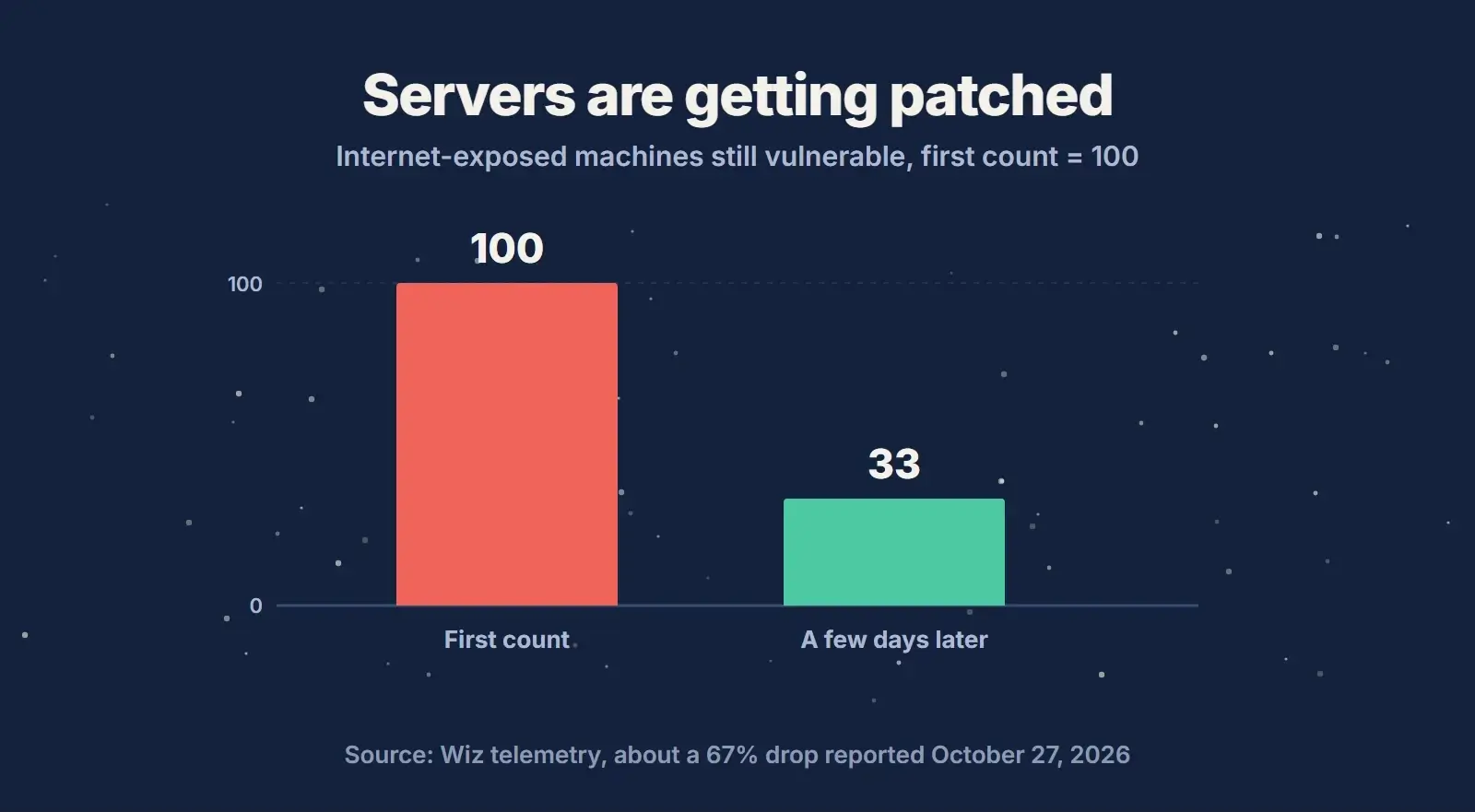
That still leaves a lot of unpatched servers, and the attackers know it. The sites most at risk now are the forgotten ones: an old staging copy, a client site on a cheap VPS, a microsite nobody has logged into since launch. Those are also the sites most likely to run PHP 8.1 or older, which gets no official fix. If that sounds like your site, our WordPress development team can move it to a supported PHP version, and a full website redesign is worth a look when the site is too old to update cleanly.
How to Tell If Your Site Was Compromised
Amazon’s earliest recorded attempt was on October 17, so that is the date to check from. Look for changes you did not make:
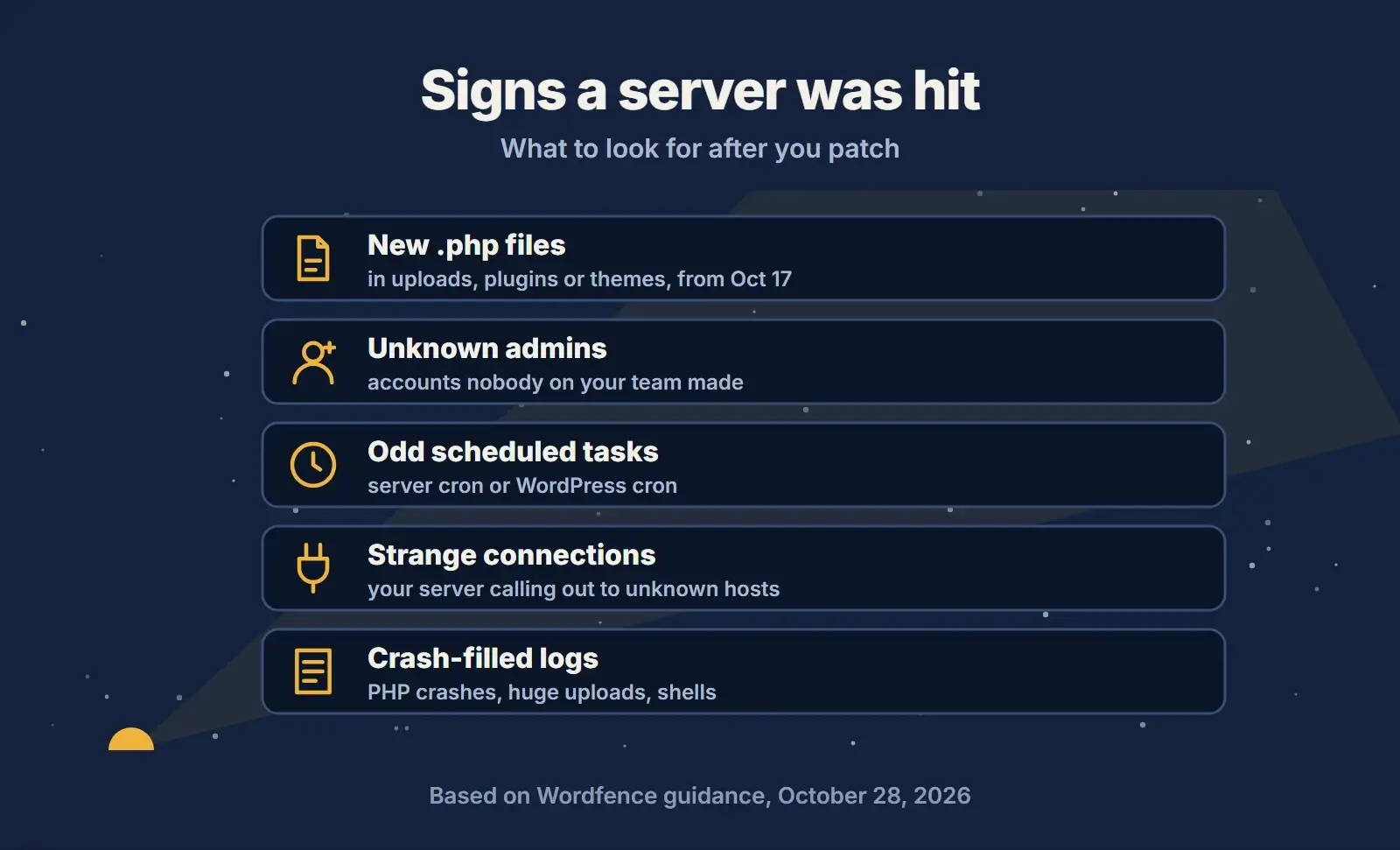
- Unfamiliar .php files in
wp-content/uploads, or in plugin and theme folders, created on or after October 17. - Administrator accounts nobody on your team created.
- Unexpected scheduled tasks, either server cron jobs or WordPress cron events.
- Your server making connections to hosts you do not recognise.
- PHP or server logs full of crashes, unusually large form uploads or PHP starting a command shell.
Run a malware scan with a reputable WordPress security plugin such as Wordfence, and keep your backups and server logs from October 17 to the moment PHP was patched and restarted. A clean log is reassuring, but it does not prove nothing happened.
If you do find signs of a compromise, treat the site as hacked. Take a copy of it as it is now, so the evidence is kept. Then change the database password and every secret stored in wp-config.php or .env, and start a full clean-up before you put the site back to normal use.
PHP2Shell FAQ
Do I need to update WordPress to fix PHP2Shell?
No. PHP2Shell is a flaw in PHP, the language WordPress runs on, so no WordPress, plugin or theme update fixes it. The fix is a PHP update on your server, followed by a restart of PHP. Keeping WordPress updated is still good practice for other security reasons.
Is my site safe if my host says it added mitigation rules?
Mitigation rules lower the risk, but the PHP project says only an update is a complete fix. Ask your host when the PHP version serving your site will be updated to a fixed release, or whether its package already contains both fixes, and whether PHP has been restarted.
What if my site runs PHP 8.1 or older?
The PHP project no longer releases updates for 8.1 and older. Some Linux vendors backport the fixes, so ask your host. The better long-term answer is upgrading to PHP 8.3 or newer, because 8.2 loses security support on December 31, 2026. Test the upgrade on staging first.
Is PHP2Shell being exploited in the wild?
Yes, attackers are actively trying. Wordfence logged about 77,600 attack requests in five days, and real compromises have been reported on firewalls and a Windows server. As of October 28, 2026, no WordPress site has been confirmed hacked through PHP2Shell.
Is this the October 2026 PHP vulnerability everyone is talking about?
Yes. The PHP vulnerability of October 2026 is PHP2Shell: CVE-2026-109618 and CVE-2026-109619, fixed on October 21. A third, lower-risk flaw, CVE-2026-115560, was disclosed on October 23 and has a simple configuration workaround until it is patched.
Final Thoughts
The first week of PHP2Shell went better for WordPress than many feared: plenty of attack traffic, a few serious break-ins elsewhere, and no confirmed WordPress compromises. That window will not stay open. Check the PHP version behind every site you run, get it updated and restarted, switch off session upload progress if your host has not, and look back over your files and logs from October 17. For the full background, read our guide to the October 2026 PHP security update. If you would rather have a team keep an eye on updates, backups and security scans, our website maintenance plans are built for exactly that.