The best internal linking strategy for a service business is a hub and spoke model. Each main service gets a hub page that links to a page for every specific service it covers, each of those pages links back to the hub and to its closest neighbours, and every blog post links up to the one service page it supports. Use descriptive anchor text that names the page you are linking to, keep your money pages within a few clicks of the home page, and make sure no important page is left without links.
Internal links are the part of SEO you fully control. You do not need anyone’s permission, there is no budget line, and they shape three things at once: how Google finds your pages, how it understands what each page is about, and how visitors move from reading to booking. This guide shows the model, then walks through a worked example for a plumbing company you can copy for your own services.
- Google mainly finds new pages through links from pages it already knows.
- Build one hub page per service line, a page per specific service, and link both ways.
- Every blog post should link to the one service page it supports, with descriptive anchor text.
- Google can use the number of links it follows to reach a page as a signal, so keep key pages close to home.
- Audit for orphan pages and broken links at least twice a year.
What internal links do for SEO
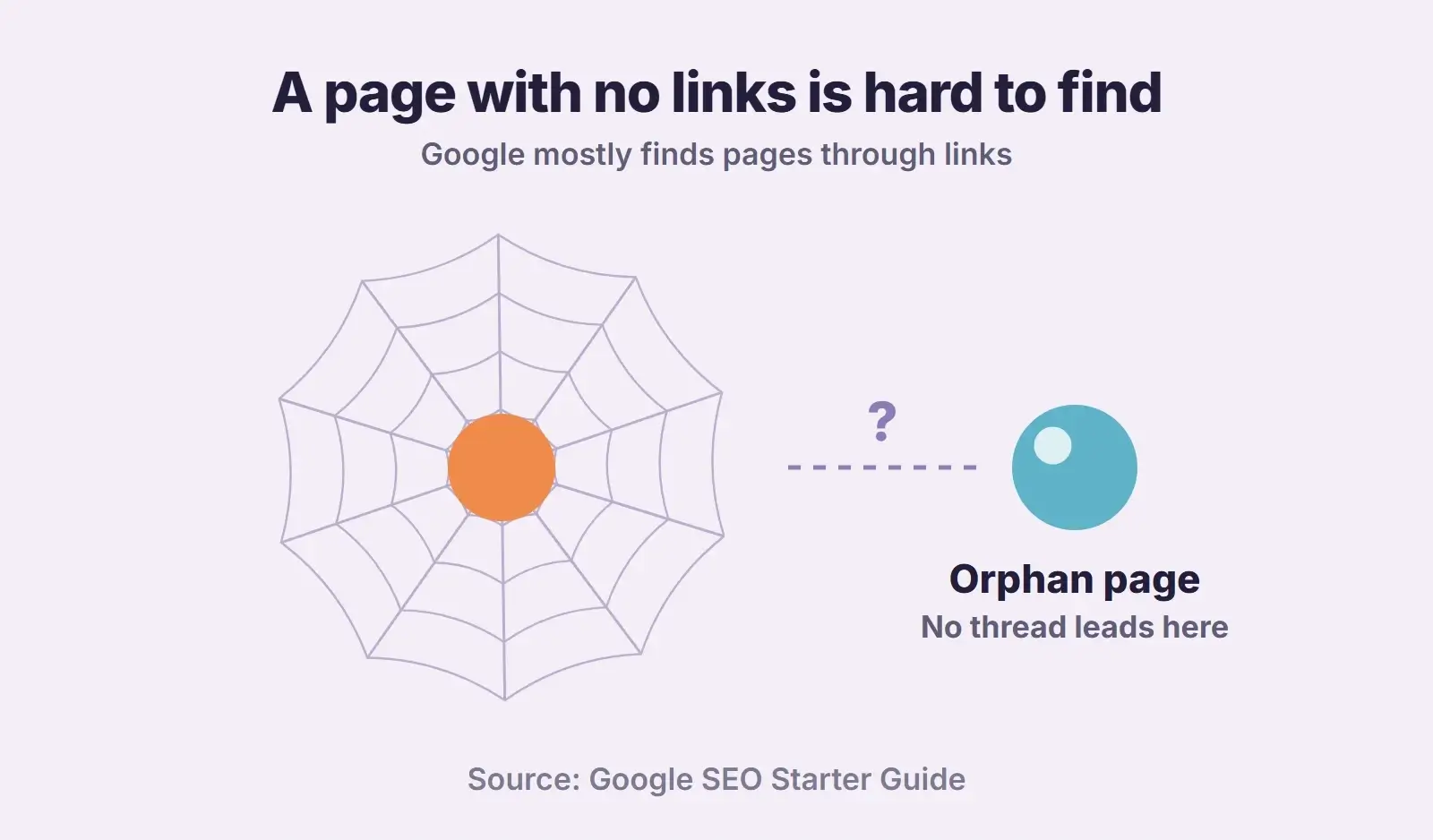
Google’s SEO Starter Guide says Google “primarily finds pages through links from other pages it already crawled”. That makes internal links a main road into every page you publish. A page with no links pointing to it is hard for Google to find.
Links also carry meaning. The anchor text, the clickable words, tells people and Google what the target page is about. Google’s link best practices ask for anchor text that is descriptive and reasonably concise, and they add a useful detail: the words before and after a link matter too. A link to your drain cleaning page inside a sentence about blocked kitchen sinks says far more than the same link in a footer list.
Finally, links signal importance. Google’s documentation on site structure says that Google can use the number of links to a page to infer its relative importance, and the number of links it has to follow to reach a page as a signal. For a service business, that is the whole strategy in one line: point your internal links at the pages that make you money.
The hub and spoke model for service businesses
Linking advice written for publishers with thousands of articles does not map well onto a service business. You have a small number of pages that bring in work (your service pages) and a larger number that answer questions (your blog). The hub and spoke model fits that shape:
- The hub is a page for a whole service line, such as Plumbing or Roofing. It explains the service line in general and links to every specific service.
- The spokes are the specific service pages, such as drain cleaning or water heater repair. Each one links back to its hub and across to the one or two most closely related spokes.
- The supporting posts are blog articles that answer real questions. Each one links up to the single spoke it supports, and the spoke links to its best supporting posts.
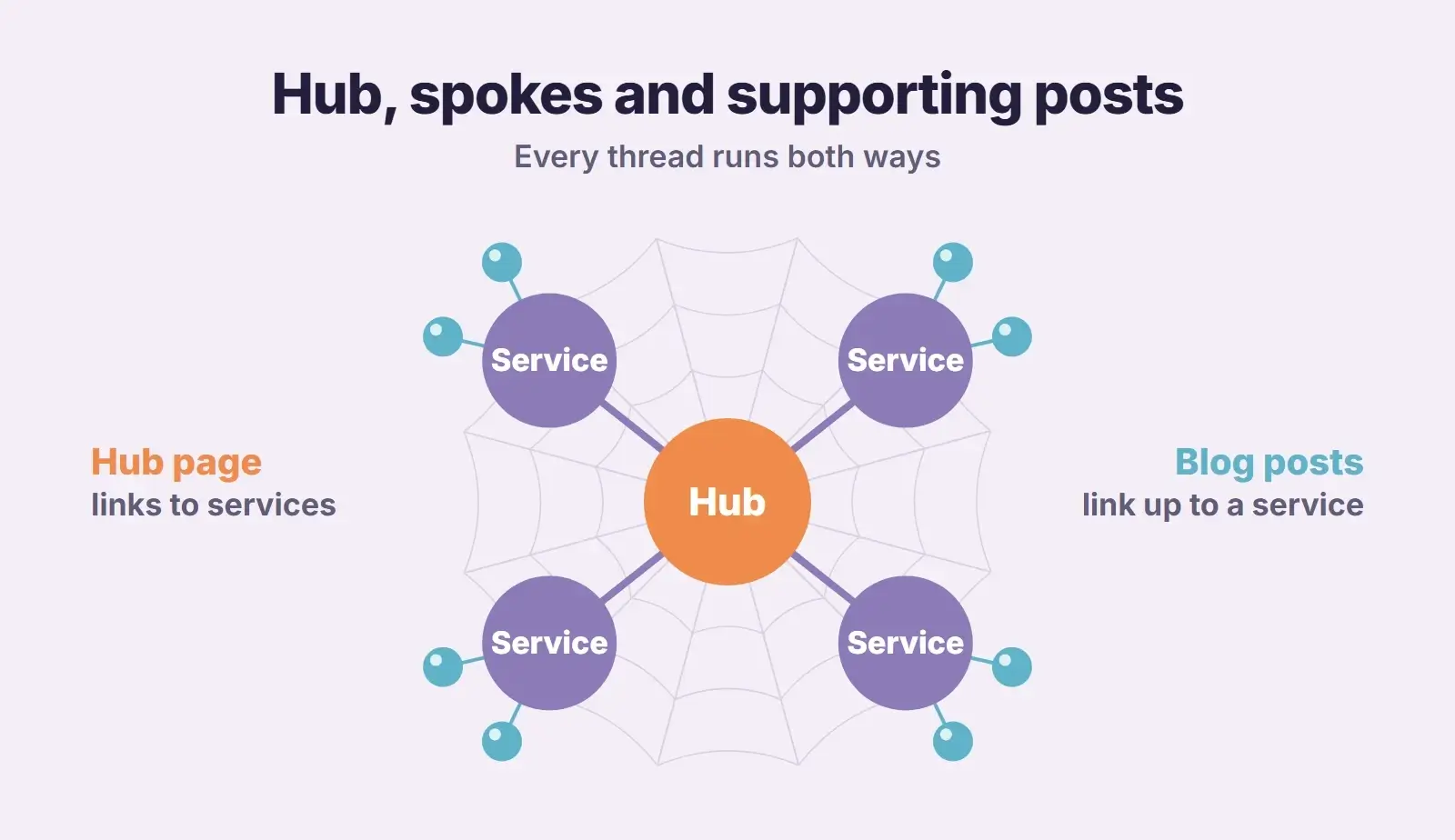
Two rules keep the model clean. First, every thread runs both ways: if the hub links to a spoke, the spoke links back to the hub. Second, each supporting post has one clear parent. A post about the cost of replacing a water heater supports the water heater page, not the hub and not every service at once. That keeps the signal about which page is the main one for each topic clear.

If you serve several towns, the same idea applies to locations. A locations hub links to each area page, and each area page links to the services offered there. Our guide to service area pages covers how to make those pages different enough to be worth indexing.
Keep money pages close to the home page
Click depth is the number of clicks it takes to reach a page from the home page. Google’s site structure guidance suggests linking from the home page to the pages you want to stand out. A service page linked from the main menu is one click deep. A blog post from three years ago, reachable only through page 7 of the blog archive, might be eight clicks deep.
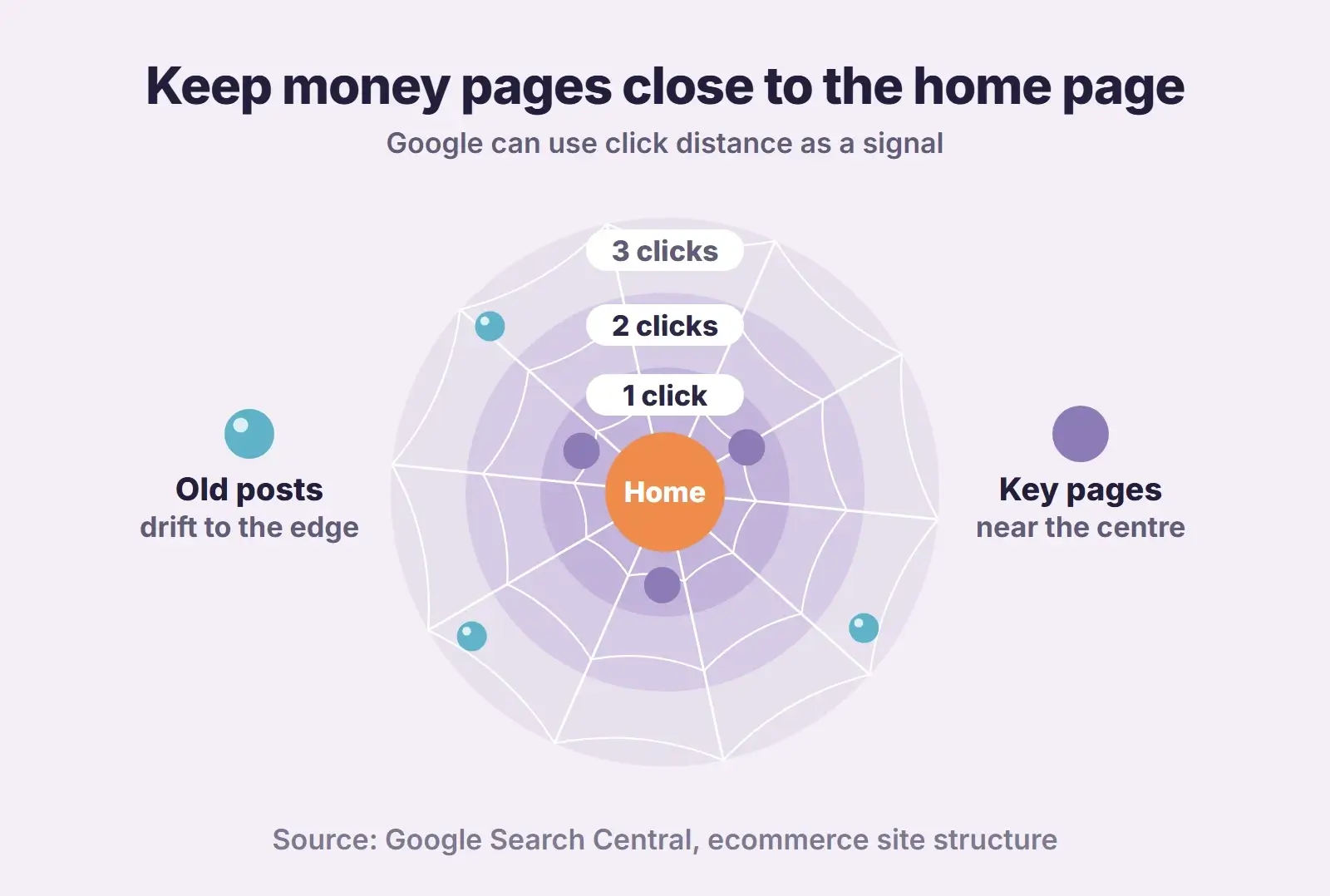
- Put every hub in the main menu, and every important spoke in the menu or on the hub.
- Link your top two or three services from the home page body, not only the menu.
- Use breadcrumbs: Google describes a breadcrumb trail as showing a page’s position in the site hierarchy, and each crumb is one more link back up.
- Add a “related services” block on each spoke, limited to the two or three closest services.
Anchor text: name the page, do not stuff it
Google’s advice is simple: read the link text on its own and ask whether it makes sense. “Click here” and “read more” say nothing. “Drain cleaning” says exactly what is on the other side. At the same time, Google warns against stuffing keywords into links. You do not need to use the exact phrase you want to rank for every time, and doing so reads as unnatural to people.
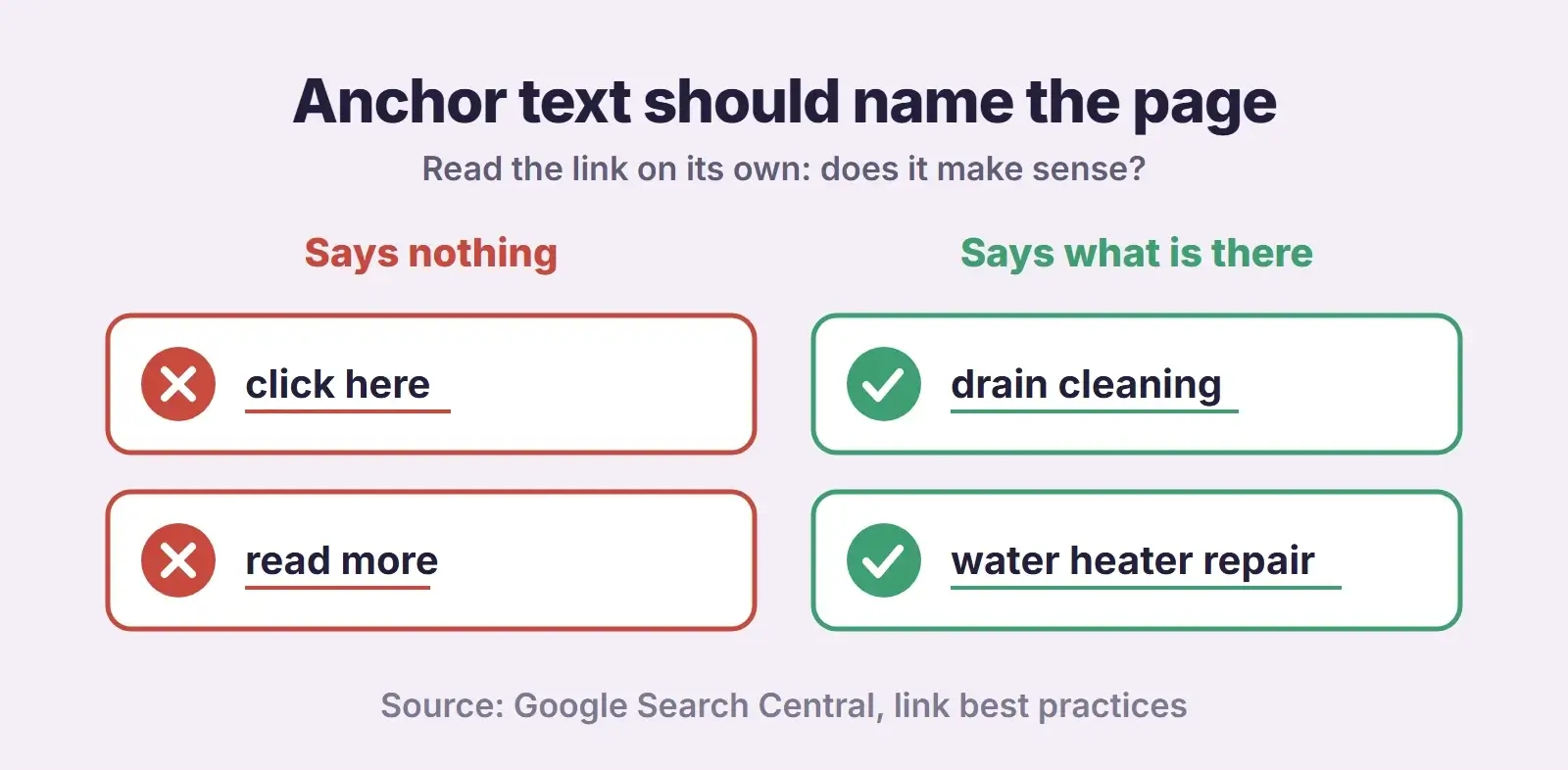
| Anchor text | Verdict | Why |
|---|---|---|
| click here | Avoid | Says nothing about the page |
| drain cleaning | Good | Names the service clearly |
| our drain cleaning service in Tampa | Good | Natural, specific, reads well in a sentence |
| best cheap drain cleaning plumber Tampa FL | Avoid | Stuffed; written for a robot, not a person |
| see our pricing | Fine for buttons | Clear action; pair it with descriptive links in the text |
Vary the wording naturally across the site. Ten posts linking to the water heater page might use “water heater repair”, “fixing a water heater that keeps tripping”, “replacement quote” and so on. That variety comes from writing for the reader. Our on-page SEO checklist covers the rest of the page-level basics.
Worked example: a plumbing company’s internal links
Here is the model applied to an example plumbing company with three core services. The names and pages are illustrative, so swap in your own services.
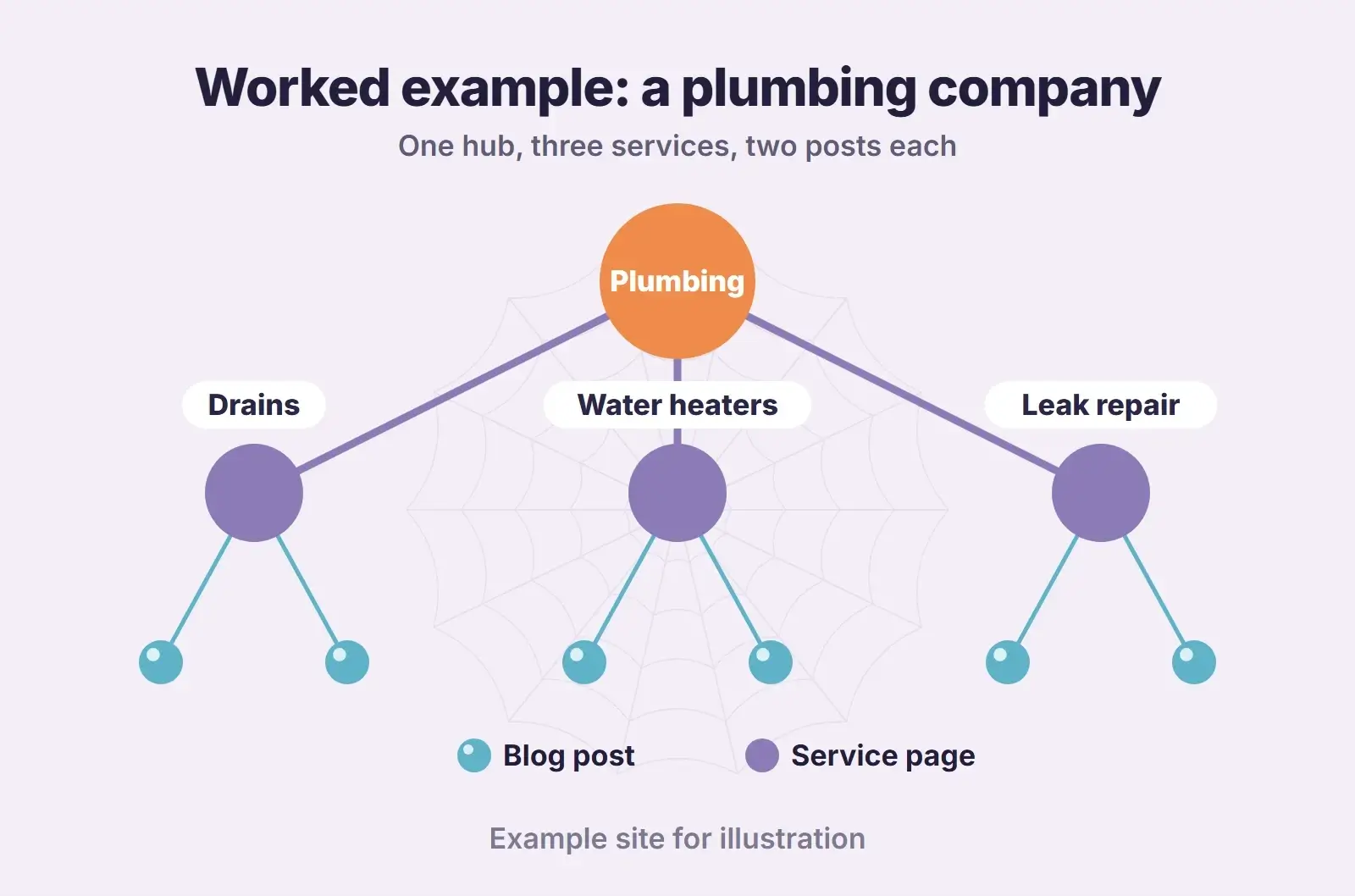
| Page | Links out to | Anchor text example |
|---|---|---|
| Home | Plumbing hub, Drains, Water heaters, Leak repair | “plumbing services”, “drain cleaning” |
| Plumbing hub | All three service pages, Contact | “water heater repair and replacement” |
| Drains | Hub, Leak repair, 2 drain posts, Contact | “why your kitchen sink keeps clogging” |
| Water heaters | Hub, Leak repair, 2 water heater posts, Contact | “tank vs tankless water heaters” |
| Leak repair | Hub, Drains, Water heaters, 2 leak posts, Contact | “slab leak detection” |
| Post: kitchen sink clogs | Drains (once, in context), one related post | “professional drain cleaning” |
| Post: tank vs tankless | Water heaters (once, in context) | “water heater installation” |
Read the table from the bottom up and the logic is clear. The posts answer questions people ask before they hire, and each one hands the reader to the matching service at the moment it becomes relevant. The service pages collect those links, link to each other only where the jobs overlap (a leak can damage a drain line; a failing water heater can leak), and all point to Contact. The hub ties them together and is linked from the menu and the home page.
Notice what is missing. The posts do not link to every service. The footer does not carry 40 keyword links. The hub does not link to blog posts directly, because its job is to send readers to the services. Fewer, better placed links make it obvious which page is the main one for each job. If you are still choosing which services deserve their own page, start with keyword research.
Find and fix orphan pages
Google’s guidance is that “every page you care about should have a link from at least one other page on your site”. Pages that break this rule are called orphan pages. Places to look: a landing page built for an ad campaign, an old location page removed from the menu, a post published but never linked from anywhere except the blog archive.
- Export every URL in your XML sitemap.
- Crawl the site with a crawler that follows links only, starting from the home page.
- Any URL in the sitemap that the crawl did not reach is an orphan.
- Link each orphan from its parent hub or service page, or remove it if it no longer earns its place.
A missing link is one possible reason a page gets skipped by Google; our guide on why Google is not indexing your site covers the other causes.
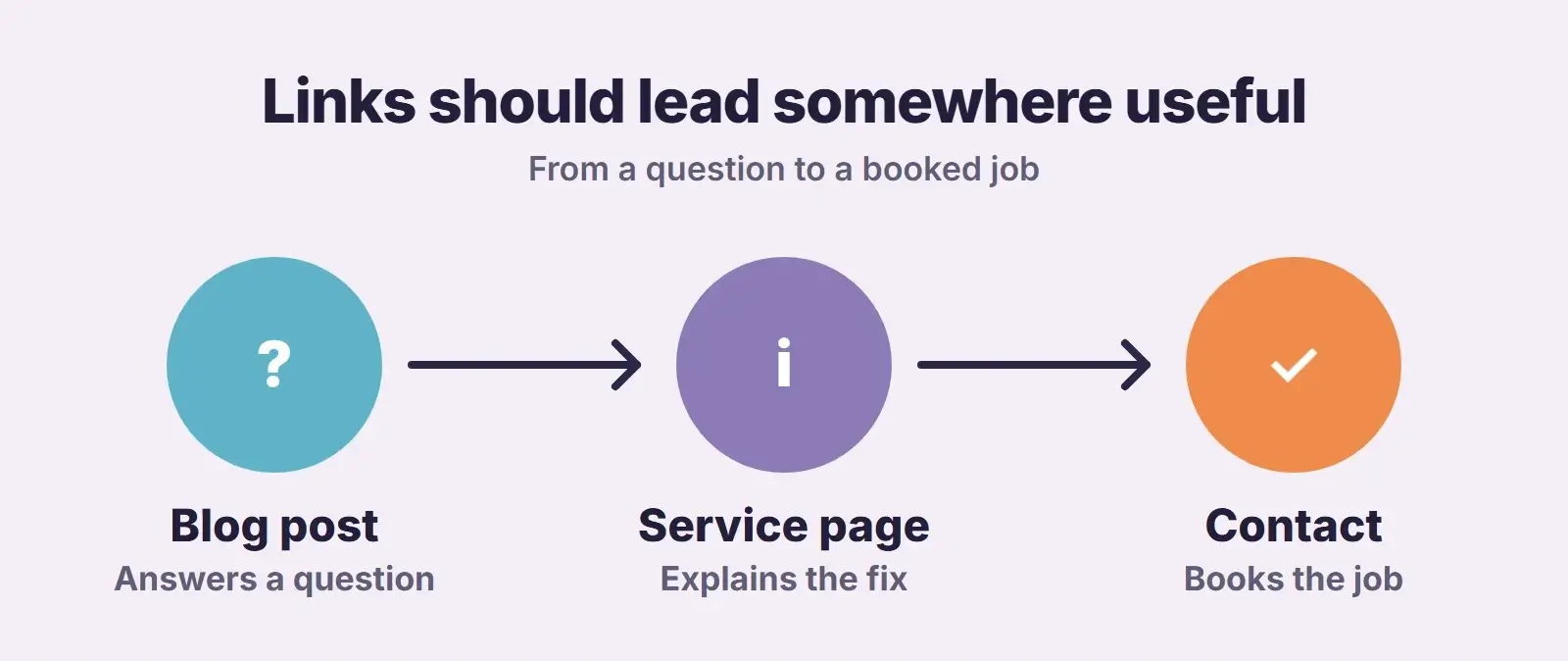
Links should lead to the next step
Internal links are not only for search engines. A visitor reading a post about a slow drain has a problem. The best next click is the page that solves it, and the click after that is the contact page. Plan each page’s links around the next step a reader would want, and SEO and conversions improve together.
Common internal linking mistakes
| Mistake | Why it hurts | Fix |
|---|---|---|
| Links only in the footer | Little context; every page looks the same | Add links inside the body text |
| Every post links to the home page | Spends links on a page that does not need them | Link to the matching service page |
| Two pages target the same service | Google has to guess which is the main one | Merge them or give each a distinct job |
| JavaScript buttons instead of links | Google can only follow <a href> links reliably | Use real links for navigation |
| Broken or redirected internal links | Dead ends and extra hops for visitors and crawlers | Update links to the final URL |
| Dozens of links per paragraph | Dilutes meaning and reads as spam | Link where it helps the reader |
Internal links work alongside links from other websites, not instead of them. Our guide to link building covers the external side.
Your internal linking checklist
- Create one hub page per service line and put it in the main menu.
- Give each specific service its own page, linked from the hub and back to it.
- Link each service page to its two or three closest related services.
- Link every blog post once, in context, to the one service page it supports.
- Use descriptive anchor text that names the target page; avoid “click here”.
- Keep money pages within one or two clicks of the home page.
- Add breadcrumbs to service and blog pages.
- Find orphan pages by comparing your sitemap with a crawl, then link or remove them.
- Replace JavaScript-only navigation with normal links.
- Fix broken and redirected internal links after every URL change.
Want a linking plan built around your services?
Our SEO services review your site architecture and internal links, so your content connects to the pages that bring in work.
Frequently asked questions
What is the best internal linking strategy for SEO?
For a service business, we recommend the hub and spoke model. A hub page per service line links to each specific service page, those pages link back and to their closest neighbours, and blog posts link up to the one service they support. Add descriptive anchor text, keep key pages close to the home page and make sure every page has at least one link pointing to it.
How many internal links should a page have?
Google says there is no magical ideal number, though if a page seems to have too many, it probably does. As a practical guide, link wherever it helps the reader take the next step: a service page might link to its hub, two related services, a few supporting posts and contact. We would give a blog post one link to its service page plus one or two related posts.
What is an internal link building strategy?
It is a plan for which pages link to which, and with what words, instead of adding links at random. Decide which pages matter most to the business, group related pages into hubs, then make sure every new page links up to its parent and gets a link from it. Review the plan whenever you add services or change URLs.
Do internal links help rankings?
They help Google find pages, understand what each page is about through anchor text and context, and judge which pages matter most within your site. That supports rankings but does not guarantee them; content quality and links from other sites still count. For pages that are buried or orphaned, adding good internal links is a simple improvement to try first.
Should blog posts link to service pages?
Yes, when the post is relevant to the service. Link once, inside the text, at the point where the reader would want help, with anchor text that names the service. Avoid linking every post to every service or only to the home page. One clear parent per post keeps the signal clean and gives readers an obvious next step.
Final thoughts
A strong internal linking strategy is less about clever tricks and more about structure: hubs for each service line, a page per service, posts that point to their service, and anchor text that says where each link goes. Build it once, check it twice a year, and every new page you publish strengthens the rest. Our SEO services cover site architecture and internal links, our technical SEO work fixes crawl and orphan problems, and our local SEO team ties your area pages into the same web. If you want to see where your site stands first, start with an SEO audit.